



Hot-Swappable PCB Architecture in Modern Keyboards: Guide
Learn hot-swappable PCB architecture in modern keyboards—what it is, how sockets and traces work, and how to pick the right board. Speed up swaps, reduce risk, and upgrade faster 🔧⚡
Read moreCase fan airflow configuration explained: learn intake vs exhaust setup, fan orientation, and reversible blades for simpler builds. Keep temps down and noise in check ✅🔧
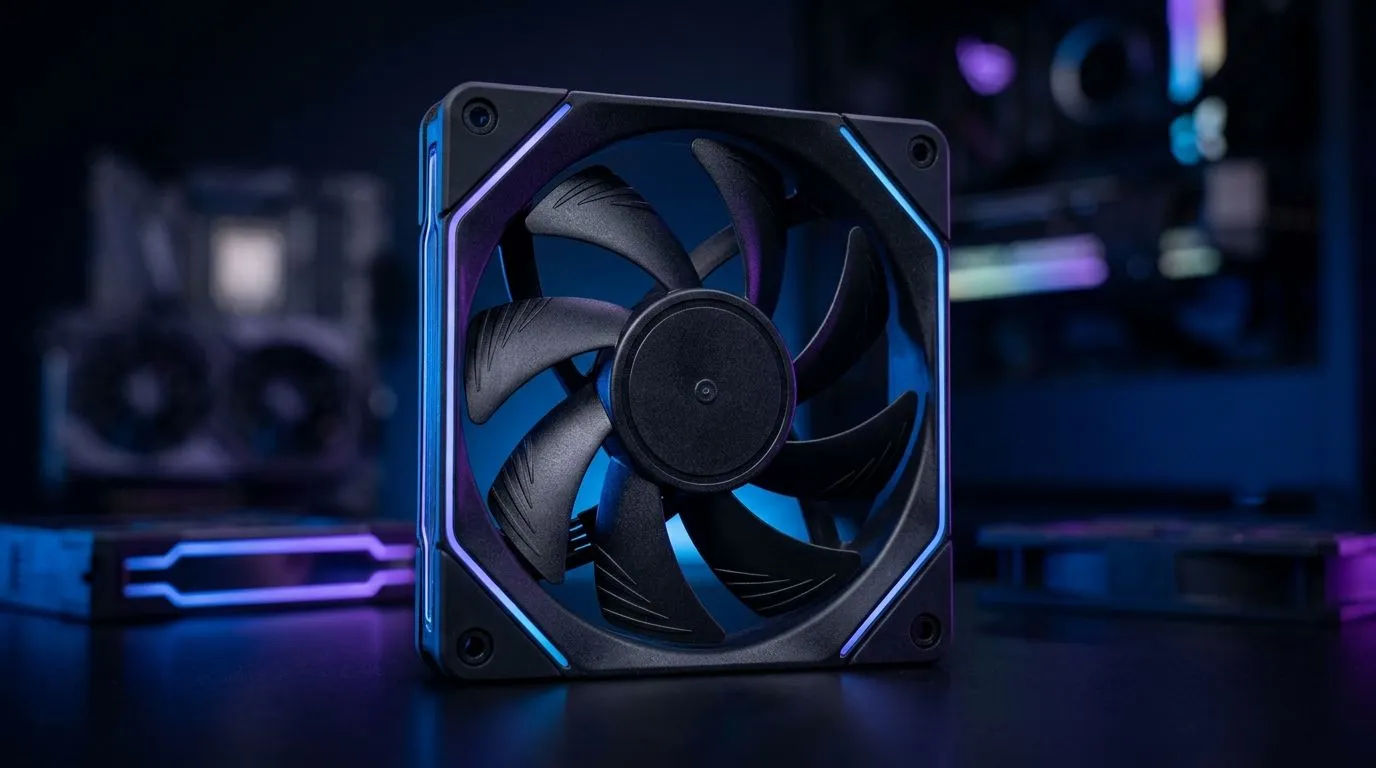
Every serious PC builder in South Africa knows cooling is key to peak performance 🔧. But how you configure your case fans as intake or exhaust can make all the difference. Knowing how to optimise case fan airflow keeps your hardware frosty during long gaming sessions or heavy workloads. If you're aiming to improve airflow, this guide breaks down case fan airflows for intake and exhaust setups—no confusion, just clear, actionable tips.
A balanced case fan airflow system moves cool air in and hot air out efficiently. Intake fans pull fresh air into the chassis, while exhaust fans push warm air out. This cycling reduces heat build-up around your CPU and GPU, helping prevent thermal throttling during intense gaming nights or content creation.
For example, using 120mm case fans is popular in many South African builds. Their size hits a sweet spot between airflow volume and noise levels, making them great for both intake and exhaust roles.
Finding your ideal setup depends on your case size, fan specs, and environment—so testing is vital. Energy-conscious gamers will appreciate that balanced airflow can also lower power draw by easing your fans' workload.
Try setting your intake fans near the front or bottom of your case to pull in the coolest air. Place exhaust fans at the top or rear for natural heat escape—the warmer air rises, after all. This simple tweak leverages physics for better cooling.
Choosing reliable brands matters. If you love vibrant builds, explore Corsair case fans. Their RGB lighting adds flair while delivering solid airflow and durability. For those focused purely on silent performance and efficiency, Deepcool case fans offer excellent options without flashy lighting.
If you prefer a minimalist look, you can find case fans without lighting effects that focus solely on airflow and noise control. However, RGB lovers can find a great selection of RGB fans to customise their setups fully.
An effective intake fan places cool air near critical hotspots like your GPU and CPU. A wise placement for exhaust fans is near heat exhaust points—usually the top and back of your case where hot air naturally moves upwards. Don’t block fans with cables or drive cages as this disrupts airflow.
Also, larger fans like 140mm case fans move more air at lower RPMs, which often results in quieter cooling. South African gamers who run their rigs 24/7 will value the quieter operation and durability from these bigger fans.
Success here isn’t guesswork. It’s about balancing your intake and exhaust to keep airflow smooth and your temps as low as possible. Remember, noisy fans can mean airflow problems or higher temps—something no gamer wants during a key play.
Upgrade Your Cooling Setup Today Don’t let heat slow down your rig. Discover the ideal case fans for your airflow needs and Shop now at Evetech for performance that leaves lag in the dust.
A common starting point is more intake than exhaust for positive pressure, with exhaust at the rear/top to pull hot air out. Adjust for your components.
Check airflow arrows on the frame and the fan label direction. Intake typically faces toward the front/bottom; exhaust faces rear/top/back.
Yes. Reversible fan blades let you flip airflow direction without swapping fans, making it faster to test configurations and optimize temps.
Positive pressure usually helps reduce dust buildup, while negative pressure can improve radiator pull. Choose based on your fan layout and ventilation.
Prioritize intake near cool airflow sources (front/bottom) and exhaust near hot zones (rear/top). Keep cables tidy to avoid airflow blockage.
Radiator location changes fan direction needs. If the radiator is exhausting, ensure hot air can exit freely; intake configurations may require additional intake support.
Sometimes, yes. Correct intake/exhaust direction and obstruction-free paths can maintain temps with fewer fans, but more fans at lower speed is often smoother.
Learn hot-swappable PCB architecture in modern keyboards—what it is, how sockets and traces work, and how to pick the right board. Speed up swaps, reduce risk, and upgrade faster 🔧⚡
Read more
Mechanical switch lifespan explained—what the 50 million keystroke rating really means, plus tips to extend switch life and reduce double-press issues 🔧⌨️
Read more
60-percent vs full-size mechanical keyboard layouts—learn what each layout includes, who it suits, and how to choose the right fit 🧩⌨️ for typing, gaming, and productivity.
Read more
Double injection keycaps last far longer than standard printed keycaps in most setups. Learn typical lifespan ranges, what shortens them, and how to maximize durability for smoother daily typing and gaming 😊⌨️
Read more
Full-key anti-ghosting: does it stop missed inputs during fast-paced gaming? We break down latency, polling, and key matrix limits so you can buy smarter 🎮⚡
Read more
Protect mechanical keyboard switches from South African dust and summer humidity with practical cleaning and storage habits. Keep your switches smooth, reduce failures, and extend lifespan. 🌬️💧
Read more
Wondering if a TKL wireless mechanical keyboard is worth it for everyday productivity? We break down latency, battery life, comfort, and workflow gains for real work. ⚡⌨️

Maximise battery life on a fanless 15-inch laptop using efficiency core architecture. Cut idle drain, tune power profiles, and improve thermals for longer runtime. 🔋⚙️

Learn how to reduce desk clutter with a TKL wireless keyboard using fewer cables, smart placement, and tidy essentials. Get a faster, calmer workspace with better ergonomics. ✅🧼

RGB keyboard lighting too distracting? Learn how to manage backlight modes, set brightness, and reduce distraction for focus and productivity 😌🖱️

Are themed gaming keyboards worth the extra cost? Compare build quality, switch options, features, and resale value to find the best fit for your setup 🎮⌨️

Full-Size vs Tenkeyless mechanical keyboards for gaming: find out if a smaller layout truly improves aim, speed, and comfort. We break down layout, desk space, latency-feel, and keybinds 🎮⌨️

Dedicated media rollers vs function key shortcuts: learn which setup gives you better workflow control, faster media access, and fewer mistakes. 🖱️🎧

Best Mechanical Switch Type for Gaming: Clicky vs Linear vs Tactile. Find your feel, speed, and noise balance with practical guidance for FPS, MOBA, and productivity 😄🎮

Direct mouse answer: Mouse not keeping up with your work? Everything that matters about dual-mode 2.4GHz + BT 5.0: DPI behaviour, channel switching, battery curves and per-app button mapping. Covers when 2.4GHz USB wins (low-latency desk) and when BT 5.0 wins (laptop, d

Plain wireless mouse guide: Mouse not keeping up with your work? Everything that matters about wireless productivity mouse: DPI behaviour, channel switching, battery curves and per-app button mapping. Includes DPI tuning tips, channel switch shortcuts, and ZAR-aware fea

Real productivity numbers: Set up your wireless mouse in this order: everything that matters about wireless productivity mouse: DPI behaviour, channel switching, battery curves and per-app button mapping. Includes DPI tuning tips, channel switch shortcuts, and ZAR-aware

Pen not feeling like paper? Stylus lag and skipping usually trace to old drivers, dirty nibs, or display refresh mismatches, not the pen itself. Covers pressure curve tuning, tilt thresholds, nib swap timing, and SA pricing brackets.