



PCIe 5.0 vs PCIe 4.0 for Video editing in 4k in SA
PCIe 5.0 vs PCIe 4.0 for video editing in 4k is mainly about fit, features, compatibility, cost, and upgrade path, not one automatic winner. SA buyers should match the choice to the setup.
Read moreThe Cyclone 2 combines tri-mode links, Mag-Res TMR sticks, Hall analog triggers and customisable RGB. At R999, its included dock adds smart charging, joining control, visual and storage features while device compatibility remains a check.
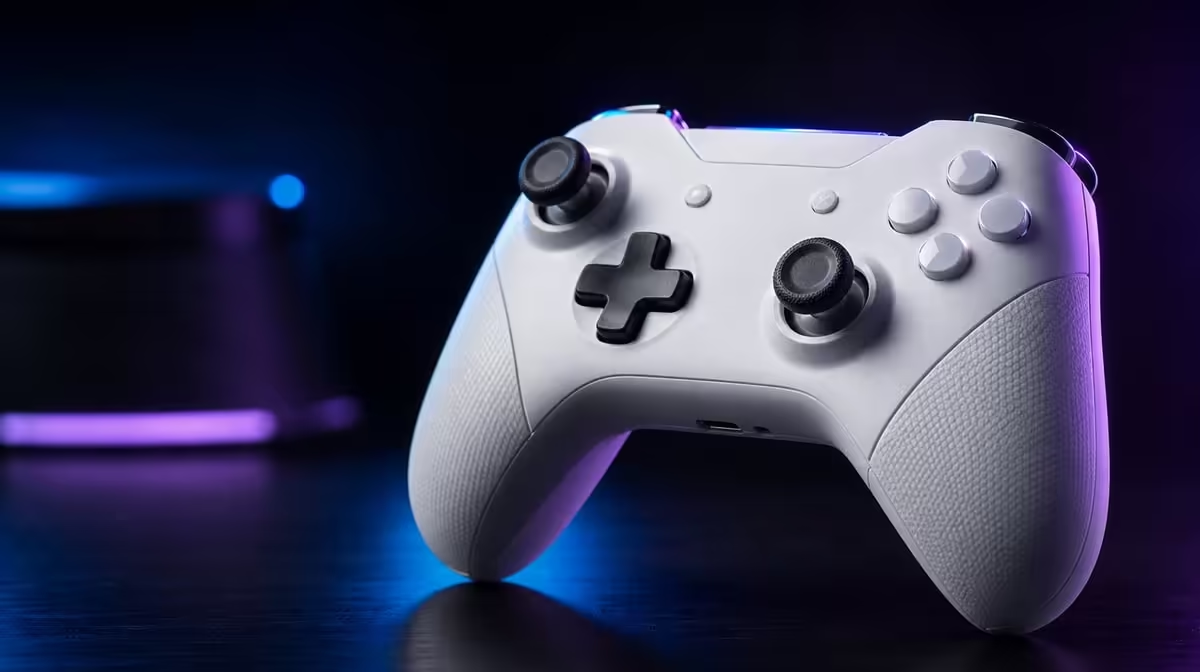
The Cyclone 2 combines input, connection, lighting and charging, but each layer needs a separate proof. This complete Cyclone 2 connectivity and charging guide starts with tri-mode host recognition, continues through TMR sticks and Hall triggers, and ends on the included Smart Start-Stop dock. Evetech prices the Phantom White package at R999.
Set up one Cyclone 2 connection and game at a time, verify TMR sticks and Hall trigger travel, then save a named profile before testing the next host. The R999 package includes its smart charging dock and customisable RGB. Exact PC or Android support should be confirmed rather than inferred from the multiplatform label.
List the supported devices used in a normal week. Assign one Cyclone 2 mode to each and note the game that will test default input.
Connect the first host, confirm recognition, navigate a menu and enter a local scene. Keep the profile at default. Move to the second route only after the first passes.
Run the common switch in both directions. Returning to the first host without damaging its settings proves the setup is manageable.
Create a connection card for each platform. Record route, game, default-input result and profile name. This replaces memory with a repeatable switch sequence.
If a host connects but the game ignores input, keep that distinction in the note. Platform recognition and title support are separate gates.
Compare local response before entering online play. Server travel belongs beyond the controller path and can confuse the route judgement.
The Evetech gaming controller section gives the package a relevant comparison point.
Mag-Res TMR sticks sense direction magnetically. Rest the controller, check neutral, make slow corrections and test full range before changing deadzone.
Hall analog triggers report graduated travel where the title supports it. Press slowly, release fully and repeat both sides. Do not call the stick sensor Hall or copy one control's settings to the other.
After independent checks, combine stick movement and trigger press. Grip can change during realistic play, and the profile should remain stable.
Test the combined action at normal speed after the slow menu checks. Magnetic sensing matters through play, not only on an input graph.
Save a clean baseline for each host. If a custom profile later feels wrong, restore default before recalibrating.
Keep the controller connection fixed while tuning. Tri-mode is useful across sessions, but a sensor profile should not be built while the host route changes every minute.
Use the dock as a storage point that leaves both sticks free. Magnetic sensing avoids one wear path, yet physical pressure can still affect the moving mechanism.
Customisable lighting may express taste or identify a device profile. It does not increase stick precision, trigger range, platform compatibility or connection speed.
Choose a supported effect after input passes. Record any colour-to-profile scheme so it remains useful rather than becoming decoration without meaning.
Test lighting separately from mappings and response changes. One change per save makes poor results reversible.
Name RGB profiles by their purpose rather than visual description alone. "PC racing" communicates more than "blue", even if blue remains the identification cue.
Review the effect during ordinary play and on the dock. Keep it only because the user enjoys or recognises it, not because it is expected to improve performance.
Browse Evetech gaming accessories after the profile system is clear.
The R999 Cyclone 2 package includes the charging dock. Place it level, shade it from direct sun and route the cable with slack.
Seat the controller squarely and confirm stable contact. Smart Start-Stop manages charging around that good physical state; it cannot overcome repeated disconnects.
Watch the cable for tension and keep the dock away from direct sun. Charging automation does not remove temperature and contact from battery care.
Disconnect power before gently cleaning exposed areas. Avoid liquid and scraping. If behaviour stays unstable, change one suitable power-path variable at a time.
Record whether alignment, cleaning or cable routing changed the result. That note will make the next maintenance pass shorter and prevent unnecessary adjustments.
The dock should become the final step after every host session: save the intended profile, disconnect, return the controller and verify charging. Once this cycle is dependable, Evetech's popular accessory collection can provide ideas for the wider desk.
Run the whole cycle twice before calling the setup finished. Connect, test, save, dock and then repeat on another host. A clean round trip proves the guide works as one system.
Create a one-page setup card. List each host and route, the default-input result, the profile name, the RGB identification cue and the final dock step. Keep the facts together without merging their functions.
When a future fault appears, use the card as a branching path. Missing host recognition goes to connection. Wrong action goes to profile. Poor stick centre goes to TMR baseline. Interrupted charging goes to dock alignment.
Review compatibility after game or device changes. Begin at default input before loading old custom settings. A profile saved for an earlier title state should not be treated as new hardware evidence.
The R999 package is strongest when this cycle shortens setup rather than expanding it. Tri-mode, magnetic controls, RGB and charging should each remove a known friction in their own layer.
End the guide with the actual routine, not the specification list: connect the intended host, prove input, use the named profile, play, disconnect and dock. That sequence is what turns the Cyclone 2 into a dependable multiplatform controller.
Inspect the routine after several sessions. Remove redundant steps, strengthen any weak compatibility note and confirm that profile colours still mean what they were intended to mean.
Do the same for charging. If the controller is sometimes seated at an angle, adjust the dock position rather than relying on repeated replacement. If the cable moves the base, add slack.
The complete guide succeeds when a new session begins without guessing which host, profile or charging state was left behind. At R999, the Cyclone 2 gives the hardware; disciplined records make the breadth usable.
End the guide with a recovery plan. Preserve one default profile, keep the known device-and-route pairs in a short note and photograph the stable dock layout. When a later change creates trouble, return to those reference points before rebuilding every setting.
This is particularly useful in a shared setup. Another user can confirm the host, connection and visual cue without guessing, then restore the controller to the same charging position. The result is a repeatable multiplatform routine rather than a collection of personal memory tricks.
Review the plan when a new device or game is added. Test that addition separately and leave established hosts untouched until the newcomer has passed.
It offers tri-mode links and multiplatform support, subject to exact host and game checks.
The sticks use Mag-Res TMR, while the analog triggers use Hall sensing.
It changes supported lighting effects for preference or profile identification, not control performance.
No. The Smart Start-Stop charging dock is included in the R999 package.
Test host recognition and default input in the intended game on every planned device.
Ready to connect, configure and charge the Cyclone 2 in one disciplined cycle? Explore Evetech gaming controllers and build the host, magnetic-input, RGB-profile and dock routine your setup actually needs.
It offers tri-mode links and multiplatform support, subject to exact host and game checks.
The sticks use Mag-Res TMR, while the analog triggers use Hall sensing.
It changes supported lighting effects for preference or profile identification, not control performance.
No. The Smart Start-Stop charging dock is included in the R999 package.
Test host recognition and default input in the intended game on every planned device.
PCIe 5.0 vs PCIe 4.0 for video editing in 4k is mainly about fit, features, compatibility, cost, and upgrade path, not one automatic winner. SA buyers should match the choice to the setup.
Read more
Wi-Fi 7 vs Wi-Fi 6e for competitive esports comes down to router support, latency goals, device compatibility, and coverage. SA buyers should match the choice to the real network setup.
Read more
ATX 3.1 vs ATX 3.0 for mMO and live-service games buyers - what changes is mostly about compatibility, budget, upgrade path, and setup fit. SA buyers should check device support and real needs before expecting a clear win from either option.
Read more
LGA 1851 vs LGA 1700 can affect Twitch and YouTube streaming when gaming and encoding share CPU resources. For SA creators, the real-world difference depends on encoder choice, memory support, motherboard cost, thermals, and upgrade plans.
Read more
X870E vs X670E for aaa single-player gaming is mainly about fit, features, compatibility, cost, and upgrade path, not one automatic winner. SA buyers should match the choice to the setup.
Read more
Hall Effect switches vs Mechanical switches for mMO and live-service games is mostly about compatibility, budget, upgrade path, and setup fit. SA buyers should check device support and real needs before expecting a clear win from either option.
Read more
A fake 113GB GTA VI ISO reportedly used empty padding around a small malware payload. SA gamers should delete unofficial builds, keep Windows security active and wait for official channels.

Wi-Fi 6E vs Wi-Fi 6 matters for 4K video editing when files move across a network. The real-world difference between Wi-Fi 6E and Wi-Fi 6 for video editing in 4K depends on NAS access, cloud uploads, router range, and SA creator workflows.

The difference between PCIe 5.0 and PCIe 4.0 for SA gamers is mostly bandwidth headroom. Compare GPU slot needs, NVMe speed, motherboard support, and upgrade timing before paying extra for a newer platform.

Gaming PC stuck pixel checks in South Africa should confirm the monitor fault first. Use colour tests, screenshot comparison, cable swaps, display menu checks, and clear photos before deciding on support.

Shokz OpenFit Air 2 earbuds weigh 7.2g each and use a redesigned dual-driver open-ear layout. SA buyers should choose them for comfort and awareness, not maximum isolation.

AMD's current driver now lists a Radeon RX 9050 4GB, while product coverage details a narrowed memory system. SA buyers should weigh the low VRAM ceiling against current local Radeon options.

Samsung Display has demonstrated a 16-inch 2.5K OLED laptop panel running at 300Hz. SA buyers should wait for a named notebook, full panel specifications and a local price before planning an upgrade.

Microsoft says some Windows 11 game crashes after recent updates are linked to RGB-related drivers. Affected SA gamers should confirm the update and driver before using the published registry workaround.

RTX 5090 on a 650W PSU is a tight pairing with very limited headroom. For SA gaming PCs, focus on total system draw, PSU quality, connector support, CPU choice, and avoid OC plans unless the full build is carefully power-limited.
PCIe 5.0 vs PCIe 4.0 for video editing in 4k is mainly about fit, features, compatibility, cost, and upgrade path, not one automatic winner. SA buyers should match the choice to the setup.

850W PSU safety for RTX 5090 is plausible with a quality unit and balanced parts. In SA, confirm connector support, CPU power draw, case airflow, PSU age, and spare capacity before building around 850W.
Wi-Fi 7 vs Wi-Fi 6e for competitive esports comes down to router support, latency goals, device compatibility, and coverage. SA buyers should match the choice to the real network setup.