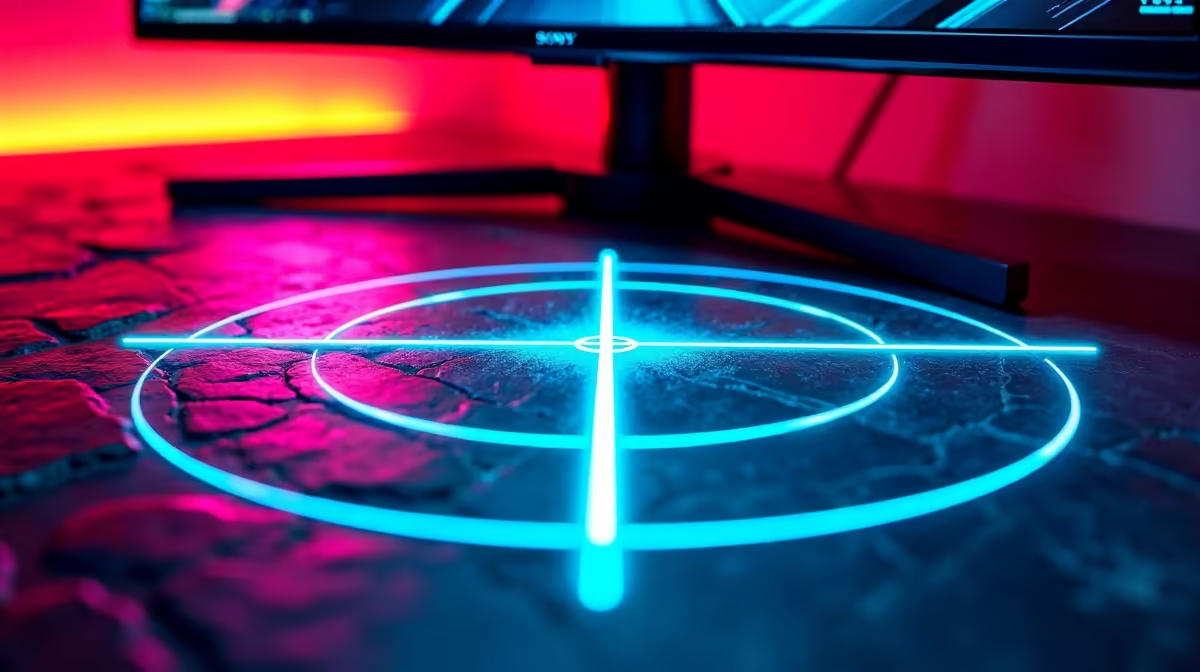
Struggling to land those crucial headshots in Valorant or Apex Legends? Sometimes, the problem isn't your mouse or your reaction time… it's that bulky, distracting in-game crosshair that blends into the background. What if you could use a clean, crisp, custom dot on your screen for every game you play? This crosshair overlay guide will show you how software overlays can give your aim a serious, consistent boost, helping you click heads with confidence. 🎯
What Exactly is a Software Crosshair Overlay?
Think of a crosshair overlay as a simple digital sticker for your screen. It's a lightweight application that runs in the background and draws a custom aiming reticle directly on top of everything else, including your game. Because it doesn't modify any game files, it provides a consistent aiming point that you can tailor to your exact preference. This simple tool turns your entire display into a more effective gaming canvas, whether you're using one of the latest PC monitors or an older screen.
The beauty of using a software overlay for aiming is its universality. You can have the exact same neon-green dot in CS2, The Finals, and even in games that don't have a centre-dot reticle for hip-firing. This consistency is key to building muscle memory.
Is Using a Custom Crosshair Overlay Cheating?
This is the big question, and the answer is… it's complicated, but generally safe. Most major anti-cheat systems (like VAC and Easy Anti-Cheat) are designed to detect software that interacts with or reads a game's memory. A simple crosshair overlay doesn't do that; it just draws an image on your screen.
However, some highly competitive game developers could view it as an unfair advantage. Our advice: Always check the Terms of Service for the specific game you're playing. For a 100% safe and hardware-based solution, many of today's best gaming monitors come with a built-in crosshair feature you can enable directly from the on-screen menu.
How a Software Overlay Can Genuinely Boost Your Aim
It’s not just about aesthetics; a well-chosen custom crosshair overlay provides tangible benefits that can sharpen your skills.
### Unbeatable Visibility ✨
Ever lost your white crosshair in a flashbang or a bright skybox? With an overlay, you can pick a vibrant colour like magenta or cyan that never gets lost in the visual noise. This means faster target acquisition and less guesswork. On the immersive screen real estate offered by modern curved gaming monitors, having a clear focal point is even more critical.
### Pinpoint Precision
Many default game crosshairs are dynamic, expanding as you move or fire. While this indicates accuracy bloom, some players find it distracting. A static, single-pixel dot from a software overlay gives you an unchanging, precise point of aim. This is especially powerful for "no-scope" situations in sniper rifles or for improving hip-fire accuracy with shotguns.
Colour Science Pro Tip 🎨
Your eyes are most sensitive to the green-yellow part of the spectrum, but many game environments are full of green foliage. For the best all-around visibility, choose a crosshair colour like bright magenta or cyan. These colours rarely appear naturally in game worlds, making your aiming point pop against almost any background.
Getting Started with Your Crosshair Overlay Guide
Ready to try it out? Finding and setting up a software overlay is straightforward. Applications like Crosshair V2 or HudSight are popular choices, often available on platforms like Steam or Microsoft Store.
The general process is simple:
- Download and Install: Choose a reputable overlay application.
- Customise: Open the app and design your perfect crosshair. Adjust its shape, size, colour, and opacity.
- Launch: Run the overlay before you start your game.
- Play: The crosshair will now appear in the centre of your screen, ready for action.
A crisp, custom reticle looks especially sharp on high-resolution displays. If you're running one of the latest 5K or 4K monitors, a high-quality overlay will be pixel-perfect. It's an effective tool even if you're fragging on the move with one of today's impressive portable monitors.
The Hardware Alternative: Built-In Monitor Crosshairs 🚀
If you're wary of running third-party software or simply want a more integrated solution, the best option is hardware. Many top-tier gaming monitors now include a built-in crosshair function as part of their feature set. You can activate it directly through the monitor's settings, guaranteeing zero performance impact and absolute safety from any anti-cheat software. It's the ultimate set-and-forget solution.
When you're shopping for a new screen, look for "GamePlus" (on ASUS monitors) or similar "Gaming Assist" features. You can often find incredible value in the best PC monitor deals in South Africa that include these gamer-centric features. Once you've got your new screen, don't forget essential monitor accessories like a quality VESA mount to get your setup just right.
Ready to Upgrade Your View?
A custom crosshair is a great start, but the foundation of elite aim is a responsive, high-refresh-rate monitor. See your enemies sooner and track them smoother. Explore our massive range of gaming monitors and find the perfect display to dominate the competition.