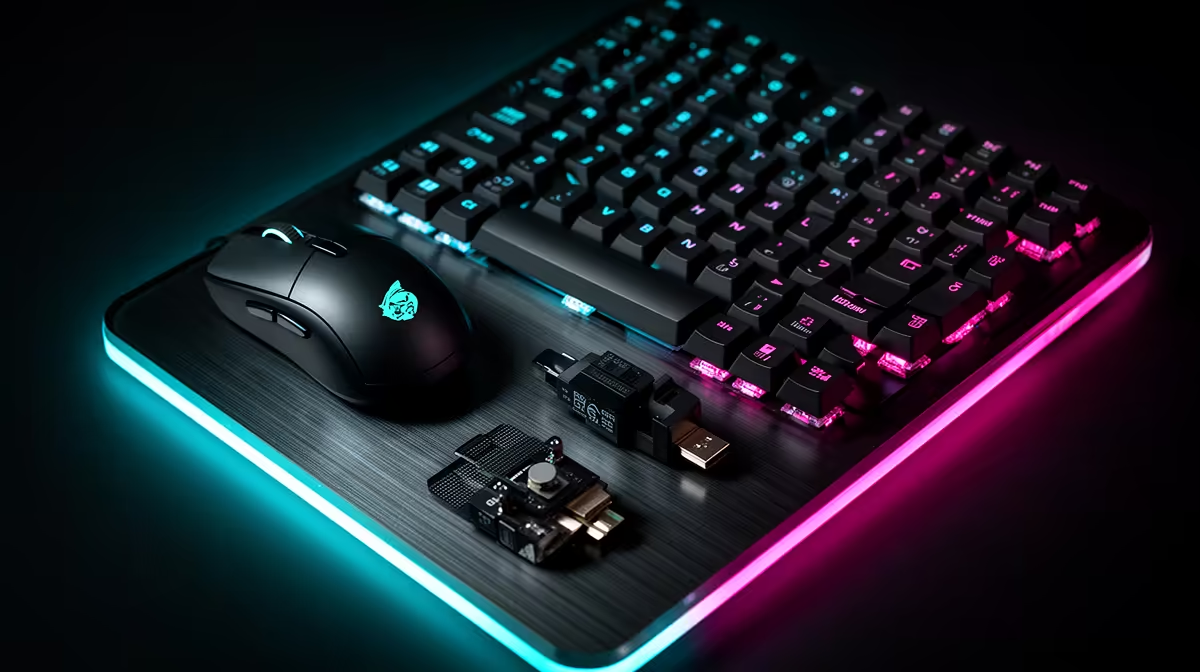
A budget CS2 loadout needs four reliable pieces: mouse, pad, keyboard and audio. Put fit and tracking first. A lightweight mouse can help large flicks, but a stable shape beats a low number on the scale. The keyboard should reset cleanly and leave pad room. Headphones should reveal direction without a bass-heavy profile masking detail.
Quick Answer
Choose a mouse that suits your grip and holds stable polling, a large cloth pad for your sensitivity, and a tenkeyless or compact keyboard with measured low input delay. Reuse working headphones or a headset until communication fails. Keep the budget on the controls you touch rather than RGB, stands and matching logos.
Mouse: the first shortlist
CS2 aim combines pre-positioning, small corrections and fast turns. Start with shell dimensions. A narrow centre can help fingertip grip. A rear hump can support claw. A broad ergonomic shell can fill the palm. These are tendencies, so try the model where possible.
Low weight reduces inertia, while an ultralight shell that cramps the hand is a poor trade. Button tension and pre-travel affect repeated clicks. The scroll wheel needs clear steps if you bind jump or weapon actions there.
Set a normal DPI and tune in-game sensitivity. Very high sensor capability is not a command to use it. Keep Windows pointer settings consistent and disable acceleration only where your control plan calls for direct movement.
Pad: make one full movement possible
Measure the distance needed for a 180-degree turn plus correction. The pad should cover that without the mouse hitting a stitched edge. A control cloth surface can make stopping predictable. A faster surface can suit a player who uses smaller movement.
Keep the pad clean. Oils and dust change glide across zones. Wash it using the maker's method and let it dry flat. Replace worn mouse skates as an intended set rather than mixing feet.
Do not place the keyboard over half the pad because the desk is too narrow. A smaller board can return more useful movement area than an expensive surface.
Keyboard: response through the complete board
Mechanical, optical and magnetic switches can all support competitive input. Latency depends on scan rate, firmware, debounce and USB report behaviour as well as switch sensing.
Rapid-trigger magnetic boards can reset movement keys as they rise. This can make direction changes feel immediate. Use a separate typing profile and avoid hair-trigger settings on keys you press during tense rounds.
Tenkeyless is a safe competitive layout. It keeps function and navigation keys while removing the number pad. A 75 percent or 60 percent board saves more room and moves functions to tighter placements or layers.
Check rollover with the exact combinations you use. Marketing around unlimited keys matters less than stable WASD, modifiers and utility inputs together.
Headset: direction and callouts
Audio should keep footsteps, weapon position and team speech distinct. A strong bass shelf can make explosions exciting and cover midrange cues. Compare a neutral preset with the gaming mode.
Closed-back headsets isolate room sound and contain leakage. Open headphones can feel spacious and leak into a microphone. Choose around the room.
Record the microphone with keyboard and PC fans active. Clear callouts need level and intelligibility, not broadcast bass. Use voice suppression with restraint so word beginnings remain.
Wired and wireless choices
Wired mice avoid battery concerns and can create cable drag. Route a flexible cable with enough slack or use a bungee when the desk needs it. Wireless removes drag but relies on receiver placement and charge.
Put the receiver near the pad through its supported extension. Keep it away from busy USB 3 storage and metal obstacles where interference appears. Test at the polling rate you intend to use.
Wireless headsets add battery and radio delay. Exact low-latency dongle performance can be suitable, while Bluetooth behaviour differs. Check the mode rather than the word wireless.
The PC and monitor remain part of input feel
High-refresh input benefits are easier to expose when the game holds a high stable frame rate and the monitor responds quickly. CPU frame-time spikes can make a fast mouse feel uneven. A slow panel can smear movement.
Configure the correct display refresh and game resolution. Monitor one-percent lows. Keep network latency separate from local input by using Ethernet and checking server conditions.
The peripheral loadout cannot make a 60Hz panel show 240 distinct frames each second. Upgrade order should consider the whole system.
Build the local basket
Use the peripheral best-seller page for a current shortlist, then check pad, cable and other needs in the gaming accessory range. Open exact products because that broad range includes many unrelated items.
Write the mouse, keyboard, pad and audio as named lines. Any price quote needs a local supported source and as of July 2026. Do not use the accessory minimum to claim a CS2 loadout price.
If the total is tight, reuse the working keyboard or audio and buy the mouse and pad. A coherent two-piece upgrade beats four low-quality replacements.
Test before competitive play
Use an offline aim routine and movement map. Check sensor tracking at fast swipes, button registration and keyboard direction changes. Keep game sensitivity and frame cap fixed.
Then play a full casual session to expose receiver, battery and comfort issues. Do not discover a headset pressure point or wireless sleep setting during a match that matters.
Save onboard profiles and label receivers. Keep old working devices as diagnosis backups until the new setup has passed several weeks.
Keep the settings portable
Write down DPI, in-game sensitivity, polling rate, resolution and crosshair. Save the keyboard actuation profile and headset mode. If you move to another PC, rebuild those essentials before changing hardware.
Avoid depending on a cloud profile moments before a match. Onboard memory is useful when the device supports it. Take a screenshot of the control application after a stable session, and export settings through the maker's supported method where available.
This record also makes a fair upgrade comparison. If a new mouse feels faster because its sensitivity changed, restore the same effective movement before judging shape and weight.
Frequently Asked Questions
Does CS2 require a lightweight mouse?
No. Low weight can help movement, while shape, balance and stable tracking lead the choice.
Is a rapid-trigger keyboard essential?
No. It can change movement reset, but a low-latency standard keyboard remains fully usable.
Should I buy a headset before a mouse?
Only when audio or communication is the clear fault. Aim-control problems usually put the mouse first.
Build the CS2 shortlist around mouse fit and pad space, then verify keyboard response and audio through a stable high-frame-rate test.