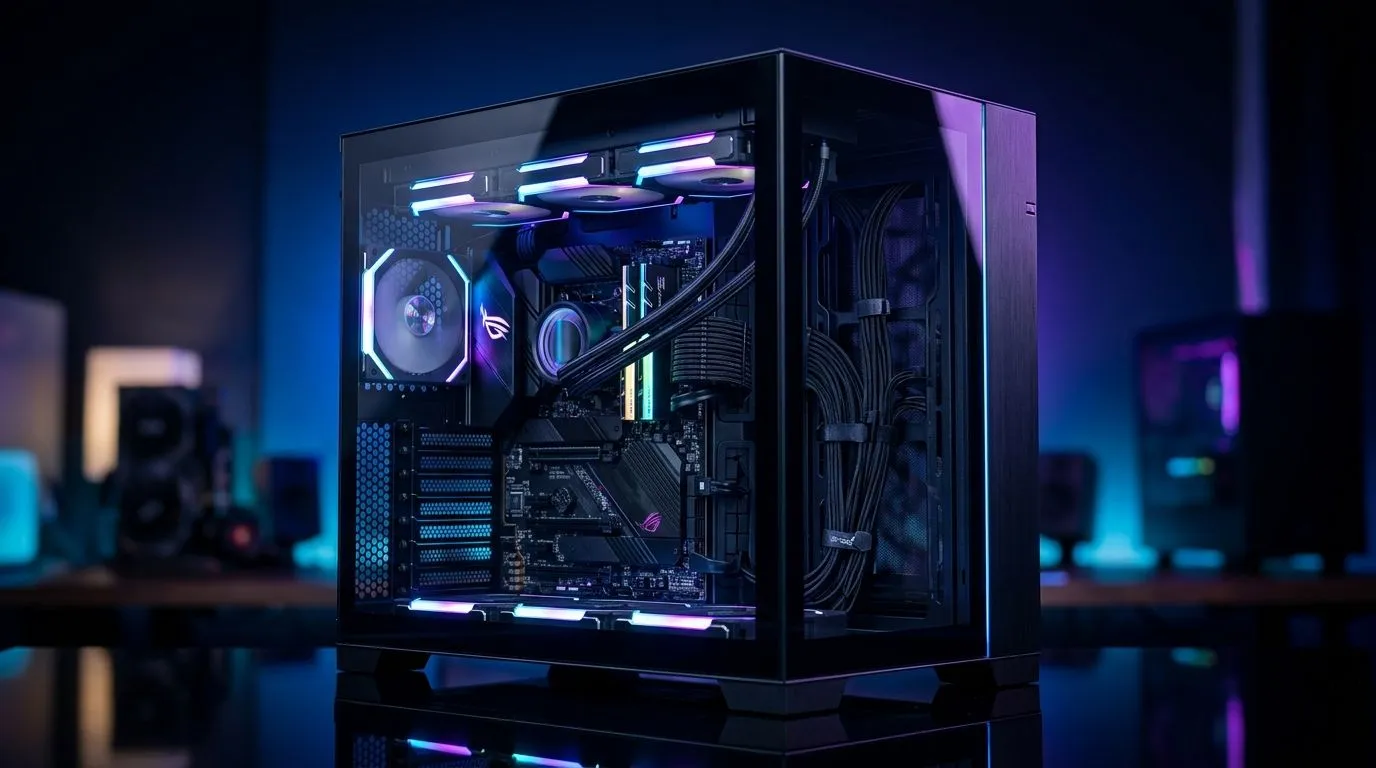
Dual-Chamber Case Cable Management for a Cleaner Build
A tidy PC isn’t just pretty. It cools better, looks sharper, and makes upgrades far less frustrating. If you’ve ever wrestled with a stubborn 24-pin cable at 11pm before a weekend raid, you’ll know the pain 😅. Dual-chamber cases make that battle easier. They hide the cable clutter behind the motherboard tray, so the front of your build stays clean and your airflow gets a fighting chance.
Dual-Chamber Case Cable Management for Better Airflow
The big win with a dual-chamber layout is separation. Your main chamber holds the motherboard, GPU, and cooling. The second chamber gives PSU cables, drives, and excess wiring somewhere to disappear. That means fewer cables blocking intake fans and less visual noise through the side panel.
For South African builders, that matters more than you might think. Our summers can be brutal, and a neat internal layout helps your fans do their job properly. It also makes it easier to spot dust build-up early. Less clutter means less guesswork when you open the side panel 🔧.
If you’re browsing options, start with a broad look at computer cases at Evetech. It’s the quickest way to compare layouts, panel styles, and airflow-focused designs before you commit.
Dual-Chamber Case Cable Management Tips That Actually Help
Good cable management starts before the first screw goes in. Check where the PSU shroud, tie-down points, and rubber grommets sit. A dual-chamber case usually gives you more routing space, but only if you plan the run first.
Use these habits:
Keep PSU cables connected loosely first
That makes it easier to route them without forcing bends.
Bundle extra length behind the tray
Do not coil everything in one tight knot. Spread it out.
Route front-panel cables early
USB, audio, and case buttons are easier to handle before the GPU goes in.
Leave space for future upgrades
A cleaner build today should still be easy to modify next year.
Cable Routing Tip ⚡
Before tightening zip ties, power the system on once. Check fan clearance, side-panel space, and whether any cable pulls tight when the panel closes. A five-minute test can save a scratched panel and a frustrating rebuild.
Dual-Chamber Case Cable Management and Case Choice
Not every case handles cable storage equally well. Some give you deep rear compartments and smart velcro straps. Others look sleek but leave you fighting for millimetres. If you like clean Scandinavian styling and sensible interiors, browse Fractal Design PC cases for a polished starting point.
Gamers on a tighter budget can still get a tidy result. Look for practical routing channels, PSU shrouds, and enough rear clearance. The Gamdias gaming cases range is worth a look if you want bold styling with cable-friendly layouts. If your ceiling is around R1 500, this Gamdias gaming cases under R1 500 selection helps narrow the field fast.
Dual-Chamber Case Cable Management for a Build You’ll Enjoy Daily
A clean build is not just for photos. It makes maintenance easier, helps airflow stay consistent, and gives you more confidence when swapping parts later. That matters whether you’re building your first gaming rig or refining a high-end setup for your Cape Town flat, Joburg study, or Durban office corner.
The best part? You’ll notice the difference every time you remove the side panel. No cable jungle. No guesswork. Just a build that feels finished. And once you’ve built one properly, you’ll never want to go back ✨
Ready to Find Your Perfect Match?
The Mac vs Windows debate is complex, but for maximum power, choice, and value in South Africa, Windows is hard to beat. Explore our massive range of laptop specials and find the perfect machine to conquer your world.