You’re settled in for the final, nail-biting minutes of the Springboks match. The conversion kick is lined up… and then it happens. The dreaded buffering wheel. 📺 Your 4K Smart TV, the pride of your lounge, is suddenly failing you. Before you blame your fibre provider, consider the real culprit hiding in plain sight: your Wi-Fi signal.
For high-bandwidth tasks like 4K streaming, Ethernet beefs up your Smart TV streaming performance in ways Wi-Fi simply can't match.
Why Your Wi-Fi Might Be Bottlenecking Your Binge-Watching
Wi-Fi is incredibly convenient, there's no doubt about it. Modern wireless networking has come a long way. But it's a shared, invisible highway with plenty of potential for traffic jams.
Think about it. Your Wi-Fi signal has to battle through walls, floors, and furniture. It's competing with your microwave, your neighbour's network, and every other connected device in your home—from your phone to your smart fridge. Each obstacle and device weakens the signal and eats into your available bandwidth, leading to inconsistent speeds and that frustrating buffering right at the climax of a show.
Using a wired connection for your TV is the simplest way to give it a dedicated, priority lane straight to the internet.
How a Wired Connection Unlocks Flawless Streaming ⚡
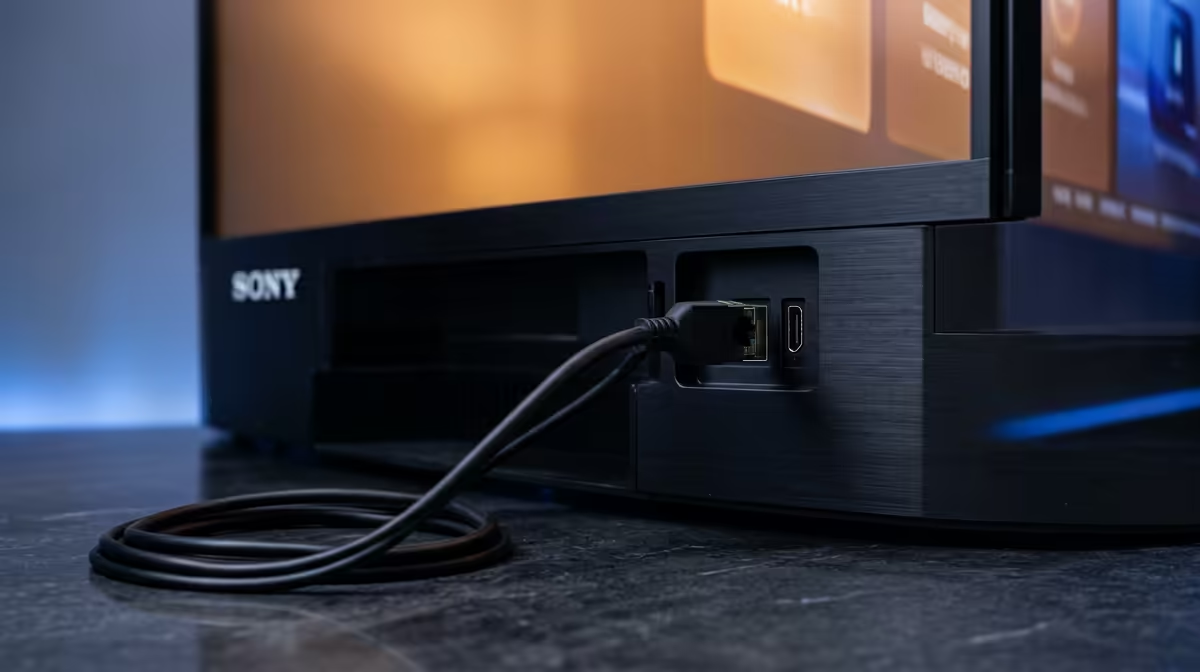
Plugging in an Ethernet cable is like giving your Smart TV a direct, private connection to your router. The benefits are immediate and noticeable. Here’s how Ethernet boosts your Smart TV streaming quality:
- Rock-Solid Stability: A physical cable isn't affected by household interference. You get the full speed you're paying for, consistently. This means smoother 4K and even 8K playback without sudden drops in quality or annoying pauses.
- Lower Latency: Latency, or ping, is the time it takes for data to travel from a server to your device. A wired Ethernet connection drastically reduces this delay, making your streaming experience feel more responsive. No more lag when navigating menus or starting a new episode.
- Maximum Speed: While Wi-Fi speeds are theoretical maximums, an Ethernet cable delivers close to the advertised speed (e.g., 1,000 Mbps for a Gigabit port). This raw power ensures your TV has more than enough bandwidth to handle the highest quality video and audio streams available.
The result? A far superior viewing experience, free from the random gremlins of wireless connectivity.
Check Your Cable Category 🔧
Not all Ethernet cables are created equal. For the best performance with modern fibre, use at least a Cat 6 cable. It supports Gigabit speeds and has better shielding against interference, ensuring your Smart TV gets the cleanest possible signal for streaming.
Making the Switch: A 5-Minute Upgrade
Worried this is a complex technical job? It’s not. Connecting your TV via Ethernet is one of the easiest tech upgrades you can do.
- Locate the Ports: Find the Ethernet port on the back of your Smart TV and on your router. They look like slightly larger telephone jacks.
- Measure the Distance: Figure out how long the cable needs to be. It's always smart to get one a little longer than you think you need.
- Plug It In: Connect one end of the cable to the router and the other to your TV. You should hear a satisfying click.
- Configure Your TV: Go into your TV’s network settings. Select the "Wired" or "Ethernet" option. Your TV should automatically connect. That's it! 🚀
You've just optimised your setup for buffer-free entertainment. All you need is one of the many high-quality Ethernet cables available to get started.
What If Running a Cable Is Impossible?
We get it. Sometimes, the TV is just too far from the router, and running a cable across the living room isn't practical. You still have excellent options to improve your signal.
Upgrading your router can make a massive difference. Look for powerful routers from brands like TP-Link that offer stronger signals and better device management. For larger homes with persistent dead zones, investing in cost-effective Cudy mesh systems can blanket your entire space in reliable Wi-Fi, giving your Smart TV a much stronger connection to work with.
While a direct wired connection remains the gold standard, these wireless upgrades are the next best thing.
Ready for an Uninterrupted Streaming Experience?
Stop letting a weak Wi-Fi signal ruin your movie night or the big game. Explore our range of high-quality wired networking gear and give your Smart TV the stable, high-speed connection it deserves.