



PCIe 5.0 vs PCIe 4.0 for Video editing in 4k in SA
PCIe 5.0 vs PCIe 4.0 for video editing in 4k is mainly about fit, features, compatibility, cost, and upgrade path, not one automatic winner. SA buyers should match the choice to the setup.
Read moreFull explanation of every ARGB connectivity standard — 5V 3-pin, Aura Sync, Mystic Light, and motherboard header compatibility for SA builds.
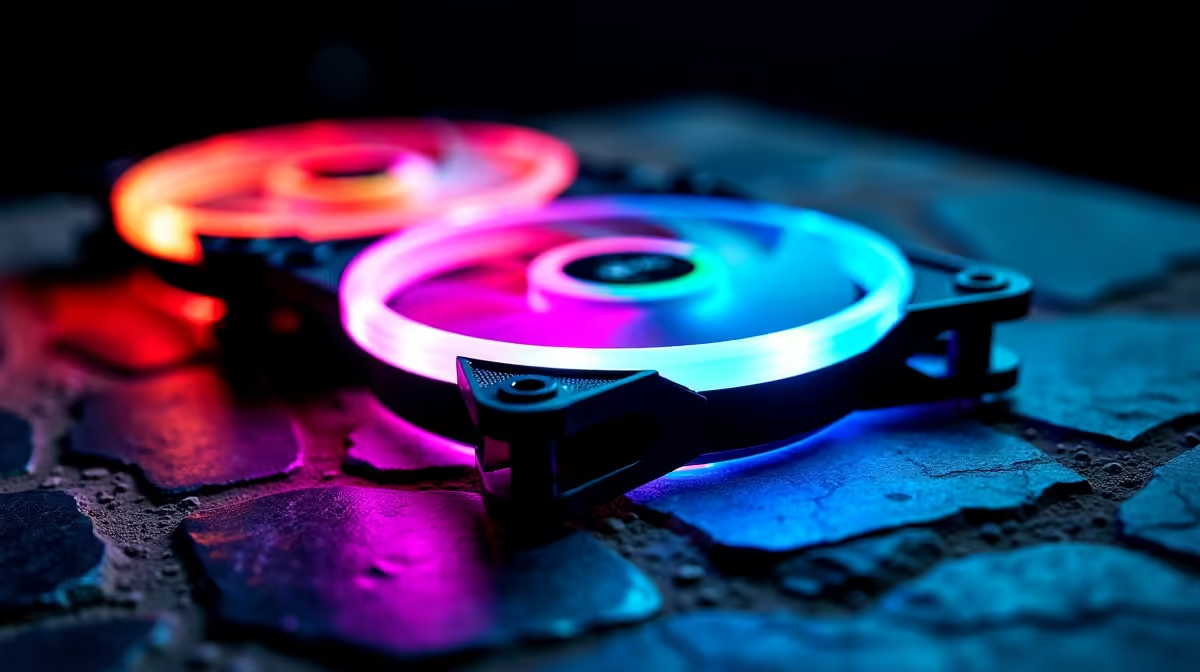
ARGB (Addressable RGB) fan connectivity uses several standards: 5V 3-pin (universal), vendor-specific implementations (Aura Sync, Mystic Light, RGB Fusion), and motherboard header compatibility. Understanding these standards prevents purchasing incompatible fans and ensures RGB synchronisation across your entire build.
The 5V 3-pin ARGB connector is the open standard that all modern RGB fans support. The three pins carry:
A 5V 3-pin ARGB connector communicates via a digital protocol where the motherboard sends specific voltage patterns to individual LEDs, allowing each LED in a chain to receive unique colour and brightness commands. This is why it's called "addressable"—unlike simple RGB (all LEDs one colour), ARGB can display different colours on adjacent LEDs.
Every motherboard with RGB headers supports 5V 3-pin ARGB. This is the foundational connectivity standard. Fans marked as "5V ARGB" or "5V 3-pin" work with any motherboard's ARGB header, regardless of brand.
While 5V 3-pin hardware is universal, each motherboard manufacturer develops proprietary RGB software to control colours and patterns. This software—not the hardware—is where compatibility matters.
ASUS Aura Sync AUAS boards (ROG, ProArt, TUF) use Aura Sync software. This software controls RGB fans, lighting, and peripherals connected to ASUS RGB headers. ASUS fans designed for Aura Sync include enhanced colour profiles and synchronisation features specific to ASUS software.
However, any 5V 3-pin ARGB fan works with ASUS boards through Aura Sync's universal mode. You don't need ASUS-branded fans; they're optional if you want brand-specific software features.
MSI Mystic Light MSI boards (MPG, MEG) use Mystic Light software. Like Aura Sync, it controls any 5V 3-pin ARGB fan. MSI-branded fans work identically to third-party fans; the difference is software integration and colour profiles.
Gigabyte RGB Fusion Gigabyte (AORUS, Ultra, Ultra Pro) uses RGB Fusion software. Same principle: any 5V 3-pin fan works, but Gigabyte-branded fans integrate fully with RGB Fusion's native features.
ASRock Polychrome ASRock boards use Polychrome software. Identical compatibility model: universal 5V 3-pin support, ASRock-branded fans offer additional software features.
Motherboard ARGB Header Requirement Your motherboard must have available 5V 3-pin ARGB headers. Check your motherboard manual to count them. Budget boards may have one; enthusiast boards have four or more.
Fan Connector Type Verify your fans include 5V 3-pin connectors (not 12V, not 4-pin PWM). This is clearly labeled in fan specifications.
Daisy-Chaining Capability Many ARGB fans support daisy-chaining—connecting multiple fans in series through one motherboard header. A motherboard header might control 2–6 daisy-chained fans. This reduces header requirements significantly.
Example: four ARGB fans connected in series (daisy-chain) use only one motherboard ARGB header. Without daisy-chaining, you'd need four separate headers.
Software Availability Download your motherboard's RGB software (Aura Sync, Mystic Light, etc.) and confirm it supports your fan model. Most modern fans (2023+) are listed in all major software databases. Older fans may lack full software support and run in "universal compatibility mode" (basic colours, no special effects).
| Motherboard Brand | RGB Software | ARGB Header Type | Daisy-Chain Support | Fan Brand Requirement |
|---|---|---|---|---|
| ASUS | Aura Sync | 5V 3-pin | Yes (2–10 fans) | None required |
| MSI | Mystic Light | 5V 3-pin | Yes (2–8 fans) | None required |
| Gigabyte | RGB Fusion | 5V 3-pin | Yes (2–6 fans) | None required |
| ASRock | Polychrome | 5V 3-pin | Yes (limited) | None required |
All modern motherboards support 5V 3-pin universal ARGB. Proprietary standards (like some older ASUS/Corsair Link integration) have largely disappeared. If your motherboard is from 2018 or later, expect full compatibility with any modern ARGB fan.
Older RGB fans (pre-2018) sometimes used 12V RGB headers instead of 5V ARGB. These are not addressable—they control all LEDs with a single colour command. 12V RGB fans are incompatible with modern 5V ARGB headers.
If you own older 12V RGB fans:
When purchasing new fans, always specify "5V ARGB" or "5V 3-pin ARGB." Avoid ambiguous listings; contact the seller if unclear.
Critical distinction: ARGB controls lighting only. Fan speed requires a separate 4-pin PWM header.
A typical RGB case fan requires:
If you forget either, the fan still works—it just won't have RGB control or won't have speed control. Most modern fans include both connectors for full functionality.
Monthly boards with limited headers (budget models) might force this trade-off: choose enough ARGB headers or enough PWM headers, but not both. In tight situations, explore motherboard options at Evetech with better header availability.
Step 1: Count Your Headers Check motherboard manual. Note:
Step 2: Determine Fan Quantity Plan your case layout: typically 3–5 total fans (intake + exhaust + CPU cooler). If your motherboard has 2 ARGB headers and supports daisy-chaining, you can control 8+ ARGB fans comfortably. If it has 1 ARGB header with no daisy-chain, you're limited to 1–2 RGB devices.
Step 3: Buy Fans with Compatible Connectors Purchase 5V 3-pin ARGB fans if you want RGB. Specify "5V ARGB" in your search. Avoid 12V RGB (outdated) or ambiguous listings.
Step 4: Install Software Download your motherboard manufacturer's RGB software. Connect fans, boot your PC, and launch the software. Most ARGB fans appear automatically in software; if not, update software or check fan firmware.
Fans Don't Appear in RGB Software
LEDs Show Only One Colour, Not Full Spectrum
ARGB Works but PWM Speed Control Fails
Most ARGB issues resolve through software updates or reconnection. Hardware failure is rare.
Universal 5V 3-pin ARGB will remain the standard for foreseeable future. Purchasing any 5V 3-pin fan today ensures compatibility with any motherboard purchased in the next 5+ years. This is unlike proprietary standards (some older corsair Link setups), which became obsolete.
Daisy-chain support varies by motherboard, but modern boards increasingly support it. When choosing a motherboard, verify daisy-chain capability if you plan many RGB devices.
When building, prioritise 5V 3-pin universal ARGB fans. Brand-specific RGB software features are nice but not essential. A Corsair 5V ARGB fan on an MSI board works identically to an MSI-branded fan; the only difference is software preset colours and names.
For complete information, check Evetech's motherboard selection to verify ARGB header availability, then browse RGB case fans and components to find compatible options. For simplified setups, pre-built gaming systems come with motherboards and fans already matched for full RGB synchronisation.
"Build your perfect RGB setup. Shop compatible case fans and ARGB solutions at Evetech, or choose pre-configured systems with integrated RGB already synchronised."
PCIe 5.0 vs PCIe 4.0 for video editing in 4k is mainly about fit, features, compatibility, cost, and upgrade path, not one automatic winner. SA buyers should match the choice to the setup.
Read more
Wi-Fi 7 vs Wi-Fi 6e for competitive esports comes down to router support, latency goals, device compatibility, and coverage. SA buyers should match the choice to the real network setup.
Read more
ATX 3.1 vs ATX 3.0 for mMO and live-service games buyers - what changes is mostly about compatibility, budget, upgrade path, and setup fit. SA buyers should check device support and real needs before expecting a clear win from either option.
Read more
LGA 1851 vs LGA 1700 can affect Twitch and YouTube streaming when gaming and encoding share CPU resources. For SA creators, the real-world difference depends on encoder choice, memory support, motherboard cost, thermals, and upgrade plans.
Read more
X870E vs X670E for aaa single-player gaming is mainly about fit, features, compatibility, cost, and upgrade path, not one automatic winner. SA buyers should match the choice to the setup.
Read more
Hall Effect switches vs Mechanical switches for mMO and live-service games is mostly about compatibility, budget, upgrade path, and setup fit. SA buyers should check device support and real needs before expecting a clear win from either option.
Read more
A fake 113GB GTA VI ISO reportedly used empty padding around a small malware payload. SA gamers should delete unofficial builds, keep Windows security active and wait for official channels.

Wi-Fi 6E vs Wi-Fi 6 matters for 4K video editing when files move across a network. The real-world difference between Wi-Fi 6E and Wi-Fi 6 for video editing in 4K depends on NAS access, cloud uploads, router range, and SA creator workflows.

The difference between PCIe 5.0 and PCIe 4.0 for SA gamers is mostly bandwidth headroom. Compare GPU slot needs, NVMe speed, motherboard support, and upgrade timing before paying extra for a newer platform.

Gaming PC stuck pixel checks in South Africa should confirm the monitor fault first. Use colour tests, screenshot comparison, cable swaps, display menu checks, and clear photos before deciding on support.

Shokz OpenFit Air 2 earbuds weigh 7.2g each and use a redesigned dual-driver open-ear layout. SA buyers should choose them for comfort and awareness, not maximum isolation.

AMD's current driver now lists a Radeon RX 9050 4GB, while product coverage details a narrowed memory system. SA buyers should weigh the low VRAM ceiling against current local Radeon options.

Samsung Display has demonstrated a 16-inch 2.5K OLED laptop panel running at 300Hz. SA buyers should wait for a named notebook, full panel specifications and a local price before planning an upgrade.

Microsoft says some Windows 11 game crashes after recent updates are linked to RGB-related drivers. Affected SA gamers should confirm the update and driver before using the published registry workaround.

RTX 5090 on a 650W PSU is a tight pairing with very limited headroom. For SA gaming PCs, focus on total system draw, PSU quality, connector support, CPU choice, and avoid OC plans unless the full build is carefully power-limited.
PCIe 5.0 vs PCIe 4.0 for video editing in 4k is mainly about fit, features, compatibility, cost, and upgrade path, not one automatic winner. SA buyers should match the choice to the setup.

850W PSU safety for RTX 5090 is plausible with a quality unit and balanced parts. In SA, confirm connector support, CPU power draw, case airflow, PSU age, and spare capacity before building around 850W.
Wi-Fi 7 vs Wi-Fi 6e for competitive esports comes down to router support, latency goals, device compatibility, and coverage. SA buyers should match the choice to the real network setup.