



PCIe 5.0 vs PCIe 4.0 for Video editing in 4k in SA
PCIe 5.0 vs PCIe 4.0 for video editing in 4k is mainly about fit, features, compatibility, cost, and upgrade path, not one automatic winner. SA buyers should match the choice to the setup.
Read moreNova 2 Lite app tuning covers supported button assignments, sensitivity behaviour and vibration profiles. The R729 controller also uses Hall inputs, so software changes should refine a clean baseline rather than hide connection faults.
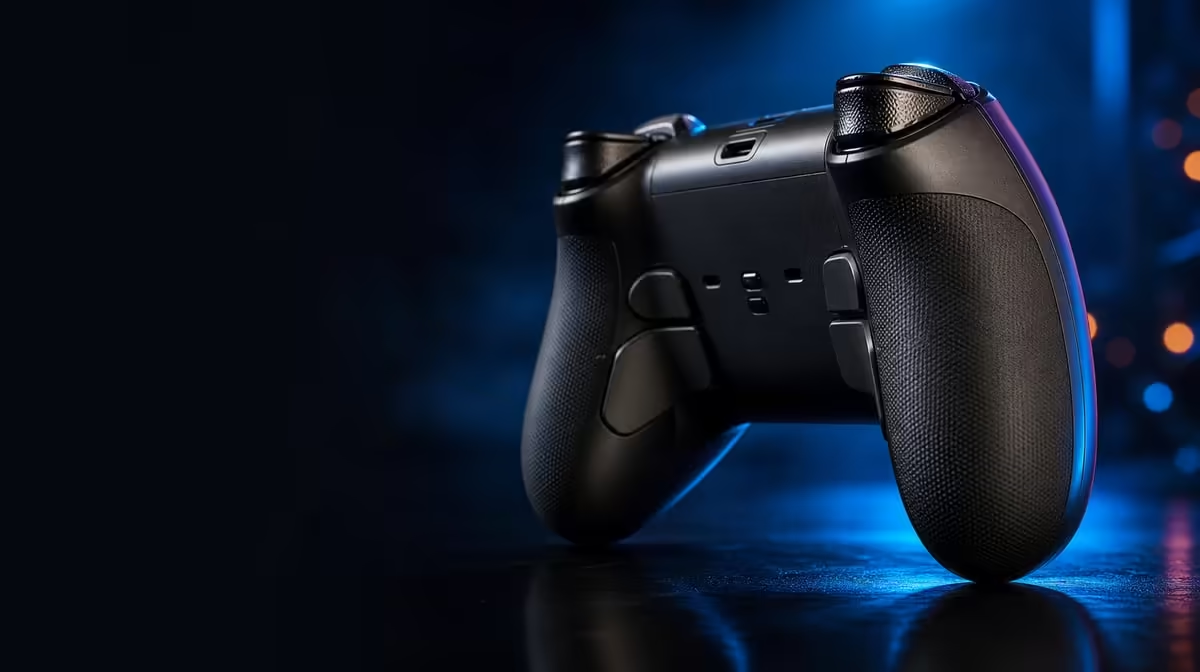
An app profile is useful only when each change has a purpose, a test, and a name. The Nova 2 Lite app customisation settings cover supported button assignments, sensitivity behaviour, and vibration profiles, allowing the R729 controller to serve different games without turning setup into guesswork.
Nova 2 Lite app tuning includes supported button remapping, sensitivity adjustments, and vibration profiles. Begin from a tested default, edit one group at a time, and verify the result on the exact platform and game; the R729 controller's Hall inputs and tri-mode support do not remove that need for careful profile management.
Connect through a supported route and test the unmodified controller before building anything. Confirm host recognition, game input, stick centre, trigger travel, and ordinary buttons. A profile cannot reliably fix a failed connection, so establish that foundation first.
Preserve the default. Duplicate it for a particular title and platform, then use a name that identifies both. Tri-mode multi-platform use can create several valid setups, and clear labels prevent a mapping from one host appearing as a fault on another.
Record the reason for each adjustment in a few words. "Move frequent action closer" is useful; "feels better" is difficult to revisit. This small note helps you decide whether a later change still serves its original purpose.
At R729, the Nova 2 Lite includes app support as part of a broader control package. Evetech's gaming controller category is a current comparison point for buyers who want software-managed layouts.
Start with the command that causes the clearest reach or conflict problem. Move it, test the new button several times, and check the old location. Then run through nearby controls to catch duplicates or unassigned actions.
Change related commands in a planned group only after the first remap works. Whole-layout rewrites can be worthwhile, but they require a written map and a longer adaptation period. The app offers flexibility; it does not remove muscle memory.
Test prompts and menus as well as gameplay. A custom action may work during one sequence while making navigation confusing. If the controller moves to another device, load the profile intended for that host rather than assuming identical labels.
Sensitivity settings should be judged with at least two motions. Use a small correction that exposes overresponse and a full movement that exposes sluggishness. Change the setting modestly, repeat both tasks, and keep the result that improves their balance.
The Hall sticks provide magnetic position sensing, while Hall triggers measure press travel magnetically. App tuning changes supported response behaviour around those inputs; it does not alter the sensors. For triggers, use an action with gradual input. A game that reads only on-off commands will not reveal the same range.
Keep the Nova's 1000Hz polling in context. Report frequency and sensitivity are different. An aggressive curve can feel quick without changing the polling rate, while a supported high-rate path still depends on platform, game, frame, and display timing.
Dual asymmetric motors give the controller a varied feedback arrangement, subject to the title's implementation. Use the app to begin at a modest level, repeat a known event, and raise intensity only until the cue is clear. Stronger feedback is not always more informative.
Grip and comfort are part of the test. If vibration interferes with small stick corrections or precise trigger travel, reduce it. Different genres can keep distinct profiles because they use sustained and brief feedback in different ways.
Do not tune vibration while also changing button layout and sensitivity. Completing one group before the next preserves a clear cause for every improvement. If the final result feels wrong, roll back the latest group rather than piling on a compensating edit.
Evetech's gaming accessories section helps place profiles within the complete setup, while the accessory best sellers provide another current shopping view.
Run the completed profile through a normal session. Check accidental buttons, overcorrection, trigger comfort, and vibration fatigue. Short tests prove function; longer use proves whether the settings remain sensible.
The complete customisation set is best treated as three linked passes: buttons establish access, sensitivity shapes analog response, and vibration controls physical cues. A baseline and clear labels hold the process together. That disciplined approach extracts more from the R729 controller than changing every option because it exists.
Create a change log inside the profile name or in a short note. Record only the setting group, purpose, and test result. "Button map for easier repeated action" and "lower feedback for trigger control" are more useful later than a long list of numbers without context.
Button testing should include failure cases. Press the remapped command rapidly, hold it if the game uses holds, and check what happens when a neighbouring button is pressed first. This reveals conflicts that a single successful activation may miss.
Sensitivity testing should include consistency over time. Repeat the same fine correction early and late in a session. A curve that initially feels exciting may demand too much constant adjustment. Keep the version that remains controllable after the player settles into normal rhythm.
Vibration evaluation can use cue recognition. Ask whether you can tell two familiar events apart at the chosen intensity. If both feel identical, strength may be masking detail. Reduce the level and compare again before building a separate genre profile.
The neutral profile remains the recovery tool across every group. When a route, game, or update changes behaviour, load it before assuming the physical controller changed. Then reintroduce button, sensitivity, and vibration settings in order until the difference appears.
This method also makes cross-platform use safer. Duplicate a proven profile for another compatible host, retest, and rename the result rather than overwriting the original. The Nova 2 Lite's app becomes most useful when its settings form a small, understandable library rather than one ever-changing universal layout.
Set a stopping rule for every profile: once the repeated actions improve and no new conflict appears during a normal session, preserve the version. Endless adjustment can erase a good result and make muscle memory impossible to establish.
When a later edit is necessary, begin from that proven copy rather than from the latest experiment. One deliberate change, one named test, and one recorded outcome keep the app workflow efficient.
The R729 controller offers enough setting depth to serve several use cases. Discipline determines whether that depth feels flexible or confusing, so profile management deserves the same care as the individual sliders.
Keep a working neutral profile that proves basic recognition and input on the intended host.
Name profiles by game and platform, and record the purpose of every changed assignment.
Use separate tasks and changes so you can identify which input improved or became worse.
Separate profiles are useful when games use feedback patterns differently or demand different grip precision.
Connection and game recognition should work before customisation. The app refines a functioning path.
Ready to make every profile setting earn its place? Explore Evetech's gaming controller selection and compare current app-tunable pads for the games and platforms you want to organise.
Keep a working neutral profile that proves basic recognition and input on the intended host.
Name profiles by game and platform, and record the purpose of every changed assignment.
Use separate tasks and changes so you can identify which input improved or became worse.
Separate profiles are useful when games use feedback patterns differently or demand different grip precision.
Connection and game recognition should work before customisation. The app refines a functioning path.
PCIe 5.0 vs PCIe 4.0 for video editing in 4k is mainly about fit, features, compatibility, cost, and upgrade path, not one automatic winner. SA buyers should match the choice to the setup.
Read more
Wi-Fi 7 vs Wi-Fi 6e for competitive esports comes down to router support, latency goals, device compatibility, and coverage. SA buyers should match the choice to the real network setup.
Read more
ATX 3.1 vs ATX 3.0 for mMO and live-service games buyers - what changes is mostly about compatibility, budget, upgrade path, and setup fit. SA buyers should check device support and real needs before expecting a clear win from either option.
Read more
LGA 1851 vs LGA 1700 can affect Twitch and YouTube streaming when gaming and encoding share CPU resources. For SA creators, the real-world difference depends on encoder choice, memory support, motherboard cost, thermals, and upgrade plans.
Read more
X870E vs X670E for aaa single-player gaming is mainly about fit, features, compatibility, cost, and upgrade path, not one automatic winner. SA buyers should match the choice to the setup.
Read more
Hall Effect switches vs Mechanical switches for mMO and live-service games is mostly about compatibility, budget, upgrade path, and setup fit. SA buyers should check device support and real needs before expecting a clear win from either option.
Read more
A fake 113GB GTA VI ISO reportedly used empty padding around a small malware payload. SA gamers should delete unofficial builds, keep Windows security active and wait for official channels.

Wi-Fi 6E vs Wi-Fi 6 matters for 4K video editing when files move across a network. The real-world difference between Wi-Fi 6E and Wi-Fi 6 for video editing in 4K depends on NAS access, cloud uploads, router range, and SA creator workflows.

The difference between PCIe 5.0 and PCIe 4.0 for SA gamers is mostly bandwidth headroom. Compare GPU slot needs, NVMe speed, motherboard support, and upgrade timing before paying extra for a newer platform.

Gaming PC stuck pixel checks in South Africa should confirm the monitor fault first. Use colour tests, screenshot comparison, cable swaps, display menu checks, and clear photos before deciding on support.

Shokz OpenFit Air 2 earbuds weigh 7.2g each and use a redesigned dual-driver open-ear layout. SA buyers should choose them for comfort and awareness, not maximum isolation.

AMD's current driver now lists a Radeon RX 9050 4GB, while product coverage details a narrowed memory system. SA buyers should weigh the low VRAM ceiling against current local Radeon options.

Samsung Display has demonstrated a 16-inch 2.5K OLED laptop panel running at 300Hz. SA buyers should wait for a named notebook, full panel specifications and a local price before planning an upgrade.

Microsoft says some Windows 11 game crashes after recent updates are linked to RGB-related drivers. Affected SA gamers should confirm the update and driver before using the published registry workaround.

RTX 5090 on a 650W PSU is a tight pairing with very limited headroom. For SA gaming PCs, focus on total system draw, PSU quality, connector support, CPU choice, and avoid OC plans unless the full build is carefully power-limited.
PCIe 5.0 vs PCIe 4.0 for video editing in 4k is mainly about fit, features, compatibility, cost, and upgrade path, not one automatic winner. SA buyers should match the choice to the setup.

850W PSU safety for RTX 5090 is plausible with a quality unit and balanced parts. In SA, confirm connector support, CPU power draw, case airflow, PSU age, and spare capacity before building around 850W.
Wi-Fi 7 vs Wi-Fi 6e for competitive esports comes down to router support, latency goals, device compatibility, and coverage. SA buyers should match the choice to the real network setup.