



PCIe 5.0 vs PCIe 4.0 for Video editing in 4k in SA
PCIe 5.0 vs PCIe 4.0 for video editing in 4k is mainly about fit, features, compatibility, cost, and upgrade path, not one automatic winner. SA buyers should match the choice to the setup.
Read moreThe Hero 44K sensor reaches 44,000 maximum DPI and 678 IPS, describing sensitivity range and high-speed tracking capability. Neither number selects the player's best aim setting, which still depends on surface, effective sensitivity, grip and the game.
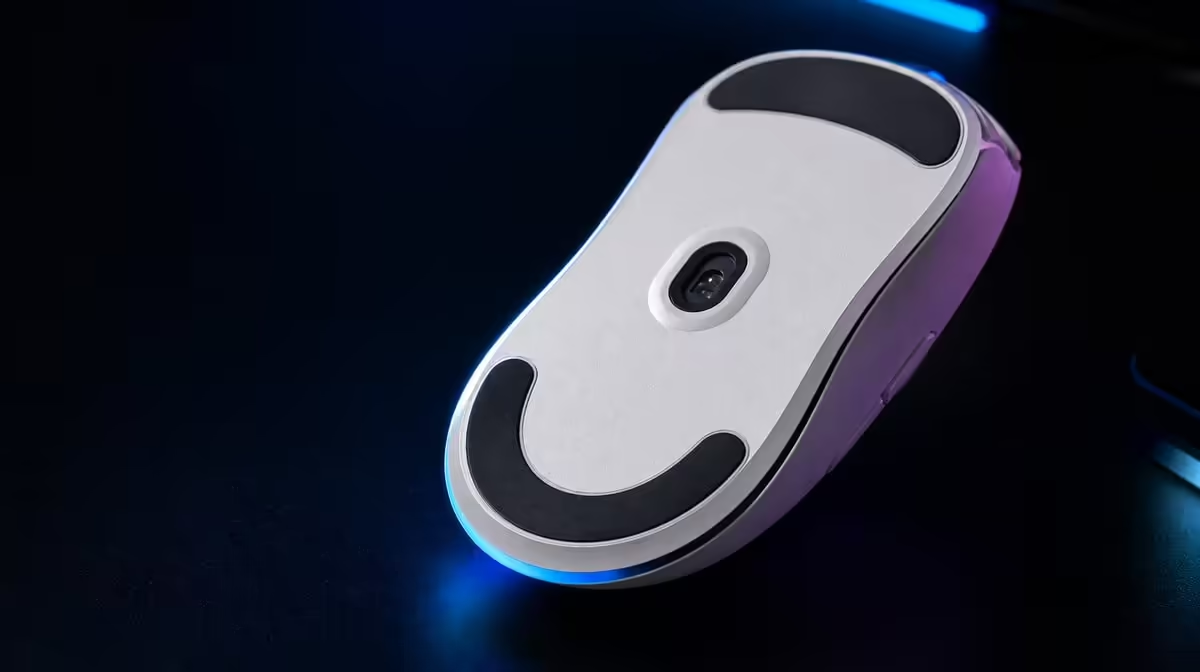
The Hero 44K sensor has two large figures with different meanings. What to know about the Hero 44K begins with 44,000 maximum DPI for movement scale and 678 IPS for high-speed physical tracking. Neither selects the player's best aim profile.
Use 44,000 DPI as adjustable range and 678 IPS as tracking headroom, then choose a practical sensitivity on a clean surface. At R1,499, the G305 X SUPERLIGHT joins Hero 44K to three connection routes and an 8kHz report ceiling; connection, report settings, grip and game remain part of every sensor result.
Measure turn distance and micro-correction at the player's normal setting. Increase in small steps only when the task needs it.
Evetech's Logitech gaming mice provide related sensor packages.
Test rapid swipes at practical DPI. The 678 IPS rating is not cursor speed.
Clean the surface and sensor area. Observe lift and return technique.
Repeat ten swipes and measure consistency rather than one peak.
Keep DPI fixed and move from stable reports towards 8kHz. Watch game frame timing.
Evetech's broad gaming mouse category helps compare sensor and rate combinations.
Hold connection and receiver placement stable. Add six-button mappings after tracking is proven.
Use the accessory best-seller page for R1,499 market context and check live availability separately.
Verify the current weight, then test balance and grip.
Record surface, DPI, game sensitivity, report rate and connection.
Hero 44K is useful shorthand, but a test plan needs smaller questions. Can the chosen sensitivity deliver a measured turn without repeated overshoot? Do rapid swipes remain consistent in both directions? Does a higher report setting improve the intended game without disturbing frame delivery? Those questions connect the sensor to play.
Keep the answers separate. A player can prefer a moderate DPI while still valuing the high-speed headroom represented by 678 IPS. Another system may run perfectly at one report setting but show less consistent performance when pushed towards the 8kHz ceiling.
Begin with a familiar DPI, a proven in-game sensitivity and a report rate the PC already handles well. Place the Lightspeed receiver in a stable position, use one clean pad area and close unnecessary background work. This becomes the control against which every experiment is judged.
Measure the pad distance needed for a standard turn and record the spread across repeated micro-corrections. The control profile should be easy to reproduce before it is used to evaluate a higher value.
Move through a few meaningful sensitivity steps rather than every available increment. At each step, test a large turn, a medium target transition and a very small correction. Retain the game setting so that the DPI change remains the only sensitivity variable.
If a higher value reduces pad travel but increases correction errors, write down both effects. The maximum of 44,000 DPI demonstrates range; it does not turn the largest setting into the correct destination.
Straight swipes reveal only part of a fast movement. Add abrupt reversals, diagonal paths and a rapid turn followed immediately by a small correction. Run the same sequence from left to right and right to left so hand mechanics do not hide a weak setup.
The 678 IPS rating offers generous tracking headroom for these movements. Results still depend on the pad, sensor cleanliness and the consistency of the player's path.
Low-sensitivity play often uses more of the pad and can require frequent repositioning. Observe how the mouse leaves the surface, how the hand returns it and whether the next correction begins at an unexpected angle. That movement can matter more to aim than another jump in headline DPI.
Mark a neutral position on the pad and see whether repeated turns return near it. If the landing varies widely, investigate technique, grip and available desk space before blaming the sensor.
Once DPI and game sensitivity are settled, compare report settings from the dependable baseline towards the supported 8kHz maximum. Use the same connection, port, receiver position, scene and display mode. Record both aiming errors and frame behaviour.
The highest setting that remains consistently useful is the correct result for that PC. Keeping the baseline profile makes it easy to reverse the experiment after a game, driver or USB change.
The G305 X SUPERLIGHT supports Lightspeed wireless, Bluetooth and wired operation. Assign each mode a clear purpose before testing: performance-focused play, convenient compatible-device control or a cabled operating and diagnostic route.
Do not assume a profile or report ceiling carries identically between modes. Confirm the active DPI and rate after a connection switch, and keep observations under the correct mode name.
Six programmable buttons can reduce keyboard travel, but their value depends on reach. Add one mapping at a time after the movement profile is stable. Press it during a tracking drill and watch whether the thumb pushes the shell, the wrist tightens or the pointer path changes.
Keep assignments that remain comfortable and memorable. A technically available button does not need a command when using it makes the sensor test less repeatable.
The battery rating exceeds 130 hours, providing broad context for wireless planning. Create a real session log using the chosen connection, report rate and daily activity rather than trying to convert the rating into an exact personal promise.
Choose a charging threshold that leaves margin before competitive or long sessions. A recurring reminder based on observed use is more dependable than waiting for the last possible hour.
If the mouse will travel, record enough context to rebuild the profile elsewhere: DPI, in-game value, report rate, connection, receiver placement, surface and display details. Start with those values on the second PC, then rerun the movement course.
Matching numbers do not guarantee identical feel when pad friction, screen geometry, USB layout or game configuration changes. The saved profile is a disciplined starting point, not a substitute for verification.
Sensor capability should be weighed with connection flexibility, button layout, physical fit and the R1,499 price. Verify the mouse's current weight if a strict mass target determines the purchase.
Compare the mouse as a complete tool: can the shape support the intended grip, do the six controls remain accessible, and do the required connection modes fit the player's devices? Hero 44K matters most when those surrounding choices also work.
After several weeks, review the profiles that were actually used. Remove abandoned DPI experiments, confirm the working report rate, clean the pad and sensor area, and repeat the standard turn plus fast-swipe course.
Save only the differences that continue to solve a real task. A compact, understood configuration makes future troubleshooting far easier than a long list of unexplained maximum-value trials.
The sensor reaches 44,000 maximum DPI.
It is high-speed tracking capability during physical movement.
No. Practical sensitivity should be selected through repeatable tasks.
It is report-rate capability and should be tested separately from DPI.
Debris, wear and glide influence the physical path the sensor reads.
Ready to test Hero 44K through real movement? Compare Evetech's gaming mice using fixed surface, sensitivity and connection before judging the sensor's maximum figures.
The sensor reaches 44,000 maximum DPI.
It is high-speed tracking capability during physical movement.
No. Practical sensitivity should be selected through repeatable tasks.
It is report-rate capability and should be tested separately from DPI.
Debris, wear and glide influence the physical path the sensor reads.
PCIe 5.0 vs PCIe 4.0 for video editing in 4k is mainly about fit, features, compatibility, cost, and upgrade path, not one automatic winner. SA buyers should match the choice to the setup.
Read more
Wi-Fi 7 vs Wi-Fi 6e for competitive esports comes down to router support, latency goals, device compatibility, and coverage. SA buyers should match the choice to the real network setup.
Read more
ATX 3.1 vs ATX 3.0 for mMO and live-service games buyers - what changes is mostly about compatibility, budget, upgrade path, and setup fit. SA buyers should check device support and real needs before expecting a clear win from either option.
Read more
LGA 1851 vs LGA 1700 can affect Twitch and YouTube streaming when gaming and encoding share CPU resources. For SA creators, the real-world difference depends on encoder choice, memory support, motherboard cost, thermals, and upgrade plans.
Read more
X870E vs X670E for aaa single-player gaming is mainly about fit, features, compatibility, cost, and upgrade path, not one automatic winner. SA buyers should match the choice to the setup.
Read more
Hall Effect switches vs Mechanical switches for mMO and live-service games is mostly about compatibility, budget, upgrade path, and setup fit. SA buyers should check device support and real needs before expecting a clear win from either option.
Read more
A fake 113GB GTA VI ISO reportedly used empty padding around a small malware payload. SA gamers should delete unofficial builds, keep Windows security active and wait for official channels.

Wi-Fi 6E vs Wi-Fi 6 matters for 4K video editing when files move across a network. The real-world difference between Wi-Fi 6E and Wi-Fi 6 for video editing in 4K depends on NAS access, cloud uploads, router range, and SA creator workflows.

The difference between PCIe 5.0 and PCIe 4.0 for SA gamers is mostly bandwidth headroom. Compare GPU slot needs, NVMe speed, motherboard support, and upgrade timing before paying extra for a newer platform.

Gaming PC stuck pixel checks in South Africa should confirm the monitor fault first. Use colour tests, screenshot comparison, cable swaps, display menu checks, and clear photos before deciding on support.

Shokz OpenFit Air 2 earbuds weigh 7.2g each and use a redesigned dual-driver open-ear layout. SA buyers should choose them for comfort and awareness, not maximum isolation.

AMD's current driver now lists a Radeon RX 9050 4GB, while product coverage details a narrowed memory system. SA buyers should weigh the low VRAM ceiling against current local Radeon options.

Samsung Display has demonstrated a 16-inch 2.5K OLED laptop panel running at 300Hz. SA buyers should wait for a named notebook, full panel specifications and a local price before planning an upgrade.

Microsoft says some Windows 11 game crashes after recent updates are linked to RGB-related drivers. Affected SA gamers should confirm the update and driver before using the published registry workaround.

RTX 5090 on a 650W PSU is a tight pairing with very limited headroom. For SA gaming PCs, focus on total system draw, PSU quality, connector support, CPU choice, and avoid OC plans unless the full build is carefully power-limited.
PCIe 5.0 vs PCIe 4.0 for video editing in 4k is mainly about fit, features, compatibility, cost, and upgrade path, not one automatic winner. SA buyers should match the choice to the setup.

850W PSU safety for RTX 5090 is plausible with a quality unit and balanced parts. In SA, confirm connector support, CPU power draw, case airflow, PSU age, and spare capacity before building around 850W.
Wi-Fi 7 vs Wi-Fi 6e for competitive esports comes down to router support, latency goals, device compatibility, and coverage. SA buyers should match the choice to the real network setup.