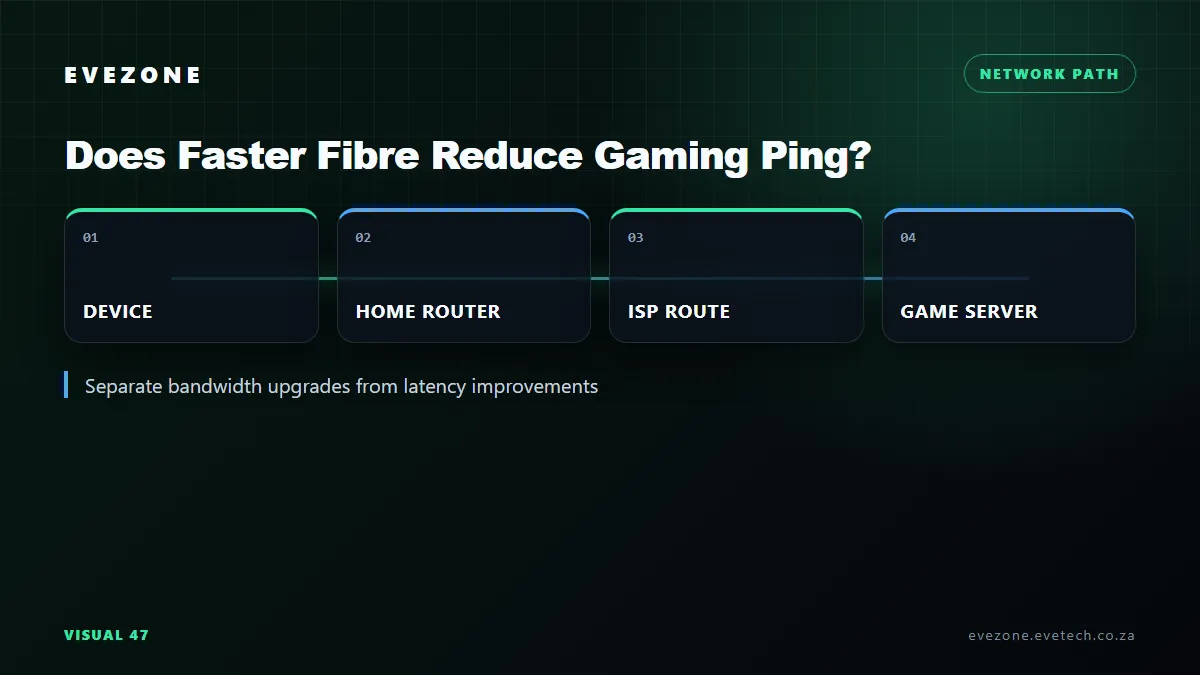
Does faster fibre reduce ping when a home moves from 100Mbps to 1Gbps? It can reduce latency under heavy use, but it does not automatically lower an idle game ping. Bandwidth describes how much data the line can carry. Latency describes how long a packet takes to travel through the home network, provider route and game infrastructure.
Quick Answer
Spend R0 before upgrading: connect by Ethernet, measure idle ping, then repeat while the line is busy with a controlled download and upload. If the 100Mbps service stays responsive when loaded, 1Gbps may increase download capacity without changing game latency. If the slower line saturates and ping jumps, more headroom or correct Smart Queue Management can help. Compare fibre routers only after proving where the queue forms.
⚡ Separate Idle Ping From Loaded Ping
Idle ping is measured when little else is using the connection. On the same fibre network, route and game server, a 100Mbps and 1Gbps package can have similar idle latency because the packet travels through the same physical and logical path. A small game packet does not need a gigabit of capacity.
Loaded ping is measured while downloads or uploads compete for the bottleneck. When traffic reaches the line's capacity, packets wait in a queue. OpenWrt describes this bufferbloat as excess latency that becomes most visible under heavy downloads and uploads, harming real-time activities including gaming.
The IETF similarly explains that high buffer occupancy adds delay to every connection sharing the bottleneck. A gigabit service is harder for an ordinary household to saturate, so it can appear to "lower ping" during busy periods. The improvement comes from avoiding the full queue, not from making signals travel faster.
🧪 Test 100Mbps Before Buying 1Gbps
Use one wired PC and close background launchers. Ping the game region or another stable, documented destination for several minutes with the line idle. Record average latency, worst latency, jitter and loss. Then repeat while a second device performs a sustained download. Add a separate upload test because limited upstream capacity often fills first.
Do not rely on one speed-test headline. The useful comparison is the increase from idle to loaded latency. A line that moves from 15ms idle to 150ms under an upload has a queueing problem even if its throughput reaches the advertised tier. A line that stays close to 15ms under normal household use does not need more bandwidth for ping alone.
Run the same sequence at the busy evening period and a quiet morning. Provider congestion and routes change with time, while household use changes minute by minute. Save the results and note which devices were active. This creates a baseline that can be repeated after a router setting or package change.
Use a known-good network cable and a gigabit-capable port. A 100Mbps Ethernet negotiation can cap a faster service and make the upgrade look broken. Check link speed, cable seating and port status before blaming the fibre line.
🚦Know What a Faster Package Cannot Fix
A 1Gbps package cannot shorten the distance to a European server, force a South African game to use a different region or repair inefficient provider routing. It also cannot fix weak Wi-Fi, radio interference, an overloaded game server or frame-time stutter on the PC. These problems can produce similar feelings but need different evidence.
If idle latency is high on Ethernet with no loss and remains stable under load, trace the route and compare the game region. If Ethernet is clean but Wi-Fi varies, reposition the access point, choose a cleaner channel or use wired backhaul. If only one title is affected, check that publisher's service status and region selection.
A gigabit plan also needs capable local equipment. Router WAN and LAN ports, switching, Wi-Fi generation and processor throughput must handle the rate. Some routers can forward gigabit traffic but cannot run advanced queue management at that speed. Hardware suitability matters only after the need for the capacity is established.
🛠️ Use Queue Management When Load Is the Cause
Smart Queue Management deliberately controls the bottleneck so the router, rather than an oversized upstream buffer, decides which packets wait. OpenWrt's guidance starts around a percentage below measured capacity and then retests. This can sharply reduce loaded latency, but it normally trades away some top-line throughput and consumes router CPU.
Do not copy another household's values. Measure the actual download and upload rates, identify the WAN interface, and follow the router firmware's documentation. If the router cannot keep up, disabled acceleration or a weak CPU can reduce throughput. Keep a record of the original settings so the change is reversible.
Retest long enough for both download and upload queues to fill. A short burst can finish before latency develops and make a busy connection look healthier than it is. Consistent test duration protects the comparison.
Current wired networking components can support a clean local path, but a switch or adapter should not be replaced without a failed link test. The cheapest fix may be enabling a supported queue discipline, moving a large backup outside gaming hours or limiting one upload.
💰 Decide on the Upgrade for the Right Reason
Choose 1Gbps when the household regularly transfers large files, has several simultaneous heavy users or repeatedly saturates 100Mbps. Those are capacity reasons. Lower gaming ping is a possible side effect during load, not a guaranteed package feature.
If tests show the line remains unsaturated and idle ping is the concern, compare ISP routing, server region and local connection quality instead. Spending more every month without changing the path will not solve those factors. A disciplined before-and-after test protects the Rand budget.
Frequently Asked Questions
Will 1Gbps always ping lower than 100Mbps?
No. Idle latency can be almost the same on the same route. The larger tier mainly adds capacity.
Why does ping rise during an upload?
Packets are waiting behind the capacity-seeking upload at a bottleneck queue. This loaded delay is a common bufferbloat symptom.
Can Smart Queue Management help gaming?
Yes, when congestion is the cause and the router supports correct shaping. Expect a small throughput trade for steadier latency.
Should the test use Wi-Fi?
Begin with Ethernet to isolate the fibre path, then test Wi-Fi separately. Radio conditions can otherwise disguise the result.
When is a gigabit upgrade worthwhile?
It is worthwhile for regular high-volume transfers or several simultaneous heavy users, not because the word gigabit promises a lower idle ping.
Considering a faster fibre tier for gaming?
Measure idle and loaded latency on the current line, solve the actual bottleneck, and upgrade capacity only when your household can use it.