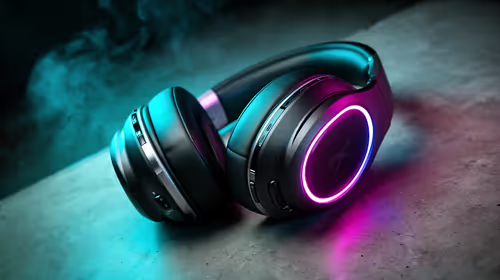
The difference between game headphones and a gaming headset is not merely the label on the box. Headphones are built primarily for listening; a headset combines listening with a microphone intended for voice chat. The useful choice depends on the games you play, the device you use and whether comfort remains good during a long South African summer evening.
Quick Answer
Choose headphones when playback quality is the priority and you already have a separate microphone or do not need chat. Choose a gaming headset when you need a built-in mic for team communication. Then confirm the connection your PC, console or phone accepts: USB, 3.5 mm and Bluetooth have different convenience, compatibility and delay trade-offs.
🎙️ Put voice chat at the centre of the decision
The microphone is the defining addition in a headset. For co-operative games, a clear boom mic can make callouts and strategy far easier than using a laptop microphone across the room. It can also keep a family space quieter because you do not need speakers turned up to hear teammates.
That does not make every listener better off with a headset. Someone who mainly plays single-player games, listens to music or already owns a good desk microphone may prefer dedicated headphones. In that arrangement, the audio device can be chosen for fit and sound, while the mic is positioned where it captures speech best.
When comparing headset microphones, look for useful controls rather than impressive-looking hardware. A reachable mute button, a boom that sits close enough to the mouth and reasonable background-noise handling matter in daily play. A quick voice recording on the intended device is more revealing than a product photo.
🔌 Choose the connection for your actual device
A 3.5 mm connection is common and straightforward, but the exact plug arrangement matters. Some devices use a combined headset jack, while a desktop PC can have separate audio and microphone inputs. Confirm the ports before relying on a headset for a tournament, class or work call.
USB headsets are often convenient on a PC because the cable can carry audio and microphone data through one connection. Their extra features may depend on compatible software, so do not assume a console or phone will expose every option. Read the device requirements for the platform you use most.
Bluetooth makes a headset easy to carry between a phone and laptop, but it can add delay and may use a different microphone mode during calls. Competitive players who need predictable timing often prefer a wired option or a model with its own low-latency wireless receiver. Convenience is real, but it should match the game rather than override it.
👂 Comfort is a performance feature
Earcups that feel fine for ten minutes can become distracting after a full evening. Check clamp force, headband padding, cup depth and whether the pads can be replaced. People who wear glasses should pay particular attention to pressure where the arms pass under the cushion.
Heat matters in South Africa. Closed earcups can isolate sound well but may feel warm in an unventilated room during summer. Breathable pads and moderate clamping can be more valuable than a dramatic sound label if you play for several hours. An open design can feel cooler, although it lets room noise in and can be heard by people nearby.
Fit is individual, so use measurements and adjustment range rather than assuming a full-size headset fits every head in the same way. Allow for cable routing too. A long fixed cable can be awkward at a desk, while a detachable cable is easier to replace if it is damaged.
🔊 Decide which sounds matter in your games
Game audio is not one task. Fast competitive titles may benefit from clear positional cues; story games can make atmosphere and dialogue more important; music listening rewards another balance again. The right headset is one that lets you hear the information you care about without fatiguing your ears.
Surround labels deserve a measured view. Some features can alter the sense of space, but the game mix, the device settings and personal preference determine whether they help. Start with a clean stereo setting, then try any software feature during a familiar game. If it makes dialogue unclear or directions less certain, turn it off.
Avoid treating maximum volume as a sign of quality. Long sessions at high levels can cause listening fatigue. A good fit that seals appropriately lets you hear detail at a more comfortable setting, while a noisy room may be better addressed by position and room management than by turning everything up.
🛡️ Account for daily wear and local support
Headsets live hard lives: cables are pulled, hinges are folded, cushions collect heat and wireless batteries are charged repeatedly. Inspect whether the pads and cable are replaceable, how the microphone stores away and whether the controls can survive a bag. These details often matter more than a feature you use once.
South African warranty support is useful when a legitimate fault appears. Retain the invoice and serial information, follow the seller's fault-reporting process and do not attempt a repair that could hide the original issue. Local support is generally more practical than relying on an unsupported grey import when a hinge, battery or cable fails.
If you need a narrower comparison, browse gaming headsets for microphone-equipped options, or look through headphones where listening is the main goal. The headset best sellers list can offer another view of commonly considered choices, but compatibility still needs checking against your own device.
🎮 Test the setup before the important session
Connect the headset to the same platform you intend to use, set the correct input and output devices, and record a brief voice clip. Ask a friend whether your speech is clear before a competitive match begins. This also reveals whether a USB receiver blocks a neighbouring port or a cable needs a better route around the desk.
For consoles and phones, check the manufacturer's current support guidance. A headset that works perfectly on a Windows PC may have limited mic or wireless behaviour on another platform. Testing early gives you time to adjust settings or choose an alternative connection.
Frequently Asked Questions
What separates game headphones from a gaming headset?
Headphones focus on listening, while a gaming headset combines earcups with a microphone for voice chat and team communication.
Should I choose USB, 3.5 mm or Bluetooth audio?
USB is simple for many PC setups, 3.5 mm offers broad compatibility, and Bluetooth favours convenience. Confirm the ports and platform support you will actually use.
Does wireless delay matter in competitive games?
It can. A dedicated low-latency receiver usually responds more predictably than ordinary Bluetooth when timing sound cues matters.
What comfort points matter in South African summer heat?
Look for breathable pads, moderate clamp force and replaceable cushions. Closed earcups can become uncomfortable during long sessions in a warm room.
How should I judge a headset microphone?
Check voice clarity, boom position, mute controls and background-noise handling. A short test recording on your device is more useful than judging its size.
Why does local warranty support matter for a headset?
Cables, hinges and batteries are wear points. A clear local warranty route is more useful than an unsupported import when a genuine fault develops.
Ready to hear your games and teammates more clearly?
Compare headset and headphone options against the connection, microphone and comfort your setup needs.