


Humidity Damage to PC Components: Recovery Guide
Humidity Damage to PC Components: Recovery Guide. Everything you need to know with SA pricing, step-by-step instructions & expert recommendations.
Read moreYour guide to the best gaming SSD South Africa has to offer! 🚀 Discover the difference between NVMe and SATA, find the right capacity for your library, and learn how to choose the perfect drive to slash load times and boost performance. Get ready for a faster gaming experience! 💻
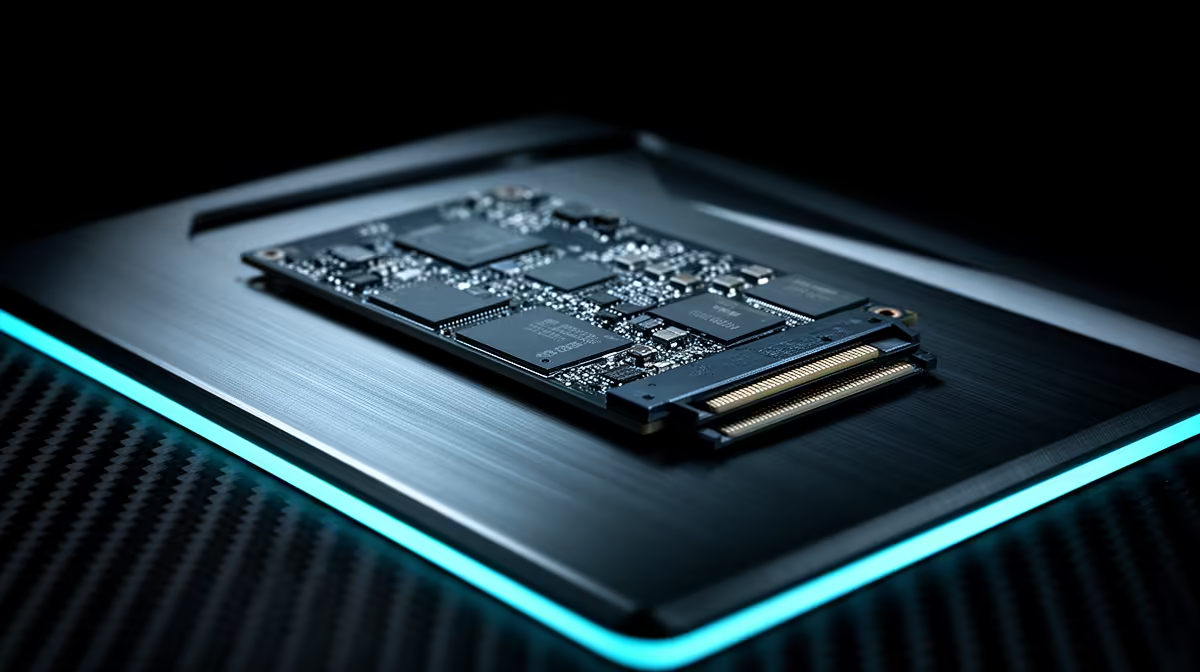
Tired of watching loading screens while your mates are already dropping into the action? In South Africa, slow storage can feel like another form of load shedding for your PC. Whether you’re exploring the vastness of Starfield or battling it out in Apex Legends, waiting is the one enemy you can’t beat with skill alone. That’s where a proper gaming SSD for South Africa comes in, transforming your rig into a lightning-fast powerhouse. ✨
Let's be honest, the clunky mechanical hard drive (HDD) in your old rig is a bottleneck. Think of it as a library where a robotic arm has to physically find every piece of data. An SSD, or Solid-State Drive, is like having a telepathic librarian who knows what you need instantly.
The difference is staggering. Games that once took a minute or more to load now spring to life in seconds. Open-world games run smoother because textures and assets stream in without a hitch. Even your whole PC boots up faster. Upgrading is one of the most impactful performance boosts you can make, and you can explore a wide variety of solid-state drives to find the perfect fit for your budget and needs.
When you start shopping, you'll see two main types: SATA and NVMe. Understanding the difference is key to getting the best performance for your ZAR.
These are the direct successors to traditional hard drives and use the same rectangular shape and connection type. They are a fantastic and affordable upgrade, offering speeds that are worlds apart from any HDD. If you're on a tighter budget or upgrading an older PC without modern slots, a SATA SSD is an excellent choice.
NVMe (Non-Volatile Memory Express) SSDs are the new champions. These small, stick-like drives plug directly into your motherboard's M.2 slot, using the high-speed PCIe bus to deliver mind-blowing performance. For a top-tier gaming experience, investing in one of these blazing-fast NVMe SSDs is the way to go. They make loading screens practically non-existent.
Before buying a speedy NVMe SSD, double-check your motherboard's manual or product page. Look for an "M.2 slot" and confirm which PCIe generation (e.g., Gen3, Gen4) it supports to avoid bottlenecks and ensure a perfect fit. 🔧
With game sizes ballooning (looking at you, Call of Duty), capacity is a crucial factor. Choosing the right size for your gaming SSD in South Africa ensures you're not constantly juggling installs.
Keep an eye out for specials, as you can often find a great price on higher-capacity drives. It's always a good idea to check out the latest SSD deals to get the most storage for your money.
Need to expand your PS5 storage or carry your Steam library with you? An external SSD is the answer. These drives offer fantastic speeds over USB-C or Thunderbolt, allowing you to run games directly from them without a significant performance drop. They are perfect for gamers on the go or those who need flexible, high-speed storage without opening their PC case. Evetech has a great selection of portable external SSDs to cover every need. ⚡
Ready to Banish Loading Screens? Stop waiting and start playing. An SSD upgrade is the single best way to make your entire gaming rig feel faster and more responsive. Shop our massive range of gaming SSDs for performance that leaves lag in the dust.
Absolutely. A gaming SSD dramatically reduces game load times, texture pop-in, and system boot-up speed, providing a much smoother and more immersive experience.
NVMe SSDs connect via the PCIe slot and are significantly faster than SATA SSDs. For modern gaming, NVMe offers the best performance and future-proofing.
We recommend at least a 1TB gaming SSD for most gamers. This provides enough space for your OS, key applications, and several large modern games without constant management.
No, you need a PS5 compatible SSD that meets Sony's specific speed and size requirements, including a heatsink. Always check the drive's specifications before purchasing.
For a great gaming experience, look for a PCIe 4.0 NVMe SSD with read speeds over 5,000 MB/s. This offers a major upgrade over older tech and excellent value.
SSDs do not directly increase your frames-per-second (FPS). However, they improve overall system responsiveness and can reduce stuttering by loading game assets much faster.
Humidity Damage to PC Components: Recovery Guide. Everything you need to know with SA pricing, step-by-step instructions & expert recommendations.
Read more
Gamer Spending Trends April : Complete Setups. Clear setup instructions with SA-specific considerations, troubleshooting tips & recommended components.
Read more
Setting Up DDR5 32GB Kit. Tested & verified settings for best FPS and visual quality on SA hardware budgets.
Read more
Tech Setup Guide for SPU Res Students. Clear setup instructions with SA-specific considerations, troubleshooting tips & recommended components.
Read more
Monster Hunter Wilds Ultrawide Support: 21:9 and. Clear setup instructions with SA-specific considerations, troubleshooting tips & recommended components.
Read more
Apple iPad Durability Guide: Cases, Screen. Practical breakdown of costs, regulations & whether it makes financial sense for SA buyers.
Read more
AMD RX 9050 XT: Rumoured Specs, Price & Release. SA-focused analysis with local pricing data, real-world insights & actionable buying advice.

Can RTX 4080 Super Run AI Workloads for SA Developers Detailed answer with SA data, expert analysis & practical recommendations for local buyers.

Can RTX 4090 Run AI Workloads for SA Developers Detailed answer with SA data, expert analysis & practical recommendations for local buyers.

Top Settings for Intel Arc B580 at Ultrawide 1440p picks evaluated on performance, value & SA availability with current Rand pricing from Evetech.

RTX 4060 CS2 Low Settings at 1080p: FPS Results. Real-world benchmark data, FPS numbers & performance analysis. What SA gamers can actually expect.

Visual Artifacts: Possible GPU Issue Issue #1. Diagnosis steps, proven fixes & when to seek professional help. SA-specific support info included.

Can the RTX 4090 Handle 1440p 144Hz Gaming. Performance testing verdict with real data & practical recommendations for SA buyers.

Top ASUS GPU Under R15000 picks evaluated on performance, value & SA availability with current Rand pricing from Evetech.

GTA 6 Max Settings on RTX 5070. Tested & verified settings for best FPS and visual quality on SA hardware budgets.

Cyberpunk 2077 Max Settings on RTX 5080. Tested & verified settings for best FPS and visual quality on SA hardware budgets.

Starfield Max Settings on RTX 5070 Ti. Tested & verified settings for best FPS and visual quality on SA hardware budgets.

Top RTX 5090 Under R5000 picks evaluated on performance, value & SA availability with current Rand pricing from Evetech.