




Value GPU planning for Balatro at 1440p ultrawide
Balatro at 1440p ultrawide on a R20,000 budget needs balanced GPU planning. Compare settings, CPU limits, monitor target, warranty support, and SA price movement before choosing.
Read moreSpend the biggest share on the graphics card for a gaming PC, but keep the CPU, memory and power supply sound. In the Evetech PC Builder you can start from a graphics card, then fill in the rest with compatible parts.

Putting most of your build money into the graphics card is the right instinct for a gaming PC, as long as the rest of the machine can feed it. The mistake is not spending big on the card; it is spending so much that the processor, memory and power supply are left as an afterthought. A balanced build gives every rand you spend something to do.
For gaming, give the graphics card the largest single share of the budget, then keep a capable processor, enough memory and a power supply with headroom behind it. In the PC Builder you can open with the card and choose the remaining parts to suit it. A mid-range card with solid support parts often serves you better than a top card with weak ones.
As a loose guide, with 16 GB of memory and a 1 TB drive as the baseline, many gaming builds put somewhere between a third and a half of the parts budget into the card. In games, the graphics card draws the picture, so it does the heaviest work and shapes how the game looks. That is why gaming guides tell you to start there. If you already know the card you want, the builder lets you begin with it instead of with a processor, which flips the usual order of the build.
Once the card is chosen, the other parts have a job: keep it supplied with data and power. That job is smaller than the card's, but it is not zero.
Think about what the card is for. A player aiming at a 1080p screen needs far less than one aiming at 4K, and paying for a card built for the second when you own the first is money that could have gone into a faster SSD or more memory. Match the card to the screen you actually own, with a little room to grow if a monitor upgrade is coming within a year.
Think of the build as a team. A very powerful card with a weak processor is a star player with nobody to pass to; the card waits for work that arrives too slowly. A strong processor with a basic card is the reverse. Neither wastes the whole machine, but both waste money.
A workable rule of thumb is to match the processor's class to the card's. A mid-range card pairs well with a mid-range processor. A top-tier card deserves a processor that can keep up, plus fast memory. Exact pairings change every generation, so check current reviews, but the tier-matching idea holds.
Memory and storage are the quiet supporting cast. 16 GB of RAM is a normal floor for gaming, and 32 GB gives breathing room. An NVMe SSD keeps load times short. Skimping on these rarely saves enough to matter and can leave the whole machine feeling slow.
A stronger card draws more power, and the supply has to carry it with room to spare. The PC Builder totals the draw of everything you chose, hot processors included, and steers you toward a supply with enough capacity. Treat that figure as a floor, not a target. A margin of 100 W or so above it means the supply is not working flat out all day.
Look for an 80 Plus rating, a sign of efficiency, and enough connectors for your card, since some cards need 2 or 3 power cables. Cheap supplies are a false economy because everything else plugs into them. If you have to trim somewhere, trim the case lighting, not the power supply.
Big cards are long and tall. With the board picked, the remaining case options are sized to suit it, which trims the list. Check the card's length against the case's stated clearance before you commit, particularly in compact cases, where a long card can leave under 30 mm to spare. Our hot South African summers make airflow a real factor, so a case with space around a large card is worth having.
When money is tight, which it is for most South African buyers, work backwards rather than forwards:
When a card is out of reach, step down one tier rather than cutting the processor to match. A card one tier lower with a healthy supporting cast usually plays the same games at a slightly lower setting, and you can upgrade the card in 12 to 18 months if the rest of the build is sound.
This stops the card from eating the whole budget before you notice the processor is too weak.
In a gaming build, yes: the card normally takes the biggest single slice. Keep enough aside for a capable processor, memory and storage so the card has proper support.
Yes. Beginning with the card is allowed, and the compatible parts to build around it follow.
The card may sit underused. A balanced pairing makes better use of your money than putting everything into one part.
Often, yes. The builder sums what your parts draw and points you to a power supply with enough headroom.
Set the other parts first, see what is left, then choose the card. Live stock in the builder shows what is available now.
Yes, card length and cooling matter. Once you pick a board, the cases offered match its size, which narrows the choice.
No. For many players a mid-range card with a sound processor and memory is the better value.
Splitting your build budget? Start from the graphics card in the PC Builder, then see which processor, memory and power supply fit around it.
In a gaming build, yes: the card normally takes the biggest single slice. Keep enough aside for a capable processor, memory and storage so the card has proper support.
Yes. Beginning with the card is allowed, and the compatible parts to build around it follow.
The card may sit underused. A balanced pairing makes better use of your money than putting everything into one part.
Often, yes. The builder sums what your parts draw and points you to a power supply with enough headroom.
Set the other parts first, see what is left, then choose the card. Live stock in the builder shows what is available now.
Yes, card length and cooling matter. Once you pick a board, the cases offered match its size, which narrows the choice.
No. For many players a mid-range card with a sound processor and memory is the better value.
Balatro at 1440p ultrawide on a R20,000 budget needs balanced GPU planning. Compare settings, CPU limits, monitor target, warranty support, and SA price movement before choosing.
Read more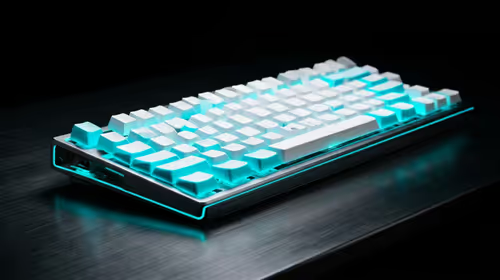
Every magnetic-switch keyboard in SA should be shortlisted around the job it must do. South African buyers should compare switch feel, latency, layout, and software, warranty path, and upgrade room before treating any pick as best.
Read more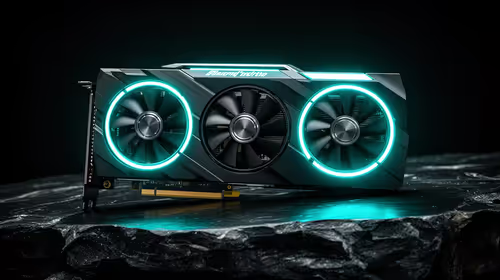
Customs and warranty notes for gaming hardware in Makhanda should focus on proof of purchase, serial numbers, courier handling, and return steps. SA buyers should confirm policies before ordering costly parts.
Read more
Can NVMe SSDs under R20,000 handle should be shortlisted around the job it must do. South African buyers should compare capacity, speed, thermals, and motherboard support, warranty path, and upgrade room before treating any pick as best.
Read more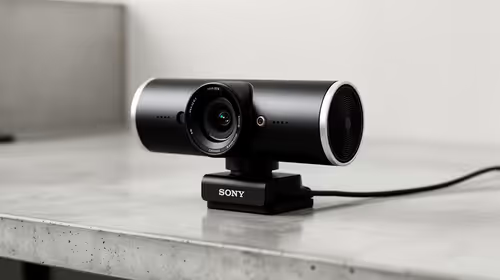
Buy now or upgrade later: webcams decisions should be shortlisted around the job it must do. South African buyers should compare fit, performance, compatibility, and upgrade room, warranty path, and upgrade room before treating any pick as best.
Read more
Frigate is free open-source NVR software running object detection locally on an Intel N100 mini-PC with a Coral TPU, versus cloud AI that requires a monthly plan. SA buyers get footage on-site with no fees and no reliance on uplink bandwidth. 📹
Read more
Chrome change search engine settings control ordinary address-bar searches. Check site shortcuts and managed-browser rules if the wrong provider keeps returning.

VASTARMOR RX 9070 XT red adds a matching red finish to the Super Alloy PRO family. Check its length, thickness and three power sockets before buying.

OLED edge rot is a panel-edge defect examined in new longevity research. Older TV results do not establish the failure rate of current gaming monitors.

Chrome translate not working often needs a page refresh or language-setting check. Test one foreign-language page before changing broader browser settings.
Chrome translate not working often needs a page refresh or language-setting check. Test one foreign-language page before changing broader browser settings.

Check when Chrome saves power, compare a repeatable task on battery and separate browser changes from battery health and Windows settings.

Find Chrome's caption control, check language and audio and bring back the floating bubble when captions disappear during playback.

Open the simplified Chrome reader, adjust type and spacing and check whether the page supports the view before changing your display setup.
Balatro at 1440p ultrawide on a R20,000 budget needs balanced GPU planning. Compare settings, CPU limits, monitor target, warranty support, and SA price movement before choosing.
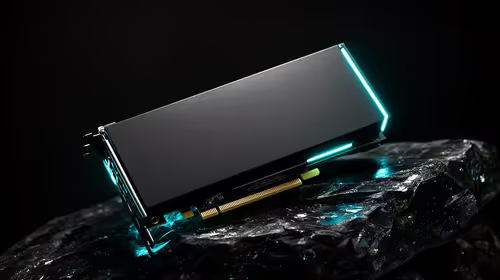
Should I spend more on the GPU or the CPU should be shortlisted around the job it must do. South African buyers should compare GPU tier, VRAM, cooling, and PSU headroom, warranty path, and upgrade room before treating any pick as best.
Every magnetic-switch keyboard in SA should be shortlisted around the job it must do. South African buyers should compare switch feel, latency, layout, and software, warranty path, and upgrade room before treating any pick as best.

Optimal Balatro 144fps on RX 9070 needs frame cap, driver, display, and background load checks. SA gamers should tune one option at a time, retest the same scene, and treat the target as hardware, scene, and monitor dependent.