Quick Answer
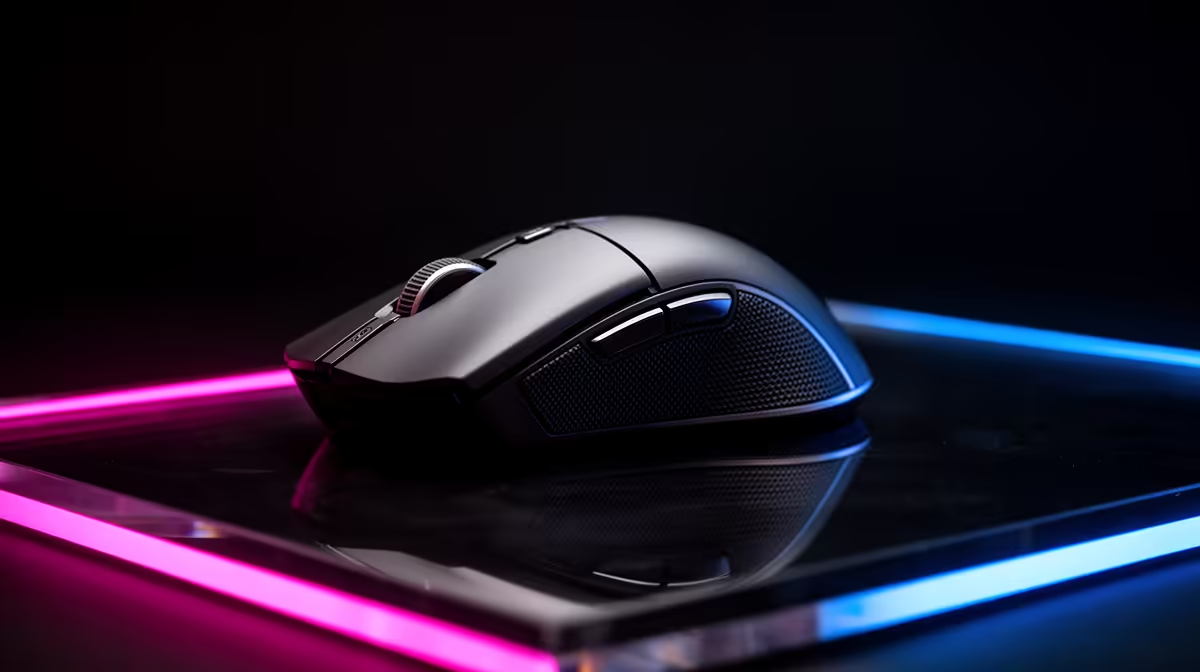
For a high-refresh rate monitor in South Africa, select a gaming mouse with at least 1,000 Hz polling rate for 144 Hz panels, 2,000 to 4,000 Hz for 240 Hz panels, and 8,000 Hz for 360 Hz setups. Pair this with a native optical sensor like the PixArt PAW3395 and keep effective DPI below 3,200 so the sensor's precision advantage is visible at the frame rate your monitor produces.
Why Refresh Rate Dictates Mouse Polling Requirements 🖥️
Your monitor and mouse must be matched in terms of update rate or you leave performance on the table. A 240 Hz monitor renders a new image every 4.17 ms. At 1,000 Hz polling, your mouse sends a new position report every 1 ms, so roughly four mouse reports arrive between each rendered frame. At 4,000 Hz polling (0.25 ms intervals), 16 reports arrive per frame, giving the game engine a far more complete picture of cursor movement during each render cycle.
The result is visibly smoother cursor tracking during fast sweeps and reduced cursor trail blur. For South African players gaming on 240 Hz panels (locally from around R3,500 for 1080p to R6,000 for 1440p), upgrading from a 1,000 Hz mouse to a 4,000 Hz mouse on the same rig produces a perceptible difference in cursor motion smoothness.
Sensor and DPI Matching for High-Hz Displays 🎯
High-refresh monitors reveal sensor imperfections more clearly because there are more frames to show each cursor position update. On a 60 Hz monitor, sensor jitter at high DPI is averaged across longer frame intervals. On a 360 Hz panel, every jitter event is more likely to appear as a distinct cursor position artefact. This means high-refresh gaming demands a higher sensor quality threshold.
Target a sensor rated for zero acceleration across its full speed range: PixArt PAW3395, PAW3950, Razer Focus Pro 30K, or Logitech HERO 25K. For effective DPI, most competitive players on 240 Hz setups use 800 to 1,600 DPI with in-game sensitivity tuned for a full 360-degree turn requiring 30 to 45 cm of physical mouse movement.
Weight and Click Responsiveness for Fast-Paced Play ⚡
At 240 Hz and above you are typically in a competitive context where fast target switches are common. Mouse weight directly affects how quickly you can redirect after a flick: lighter mice below 70 grams allow faster wrist and arm acceleration and deceleration. The Razer Viper V3 HyperSpeed (around R1,600) and Logitech G Pro X Superlight 2 (around R2,600) are current lightweight benchmarks. Optical switches with zero debounce delay also mean your click registers in the same frame it is executed.
Enable 240 Hz in Windows Display Settings ⚡
Many monitors default to 60 Hz even when connected via DisplayPort capable of 240 Hz. Right-click the desktop, open Display Settings, Advanced Display, and confirm the refresh rate matches your monitor's spec. A mouse upgrade will not show its full benefit if your display is still running at the wrong refresh rate.
FAQ
Does mouse polling rate affect CPU usage on modern gaming PCs?
At 8,000 Hz there is a small measurable increase in CPU interrupt load, but on Ryzen 5000-series or Intel 12th-gen onwards the impact is below 1% CPU load, negligible for gaming.
Is a 240 Hz monitor worth buying for casual gaming in South Africa?
For competitive titles like Valorant, CS2, or Apex, yes. For single-player story games, 144 Hz is sufficient and saves R1,500 to R3,000 over the 240 Hz tier. Match your display to your primary game type.
How do I know if my current mouse is bottlenecking my 240 Hz setup?
If you notice cursor blur or feel that aim corrections lag behind your hand movement during fast sweeps, your polling rate may be the bottleneck. Check your mouse software: if it defaults to 500 Hz or 125 Hz, manually set it to 1,000 Hz or higher as a first step.
Match your mouse to your monitor's potential.
Evetech stocks high-polling-rate gaming mice suited to 144 Hz, 240 Hz, and 360 Hz setups. Browse the full gaming mouse range at Evetech to find the perfect performance pairing for your display.