HP ZBook Firefly G11 Software: Essential Apps for SA Pros
Maximize your productivity with the right HP ZBook Firefly G11 software. From creative suites to load-shedding trackers, we list the essential apps South African professionals need to stay ahead. Unlock your workstation's true potential today! 🚀🇿🇦
|
Loading tags...

So, you’ve just unboxed your shiny new HP ZBook Firefly G11. Lekker! This machine is a mobile powerhouse built for serious work, but stock-standard Windows just won’t cut it. To truly unleash its potential, you need the right toolkit. We’re diving into the essential HP ZBook Firefly G11 software that South African professionals in creative, engineering, and business fields are using to get the job done. Let's get your workstation properly kitted out. 🚀
Core Software for Your HP ZBook Firefly G11
Before diving into specialised tools, let's get the fundamentals right. Your ZBook comes with robust security features like HP Wolf Security, which is a great start. But a few additions can seriously optimise your daily workflow.
First, grab a modern browser like Google Chrome or Mozilla Firefox for their extension ecosystems. Then, install a password manager like Bitwarden or 1Password. Juggling client logins and software licenses is a headache… a password manager solves it securely. Finally, consider a system utility like CCleaner to keep things running smoothly by clearing out temporary files and digital clutter. These foundational apps for your HP ZBook set the stage for peak performance.
Essential Apps for SA's Creative Professionals
This is where the ZBook Firefly G11 truly shines. Its optional DreamColor display and dedicated NVIDIA RTX graphics make it a beast for visual tasks. The key is pairing that hardware with the right creative software.
- Adobe Creative Cloud: This is the industry standard for a reason. Photoshop for image editing, Premiere Pro for video, and After Effects for motion graphics run beautifully on the ZBook. The GPU acceleration makes rendering and timeline scrubbing feel fluid and responsive.
- DaVinci Resolve: A fantastic alternative for video editing, especially renowned for its world-class colour grading tools. The free version is incredibly powerful, and it absolutely flies on machines with powerful GPUs, much like those found in the best gaming laptop deals.
- Blender: For 3D modelling, animation, and rendering, this free and open-source tool is a monster. The ZBook's processing power will cut down your render times significantly, letting you iterate faster. ✨
TIP FOR YOU
Productivity Pro Tip ⚡
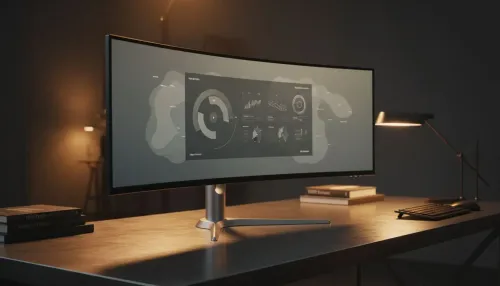
On Windows, use the PowerToys FancyZones utility to create custom snap layouts for your windows. It's a lifesaver for managing multiple apps on an ultrawide monitor, letting you organise your timeline, preview window, and asset folders perfectly for video editing.
Powering Up for Engineering and Development
For engineers, architects, and developers, performance and stability are non-negotiable. The right HP ZBook Firefly G11 software stack ensures you spend more time solving problems and less time waiting for your machine to catch up.
The ZBook G11 offers a choice of processors, and your software choice might influence your decision. Whether you lean towards the multi-core strength of the latest AMD laptops on special or the powerful single-thread performance common in many Intel laptops on special, there’s a configuration to handle your workload.
- AutoCAD / SolidWorks: These computer-aided design (CAD) programs are demanding. The ZBook's ISV certification means it's tested and guaranteed to run this professional software reliably.
- Visual Studio Code: The go-to code editor for countless developers in South Africa. It's lightweight, extensible, and handles everything from web development to data science with ease.
- Docker Desktop: Essential for creating and managing containerised applications. It streamlines the development pipeline, and the ZBook has more than enough power to run multiple containers without breaking a sweat.
Must-Have Software for Business and Productivity
Even the most powerful hardware needs software that streamlines communication and management. For the SA pro on the move, these tools are essential for staying connected and organised. The ZBook’s portability and long battery life make it an ideal partner for a hybrid work environment, and you can find a configuration that fits your budget across our range of laptop specials for sale in South Africa.
- Microsoft 365: The classic suite of Word, Excel, PowerPoint, and Outlook remains the backbone of corporate communication. Teams integration is crucial for remote collaboration.
- Slack: The king of real-time team chat, perfect for quick questions and project updates that don't need a formal email.
- Asana or Trello: Visual project management tools that help you and your team track tasks and deadlines, ensuring nothing falls through the cracks. 🔧
Your HP ZBook Firefly G11 is an investment in your productivity. By installing these essential apps, you're not just adding programs… you're building a bespoke, high-performance toolkit tailored to your professional needs in South Africa.
Ready to Build Your Ultimate Mobile Workstation? The HP ZBook Firefly G11 is a formidable tool, and with the right software, it's unstoppable. Your workflow is unique, and so is your perfect laptop. Explore our massive range of laptop specials and find the machine that will help you conquer your next big project.
Adobe Creative Cloud and AutoCAD are top choices for creatives, while Microsoft 365 remains essential for general business on this HP ZBook Firefly G11 software list.
Yes, the ZBook Firefly G11 is ISV-certified for major engineering apps like AutoCAD and SolidWorks, ensuring smooth performance for professionals.
SA pros should install battery monitors and cloud sync tools like OneDrive to save work instantly during power cuts, maximizing the ZBook's battery life.
Yes, HP Wolf Security usually comes pre-installed, offering hardware-enforced defense against cyber threats for your mobile workstation.
Teams and Zoom run flawlessly on the ZBook, utilizing its AI noise reduction and 5MP camera for clear calls anywhere in South Africa.
Use the HP Support Assistant app to keep your HP ZBook Firefly G11 drivers and firmware up to date for optimal stability and performance.
Related Articles