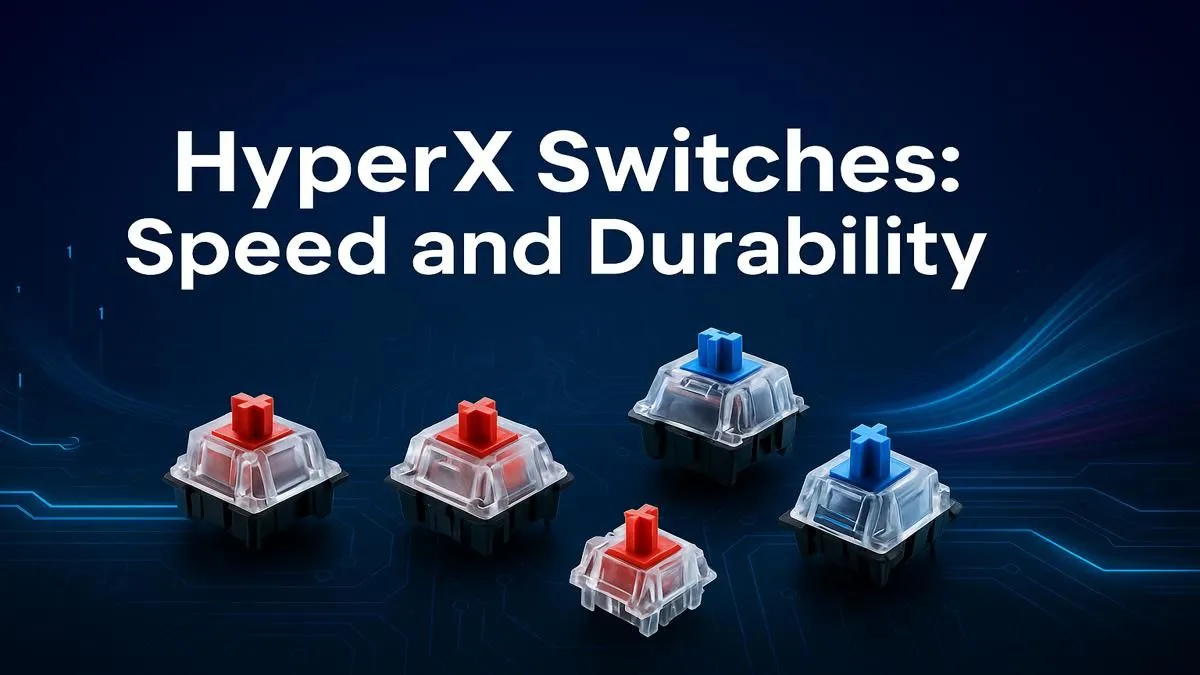
That split-second decision in a Valorant clutch... the satisfying thock as you craft a legendary item... it all comes down to the connection between you and your PC. For South African gamers, your keyboard is more than a tool; it’s your primary weapon. But what powers that weapon? Enter the world of mechanical switches. This guide explains HyperX switches, helping you choose the perfect one to match your playstyle and dominate the server.
When you browse the latest gaming keyboard deals, you'll often see HyperX's custom switches listed as a premium feature. Let's dive into why.
What Makes HyperX Switches Special?
Before HyperX developed their own switches, the world of mechanical keyboards was largely dominated by a few key players. HyperX decided to engineer their own, focusing on three core pillars: responsiveness, durability, and feel. The result is a line-up of high-performance switches that are purpose-built for gamers.
Unlike many standard switches, every HyperX mechanical switch is rated for a staggering 80 million keystrokes. That’s a lot of frantic looting and heated team chats. They achieve this with high-quality components and strict manufacturing standards, ensuring you can find them on everything from top-tier models to more affordable gaming keyboards without compromising on reliability.
The HyperX Switch Line-up: A Detailed Breakdown
Choosing the right switch is a personal journey. It’s all about how you want your keypress to feel and sound. This breakdown of HyperX switches will help you find your perfect match.
HyperX Red (Linear): Built for Speed ⚡
If speed is your top priority, HyperX Reds are your go-to. As linear switches, they move straight down without any tactile bump or audible click. This provides a smooth, consistent, and lightning-fast actuation that’s ideal for double-tapping and rapid commands.
- Feel: Smooth and direct.
- Sound: Quiet.
- Best For: FPS gamers (Warzone, Apex Legends, CS2) and anyone who needs the fastest possible response time. They are the top choice for many competitive players who bundle them in gaming keyboard and mouse combos.
HyperX Aqua (Tactile): The Balanced All-Rounder
Can't decide between pure gaming and typing comfort? The HyperX Aqua is for you. These are tactile switches, meaning you’ll feel a small, satisfying bump on the way down to confirm the key has been pressed. There's no loud "click," making it a great office-friendly option that still delivers a premium gaming feel.
- Feel: A noticeable but quiet bump.
- Sound: Quiet, with a soft bottom-out sound.
- Best For: A fantastic middle-ground. Perfect for MOBA and RPG players, programmers, and anyone who types as much as they game. Pair your keyboard with one of our ergonomic wrist rests for maximum comfort during long sessions.
HyperX Blue (Clicky): For Maximum Feedback 🔊
For those who love loud, decisive feedback, the HyperX Blue switch is a dream come true. It provides both a tactile bump and an audible click with every press. You'll never have to wonder if you activated an ability... you'll hear and feel it every single time. They are undeniably the loudest of the bunch, but oh-so-satisfying.
- Feel: Tactile bump with a sharp click.
- Sound: Loud and proud.
- Best For: Typists, RTS and strategy gamers, and anyone who craves that classic, unmistakable mechanical keyboard experience. It's also a great base for personalisation with a set of custom keycaps.
Beyond the Basics: Customisation and Durability
One of the best things about the HyperX ecosystem is its focus on the gamer. Their keyboards often feature exposed LEDs on the switch housing, which makes RGB lighting brighter and more vibrant, especially with their signature Pudding Keycaps.
The robust design of HyperX switches also means they're built to last. But accidents happen, and for the true enthusiast, it's good to know that the world of keyboard modding is accessible. For advanced users, having access to replacement keyboard switches can be a lifesaver for repairs or custom projects.
Keep Your Switches Clean 🔧
Dust and crumbs are the enemy of a smooth keystroke. To clean your keyboard, unplug it, turn it upside down, and use a can of compressed air to blow out debris. For a deeper clean, carefully remove the keycaps with a keycap puller and wipe down the surface with a slightly damp microfibre cloth. A clean keyboard is a happy keyboard!
Ultimately, this HyperX switches guide shows there’s a perfect option for every South African gamer. Whether you need the silent speed of Reds, the balanced feel of Aquas, or the satisfying click of Blues, understanding the difference is the first step to levelling up your entire setup.
Ready to Feel the Difference?
Reading about switches is one thing, but feeling them is another. The right keyboard can transform your gaming experience, giving you the speed and confidence to win. Explore our massive range of gaming keyboard deals and find the perfect HyperX setup to conquer your world.