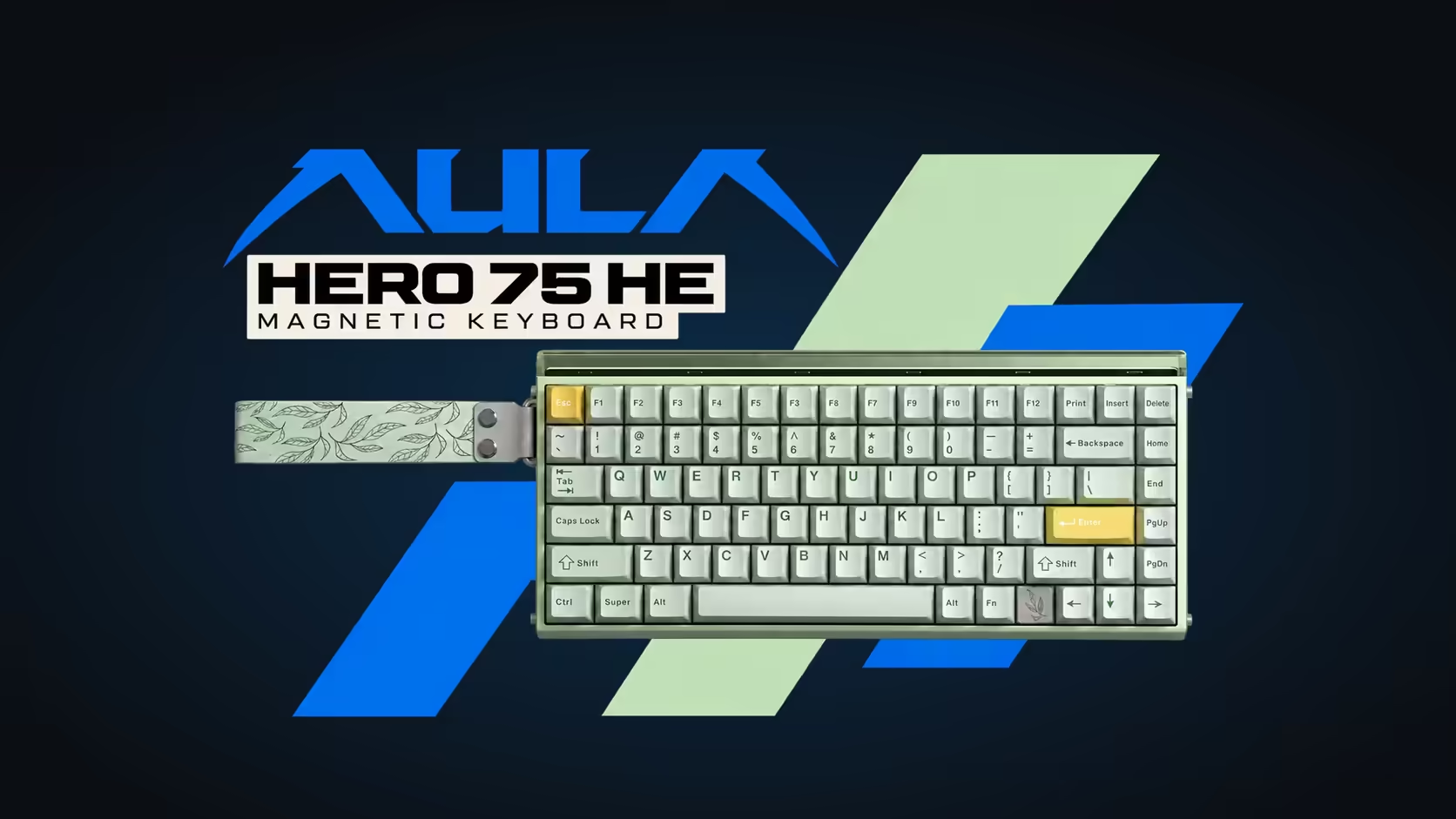
Not every gamer has a dedicated desk. For plenty of people, the gaming station is a laptop on the dining table, set up after supper and packed away before breakfast. The built-in keyboard does the job, just about, but it was designed to be thin, not fast. Pairing a laptop with an external gaming keyboard like the AULA HERO 75 HE on its wireless receiver changes the experience without turning the table into a permanent cable nest.
Quick Answer
The AULA HERO 75 HE on its 2.4GHz receiver beats built-in laptop keys for gaming. It brings magnetic switches, Rapid Trigger and 8000Hz polling with no cable across the table, and it packs away after dinner. Bluetooth is there too for three devices, though at 125Hz it is better kept for typing than for games. Evetech lists it at R899.
💻 What built-in laptop keys are missing
Laptop keyboards are engineering compromises. They have to fit into a chassis a few centimetres thick, survive being closed on, and sip power. That leaves little room for what gamers want:
- Short, fixed travel. Most laptop keys move a short distance and trigger at one set point. There is no way to make movement keys fire earlier.
- No Rapid Trigger. A key must travel back past its fixed reset before it can register again, which slows rapid tapping.
- Limited rollover on some models. Many laptop keyboards cannot register every combination of keys held together, which can drop inputs when you move, jump and use an ability at once.
- Heat under your hands. On many gaming laptops the hottest parts sit right under the keyboard deck, which is uncomfortable during long sessions.
The HERO addresses each of those. Its Hall Effect switches can be told to fire shallow or deep, with the trigger point moving in increments of five thousandths of a millimetre. Keys re-arm the moment your finger eases off, so repeated taps land cleanly. And because the board sits in front of the laptop, your hands stay away from the warmest part of the machine.
🔌 Connecting to a laptop with few ports
Modern thin laptops often have only a couple of USB ports, and some have mostly USB-C. The HERO offers three routes, and the right one depends on what your laptop has free:
- 2.4GHz receiver. The gaming choice, running at 8000Hz. It needs a free USB port. AULA's page does not state the receiver's connector type, so check that your laptop has a matching port or keep an adapter handy.
- USB-C cable. Also 8000Hz, and immune to interference. It uses a port and puts a cable on the table, but it is the most dependable link.
- Bluetooth. No port needed at all, and it remembers up to three devices. At 125Hz it is fine for typing and slower games, but not ideal for fast shooters.
If the mouse also uses a receiver, a small USB hub can keep both connected, though a hub adds another item to set out and pack away.
Whichever link you pick, the board's layout stays the same: 84 keys, F1 to F12 on their own row, arrows in the corner. That matters on a laptop, where the built-in keyboard often hides function keys behind an extra modifier. Games that use F-keys for quick saves or menus become simpler to play from the table.
🍽️ Making the dining table work
Adding an external keyboard changes the geometry of a laptop setup, mostly for the better.
Screen distance
With a keyboard in front, the laptop moves back, and the screen ends up further from your eyes. For most people that is an improvement, since laptop screens usually sit uncomfortably close. If text becomes hard to read, raise the laptop on a stand or a stack of books so the screen is nearer eye level, which also helps your neck.
Space for a mouse
The HERO measures 313 x 139 x 43mm and is a 75% layout, so it leaves more of the table free for a mouse than a full-size board would. On a narrow table, angle the keyboard slightly and keep the mouse close.
Staying put
Weighing in near 980g, the board does not slide around a smooth table surface during quick movement. It feels planted in a way lightweight travel keyboards often do not.
Packing away after dinner
With the receiver link, setup and tear-down take seconds: plug in the receiver, switch on, play; then unplug and store. Keep the receiver somewhere safe, such as a small pouch with the USB-C cable, so it does not go missing between sessions. Wireless play draws on the 8000mAh battery. With no published runtime, plan on the odd top-up over the cable as part of the routine, perhaps while you eat.
🧭 Mac laptops, lighting and ownership
MacBook owners are catered for. Holding Fn while pressing S flips the board into its Mac layout, and Fn plus A takes it back to Windows. Tuning is another matter: the AULA HUB driver, home to actuation, SOCD and DKS settings, opens in a browser but is treated by AULA as Windows software. If the household has a Windows PC, do the detailed setup there once; the settings live on the keyboard afterwards and travel with it to the MacBook.
In a shared dining room, lighting matters. Between the glow under each key and the neon-style strip along the top, the board can brighten a dark room more than you expect. Dim the strip and keep key lighting low while others watch TV; the battery benefits too.
Three finishes are offered, and whichever you choose, the switches can be pulled and replaced later. For the family table, that repairability pairs well with local cover: Evetech handles the HERO's 2 Years Local Warranty. Weigh it up against other boards across Evetech's gaming keyboards, or browse the keyboard best sellers for ideas.
Frequently Asked Questions
What are built-in laptop keys missing for gaming?
Adjustable actuation, Rapid Trigger and often full rollover. They also sit over the warmest part of many gaming laptops.
My laptop has few USB ports. What now?
Use the receiver if a matching port is free, the USB-C cable if you prefer, or Bluetooth when no port is available.
Will the screen be too far away with a keyboard in front?
Usually it ends up at a more comfortable distance. Raise the laptop if text becomes hard to read.
How quickly can I clear the table afterwards?
In seconds on the receiver link: unplug the receiver, switch off and store the board with its cable.
Do I need extra cables at the table?
Not on the receiver or Bluetooth. The cable is only needed for wired play or charging.
Can I use it with a MacBook at the table?
Yes. The board has a Mac layout mode, though the detailed tuning tool is Windows software.
Turning the dining table into a gaming station?
Browse Evetech's gaming keyboard range for wireless magnetic boards like the HERO 75 HE and give your laptop a proper upgrade.