


Humidity Damage to PC Components: Recovery Guide
Humidity Damage to PC Components: Recovery Guide. Everything you need to know with SA pricing, step-by-step instructions & expert recommendations.
Read moreLoadshedding hard drives risk data loss and mechanical damage; this guide explains why HDDs are vulnerable, how SSDs reduce risk, and practical protection steps. 🔋💾
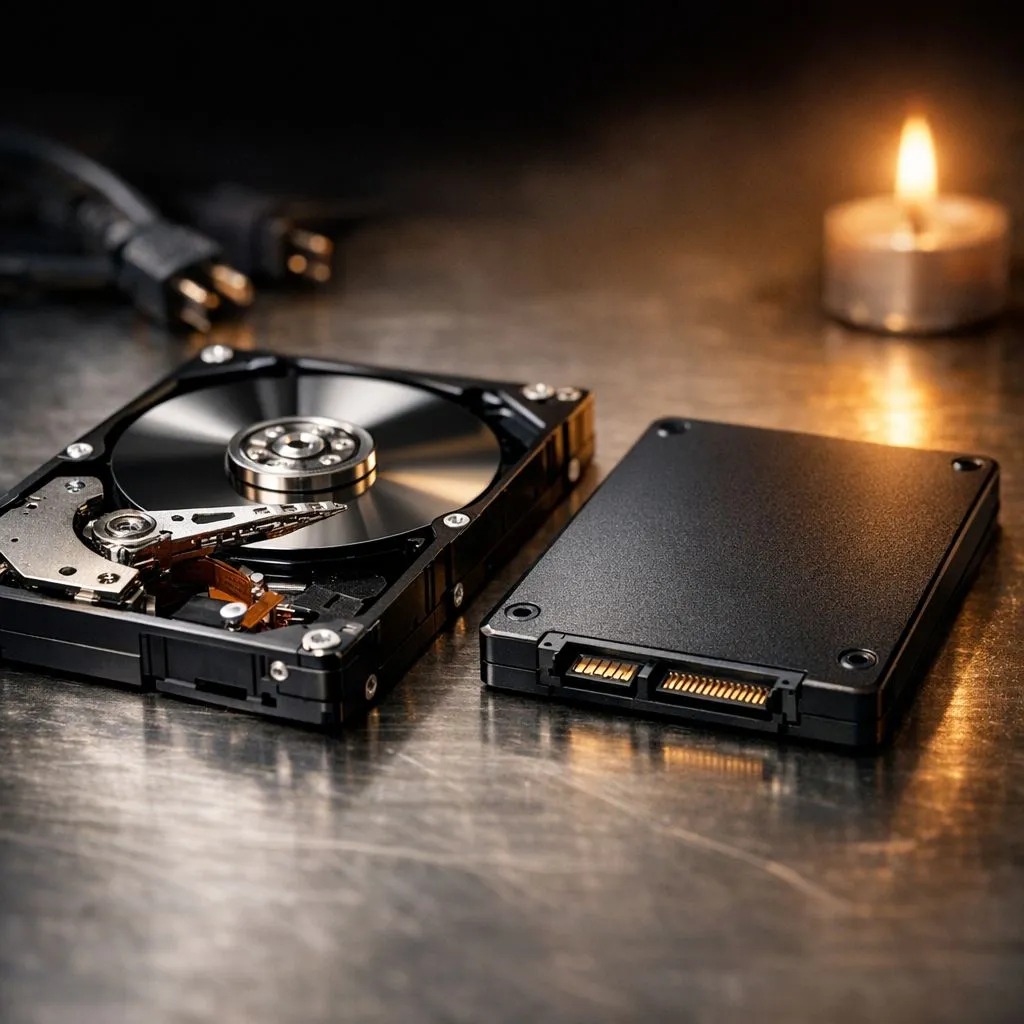
We all know that sinking feeling when the lights flicker and the hum of your PC suddenly dies. In South Africa, loadshedding is more than an inconvenience... it is a threat to your data. If you are still running mechanical Loadshedding Hard Drives, you are playing a risky game with your operating system and precious files. ⚡
Hard Disk Drives (HDDs) rely on physical, spinning platters and a tiny mechanical arm. When your PC is running, that arm hovers nanometres above the platter. If the power cuts instantly, the arm might not have enough residual energy to park safely. This can lead to a "head crash" where the arm physically touches the platter.
Over time, these sudden stops cause physical wear. This is why many South Africans find their PCs getting slower or failing to boot after a particularly bad week of Stage 6. If you want to avoid this, moving your data to Kingston storage solutions or reliable Western Digital drives is a smart move. Unlike HDDs, these modern drives do not have moving parts that can physically crash.
Use a tool like CrystalDiskInfo to monitor the 'Power-On Hours' and 'Unsafe Shutdowns' on your drives. If your HDD shows a high count of 'Reallocation Sectors' after a power cut, it is time to back up immediately and move to an SSD before the drive clicks for the last time.
Solid State Drives (SSDs) use flash memory. There are no spinning disks or mechanical arms. When the power goes out, there is nothing to physically "crash" into a platter. While a power surge can still damage any electronic component, SSDs are inherently more resilient to the abrupt shutdowns common in our local context.
Upgrading to a range of solid state drives significantly reduces the risk of file system corruption. Brands like ADATA components often include power-loss protection features that help the drive finish its current write operation before shutting down. 🔧
It is not just your desktop that is at risk. If you are backing up photos or work files to an old portable hard drive, one bad power trip could wipe everything. You should consider the switch to External form factor SSDs for your backups. They are smaller, faster, and far more durable when being moved around or unplugged during a blackout.
If you need a quick solution for your laptop or console, you can buy an external SSD that offers much higher transfer speeds than any old mechanical drive. This means your backups finish faster... hopefully before the next scheduled outage hits. 🚀
If you are building a new gaming rig, don't settle for yesterday's technology. Modern motherboards support incredible PCI Express (NVME) speeds that make Windows feel snappy and responsive. For those who want the absolute cutting edge, Gen 5 (NVME) technology offers performance that was unthinkable just a few years ago.
Investing in an SSD is not just about speed... it is about peace of mind. While a high-quality drive might cost a few more ZAR upfront, it is much cheaper than professional data recovery services. ✨
Ready to Protect Your Data? Loadshedding is here to stay, but your data loss doesn't have to be. For the best speed, reliability, and peace of mind in South Africa, upgrading to flash storage is the smartest move you can make. Explore our massive range of SSD specials and find the perfect drive to keep your system running smoothly.
Yes. Abrupt power loss can cause HDD head crashes, write corruption, and filesystem errors; HDDs face higher mechanical risk during outages.
SSDs handle power loss better because they have no moving parts, but they can still suffer write corruption; use backups and power protection.
Use a UPS, shut down cleanly when possible, enable journaling filesystems, and keep regular backups to protect HDDs from power loss.
Yes. Sudden outages can corrupt open files and damage filesystem metadata, often requiring fsck or repairs after restoration.
Full catastrophic SSD failure is rare; most issues are lost in-flight writes or controller state corruption rather than mechanical breakage.
A UPS prevents abrupt shutdowns and gives time to save work or shut down safely—strongly recommended for HDD reliability.
Switching reduces mechanical failure risk and improves resilience, but combine SSDs with backups and a UPS for best protection.
Humidity Damage to PC Components: Recovery Guide. Everything you need to know with SA pricing, step-by-step instructions & expert recommendations.
Read more
Gamer Spending Trends April : Complete Setups. Clear setup instructions with SA-specific considerations, troubleshooting tips & recommended components.
Read more
Setting Up DDR5 32GB Kit. Tested & verified settings for best FPS and visual quality on SA hardware budgets.
Read more
Tech Setup Guide for SPU Res Students. Clear setup instructions with SA-specific considerations, troubleshooting tips & recommended components.
Read more
Monster Hunter Wilds Ultrawide Support: 21:9 and. Clear setup instructions with SA-specific considerations, troubleshooting tips & recommended components.
Read more
Apple iPad Durability Guide: Cases, Screen. Practical breakdown of costs, regulations & whether it makes financial sense for SA buyers.
Read more
AMD RX 9050 XT: Rumoured Specs, Price & Release. SA-focused analysis with local pricing data, real-world insights & actionable buying advice.

Can RTX 4080 Super Run AI Workloads for SA Developers Detailed answer with SA data, expert analysis & practical recommendations for local buyers.

Can RTX 4090 Run AI Workloads for SA Developers Detailed answer with SA data, expert analysis & practical recommendations for local buyers.

Top Settings for Intel Arc B580 at Ultrawide 1440p picks evaluated on performance, value & SA availability with current Rand pricing from Evetech.

RTX 4060 CS2 Low Settings at 1080p: FPS Results. Real-world benchmark data, FPS numbers & performance analysis. What SA gamers can actually expect.

Visual Artifacts: Possible GPU Issue Issue #1. Diagnosis steps, proven fixes & when to seek professional help. SA-specific support info included.

Can the RTX 4090 Handle 1440p 144Hz Gaming. Performance testing verdict with real data & practical recommendations for SA buyers.

Top ASUS GPU Under R15000 picks evaluated on performance, value & SA availability with current Rand pricing from Evetech.

GTA 6 Max Settings on RTX 5070. Tested & verified settings for best FPS and visual quality on SA hardware budgets.

Cyberpunk 2077 Max Settings on RTX 5080. Tested & verified settings for best FPS and visual quality on SA hardware budgets.

Starfield Max Settings on RTX 5070 Ti. Tested & verified settings for best FPS and visual quality on SA hardware budgets.

Top RTX 5090 Under R5000 picks evaluated on performance, value & SA availability with current Rand pricing from Evetech.