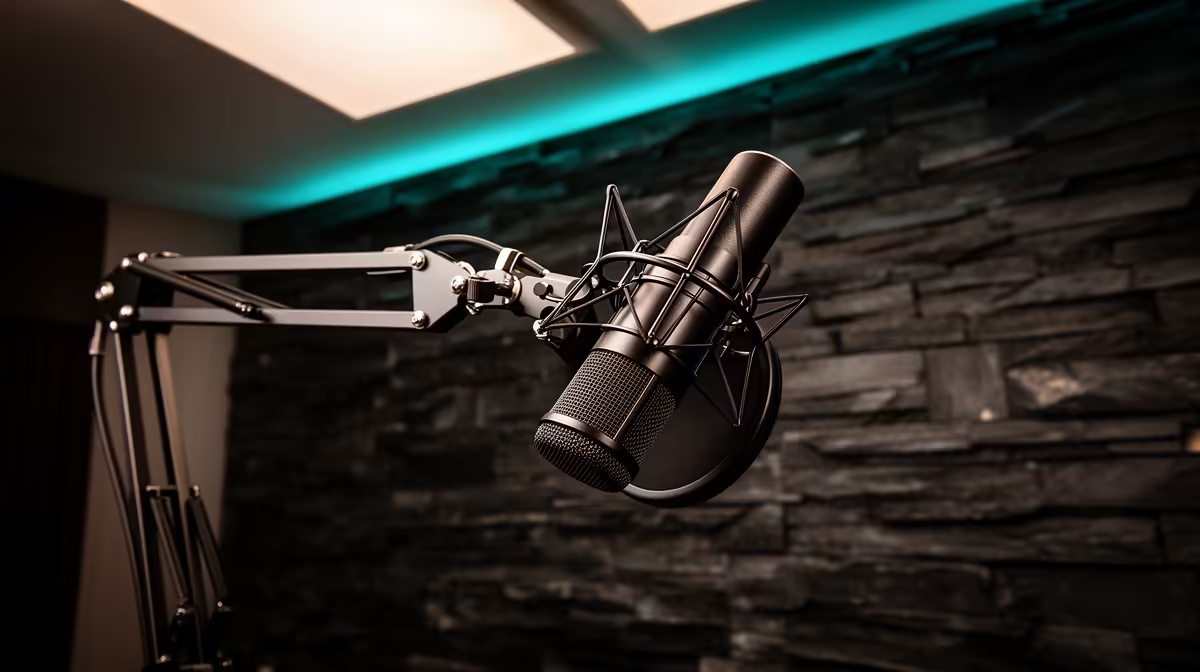
Sitting 40 centimetres from a desk stand is not a mic placement strategy. It is the default position most people never question, and it is quietly ruining the quality of their recordings. A metal boom arm for vocal audio closes that gap, moves the capsule to where it actually belongs, and removes an entire category of noise the desk stand was injecting into every take.
Quick Answer
Yes, a metal boom arm improves vocal audio over a desk stand in two distinct ways. It places the capsule 10 to 15cm from your mouth so your voice dominates the room sound, and its clamp mount isolates the capsule from desk vibrations that a tripod stand feeds directly into the recording.
🔧 Why Placement Is the Biggest Upgrade
Mic placement is the variable most home recordists ignore, and it is the one with the largest payoff. The principle is the inverse square law: volume drops sharply with distance. Close the gap between capsule and mouth from 40cm to 15cm and your voice level at the diaphragm roughly quadruples relative to room noise. That is not a minor improvement in post-processing. It is the recording becoming fundamentally better at the source.
A desk stand forces a compromise. Unless you crouch or push the monitor aside, the capsule ends up 30 to 50cm from your mouth, and the mic hears the room as much as it hears you. A boom arm brings the capsule to exactly the right position, held at the height you set, without you having to contort your posture to meet it.
The correct distance for most cardioid and dynamic mics is 10 to 15cm. Close enough to give the voice presence and warmth, far enough that plosive air does not swamp the diaphragm. Getting there consistently, session after session, is what the arm is for.
Reach and Height Adjustment
Look for an arm with at least 60cm of reach so you can clamp it behind the monitor and still bring the capsule to mouth position without the cable pulling tight. Models with spring-loaded joints at both the base and the mid-point give independent control over height and horizontal reach.
Most arms lock with a hex bolt on each joint. Tighten to match your mic's weight or the arm creeps downward during a session. Most quality steel arms handle up to 1.5kg, but check the rated load if you are running a heavier dynamic capsule.
🎙️ How the Clamp Mount Solves Vibration
This is the improvement people do not expect until they run a side-by-side test. A desk stand sits on three rubber feet and looks stable, but the surface under it is a resonant box. Every keyboard keystroke, mouse click, desk bump and mug placement travels through the surface and up the tripod legs into the capsule. At low frequencies this shows up as a soft thud in the recording. On a sensitive condenser microphone it is constant background contamination.
A boom arm anchors at the desk edge and floats the mic in free space, breaking the vibration path. Combine the arm with a shock mount on the capsule and you have two isolation stages working in sequence. The shock mount absorbs what little vibration makes it down the arm. Together they are substantially cleaner than a tripod on the surface.
The desk edge is also a more stable platform than you might expect. A clamp rated for your desk thickness, typically up to 55mm for thicker gaming desks, grips both surfaces and does not shift during a session the way a stand can be nudged.
Shock Mounts and What They Add
A shock mount suspends the microphone in a cradle on elastic bands or rubber grommets, decoupling the capsule from whatever holds it. Some mics include one in the box; if yours did not, it is worth adding. The arm-plus-shock-mount combination removes desk rumble almost entirely, and the difference is audible immediately on playback.
If budget is a concern, prioritise the arm first. The placement improvement from moving the mic closer to your mouth does more for audio quality than any other single change. The shock mount is a worthwhile addition once the arm is in place.
⚡ The Off-Axis Benefit for Plosives
Boom arms deliver one more improvement that desk stands cannot offer: easy off-axis positioning. When the arm holds the mic in free space, you can angle the capsule 30 to 45 degrees so it points from slightly above toward your mouth rather than dead-on from the front. Plosive air, the burst that accompanies hard consonants, travels in a straight line from your lips. If the capsule is slightly above and angled down, the air burst passes beneath it instead of slamming into the diaphragm.
This is not a replacement for a pop filter, but it reduces the plosive problem at the source. A pop filter on an off-axis mic handles the remainder and together the two approaches produce a vocal track that needs no heavy editing to clean up.
A desk stand has no practical way to achieve this geometry without adapter arms and awkward angles. A proper boom arm does it naturally. You set the position once, tighten the joints, and every session starts from the same clean baseline.
Pro Tip ⚡
a 30-second voice test twice: once with the mic on its tripod at your normal distance, then once with the arm bringing it to 12cm at a 35-degree downward angle. Listen back through headphones. The difference in vocal presence and desk noise is usually immediate enough to confirm whether the upgrade is worth it before you spend further.
💰 The Cost Case in South Africa
A quality metal boom arm in South Africa typically runs between R600 and R1,000. The question is not whether it is cheap. It is whether the performance difference justifies the spend compared to other places you could put the same Rand.
The answer is almost always yes, because placement improvements cannot be replicated in software. You can run noise reduction on a recording to clean up desk vibration, but every noise reduction pass costs some voice quality. You can boost gain to compensate for a mic that is too far away, but boosting gain lifts the room noise along with the voice. Fixing placement at source costs nothing in quality, and that is what the arm buys.
For a South African creator running a single mic, whether for streaming, content creation, podcasting or remote work calls, a metal boom arm is probably the highest return upgrade available at sub-R1,000.
Frequently Asked Questions
How does a boom arm improve vocal quality?
Mounting the mic on a boom arm lets you bring the capsule to within 10 to 15cm of your mouth, which means your voice reaches the diaphragm at a level that overwhelms the room. A desk stand typically parks the mic 30 to 50cm away, at which point the surrounding space contributes as much to the signal as the speaker does.
Does a desk stand transmit more noise into the mic?
Yes, noticeably. A tripod stand sits directly on the desk surface and conducts every vibration from keyboard taps, mouse clicks and accidental bumps straight up the legs and into the capsule. A boom arm fixed at the desk edge holds the mic clear of the surface, severing most of that mechanical path. Adding a shock mount to the arm removes the remainder.
Is mic placement more important than the mic itself?
For most home recordings, yes. Moving a modest dynamic mic from 40cm to 12cm away will produce a more dramatic improvement than swapping to a more expensive capsule at the same poor distance. The quality ceiling of your mic is only reached when placement and environment are already correct. Sort placement first, then consider upgrading the capsule.
Can a boom arm reduce plosives in recordings?
Indirectly, yes. A boom arm makes it easy to angle the mic 30 to 45 degrees off-axis so that plosive air bursts pass by the capsule rather than hitting it directly. Combined with a pop filter, that off-axis angle reduces the raw plosive problem at source. A desk stand rarely allows the same geometry cleanly.
Does a metal arm free up usable desk space?
Yes. Removing the tripod base from the desk surface clears roughly 15 to 20cm of working space depending on the stand's footprint. The boom arm uses only the desk edge at the clamp point, leaving the full desk surface open. For creators running tight desk setups with a monitor, keyboard and peripherals, that recovered space is a practical benefit alongside the audio improvement.
Is a metal arm worth around R600 to R1,000 in South Africa?
For most creators, yes. The placement and vibration isolation gains from a quality steel arm are immediate and audible. They cannot be replicated in software without a quality cost. Spending R700 on an arm generally does more for recording quality than spending the same amount on a microphone upgrade, because the new mic would still be mounted on the same problematic stand. Fix placement first.
Ready to get the most out of the microphone you already own?
Browse the adjustable metal boom arm range built for South African creators, and place your capsule exactly where it needs to be for cleaner audio every session.