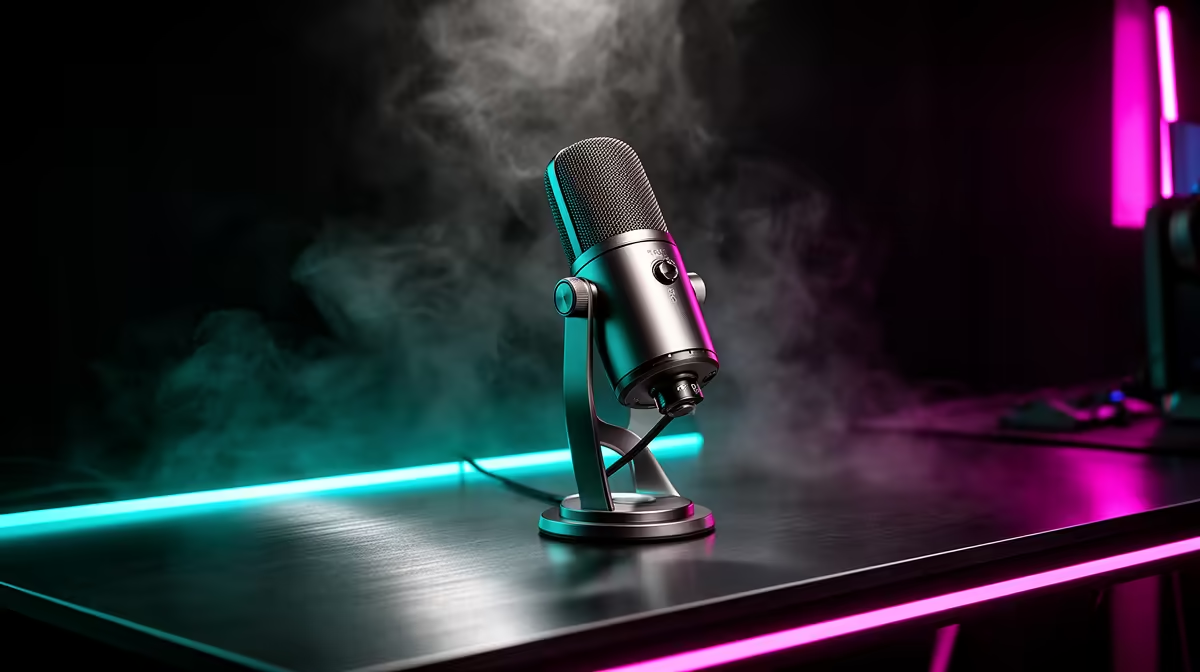
Competitive gaming voice chat is not podcasting and it is not streaming to an audience. It is a real-time communication tool where the stakes are immediate and the margin for audio failure is near zero. The microphone features that matter for competitive gaming voice chat are a short list, and most of the features that get heavy marketing focus in the gaming peripherals space are not on it.
Quick Answer
For competitive voice chat, the features that matter most are a dynamic capsule for passive noise rejection, a supercardioid pickup pattern for tight front isolation, and a hardware mute button for instant silencing. These three ensure teammates hear precise callouts without background noise, without latency, and without you fumbling in software mid-match.
🔧 Dynamic Capsule: Noise Rejection Before Processing
The single most impactful feature for competitive voice chat is the capsule type, and it is rarely the most discussed. A dynamic capsule requires close, direct sound pressure to produce a strong signal. At 12cm from your mouth, your voice dominates. Your mechanical keyboard a few centimetres further away, your PC fans behind the monitor, and any ambient room noise register at a much lower level because they are simply not close enough or direct enough to drive the capsule strongly.
This matters most in competitive play specifically because any noise that reaches your teammates is noise in their headspace during a critical callout. A condenser mic broadcasting your PC fans during a ranked match pushes non-verbal noise into the channel at exactly the moments when audio clarity determines outcomes. A squad who hears every keyboard click from every player has degraded information quality on the team channel, and in a long session that fatigue compounds.
The dynamic capsule addresses this passively. No software is filtering the noise out after the fact. The capsule is physically less responsive to the sounds that are not your voice. It is a hardware solution to what is fundamentally a hardware problem.
Sensitivity Ratings in Practice
Dynamic mics carry lower sensitivity ratings than condensers, typically in the range of minus 55 to minus 60dBV/Pa versus minus 30 to minus 40dBV/Pa for condensers. On paper this looks like a disadvantage. In practice it is exactly why a dynamic mic at 12cm from the mouth produces a clean voice signal while the keyboard nearby does not appear. The capsule needs the source to be close and direct. Your voice is close and direct. Everything else is not.
🎯 Supercardioid Pattern: The Geometry of a Clean Channel
Pickup pattern is the three-dimensional map of where a microphone listens. A supercardioid pattern has a tight, roughly 115-degree frontal capture zone. Off-axis sources, your keyboard at the side and your PC behind the monitor, land in the pattern's high-attenuation zones and are pulled down by 15 to 20dB relative to what arrives from directly in front.
For a competitive player in a typical South African gaming setup, this pattern geometry means the mic is pointing at your mouth and pointing away from most of the noise sources in the room simultaneously. Position the mic so its sides face the keyboard and the monitor, and the pattern does quiet work on your noise floor without any settings being touched.
The wider standard cardioid pattern is more forgiving of positioning but admits more of the room. In a quiet, treated environment the difference is minimal. In a busy room under gaming load, the tighter supercardioid pattern produces a meaningfully cleaner channel for your teammates.
⚡ Hardware Mute: 50 Milliseconds vs 5 Seconds
Competitive gaming generates situations where you need to silence your microphone immediately: a cough, a door slam, a phone ring, someone walking in behind you. The feature that addresses this is not novel, but the quality of its implementation matters considerably.
A hardware mute cuts the audio signal at the capsule level with roughly 50ms of physical latency. Press the button, the channel is silent. The physical connection to the capsule is broken or attenuated before any software layer is involved.
Software mute controls built into Discord, the game client, or a software mixer operate differently. They process the mute command, apply it in software, and send the silenced signal. The functional difference in speed is not massive, but the workflow difference is. A physical button on the mic does not require you to look away from the screen, move a cursor, or alt-tab. It is a motor memory action you can execute during the most intense moment of a match without any cognitive overhead.
Quality mute buttons include a visual indicator, typically an LED status light. Knowing with absolute certainty whether you are live or muted without checking a software panel is worth the small premium that a well-implemented hardware mute represents.
Pro Tip ⚡
Set your voice activation threshold in your communication app about 5dB above your room floor, not as high as possible. An aggressively set threshold clips the start of words spoken at lower volume during tense moments. The dynamic capsule already handles most ambient noise at the physical level, so the threshold just needs to exclude silence, not fight the room.
🧠 Latency and Processing: The Hidden Variable
Voice chat latency in competitive play is not just about network ping. On-mic processing, whether a noise gate, AI suppression, or EQ, adds processing time between your voice and the outgoing signal. For casual streaming, a 30ms or even 50ms processing delay is inaudible. For a callout timed to a specific in-game moment, that same delay can mean the information reaches a teammate slightly after the window it was relevant to.
On-mic AI noise suppression running on dedicated hardware inside the microphone processes at under 10ms and adds no CPU overhead to your gaming rig. Software AI solutions running through the driver stack or a companion app add 20 to 50ms depending on the buffer size and the platform. For pure voice chat latency, on-mic processing wins clearly.
A noise gate set conservatively is essentially zero latency and still works for competitive use, particularly in a quiet room. The risk is threshold clipping, where a gate set aggressively to handle a loud room clips the tail of a quietly spoken word during a tense moment. For competitive voice specifically, this is the scenario you most want to avoid.
For a noisy South African gaming room, on-mic AI suppression stripping 15 to 20dB of varied background noise with under 10ms latency is the feature combination that matches the environment. It handles the room, it keeps callouts timed correctly, and it draws nothing from the system running the game.
Frequently Asked Questions
Which microphone feature matters most for competitive voice chat?
A dynamic capsule is the single most impactful feature. Its low sensitivity rejects keyboard and fan noise passively at the capsule level, so teammates receive clean callouts regardless of what your gaming PC is doing. No software can fully replicate what the right capsule type achieves before the signal even leaves the microphone.
Does pickup pattern affect team callout clarity?
It does. A supercardioid pattern locks onto the roughly 115 degrees directly ahead of the capsule while pushing lateral and rear sound 15 to 20dB below the on-axis level. Position the sides of the mic toward your keyboard and PC and the pattern geometry alone removes significant ambient noise from the channel without touching a single setting.
Why is a hardware mute button important in competitive play?
A hardware mute cuts the mic signal at around 50ms with a single physical press, requiring no cursor movement or alt-tab. In competitive matches where unexpected sounds happen without warning, a hardware button on the mic is the only control method that does not create cognitive interruption during critical moments. The LED indicator confirms mute status at a glance.
Does audio latency matter in competitive voice chat?
Yes. On-mic AI processing adds under 10ms, which is imperceptible. Software-based AI or noise gate plugins can add 20 to 50ms depending on buffer configuration. In competitive scenarios where a callout is timed to a specific in-game moment, a 50ms processing delay can affect the relevance of the information when it arrives. On-mic processing keeps the signal timeline accurate.
Is AI noise suppression useful in competitive gaming?
For a typical noisy South African gaming room, yes. On-mic AI strips 15 to 20dB of steady background noise including fan and keyboard sounds, with minimal processing latency and no CPU draw from the gaming system. It outperforms a fixed noise gate in environments where the noise profile varies during a session, which is most real-world gaming rooms.
Ready to give your squad cleaner callouts?
Browse the gaming microphone range at Evetech and find a dynamic supercardioid mic with hardware mute built for competitive play.