


Humidity Damage to PC Components: Recovery Guide
Humidity Damage to PC Components: Recovery Guide. Everything you need to know with SA pricing, step-by-step instructions & expert recommendations.
Read moreMini PC vs Laptop: Compare cost, portability, performance and upgrades to find the best value for South African students 🇿🇦💡 Practical buying advice and clear pros/cons.
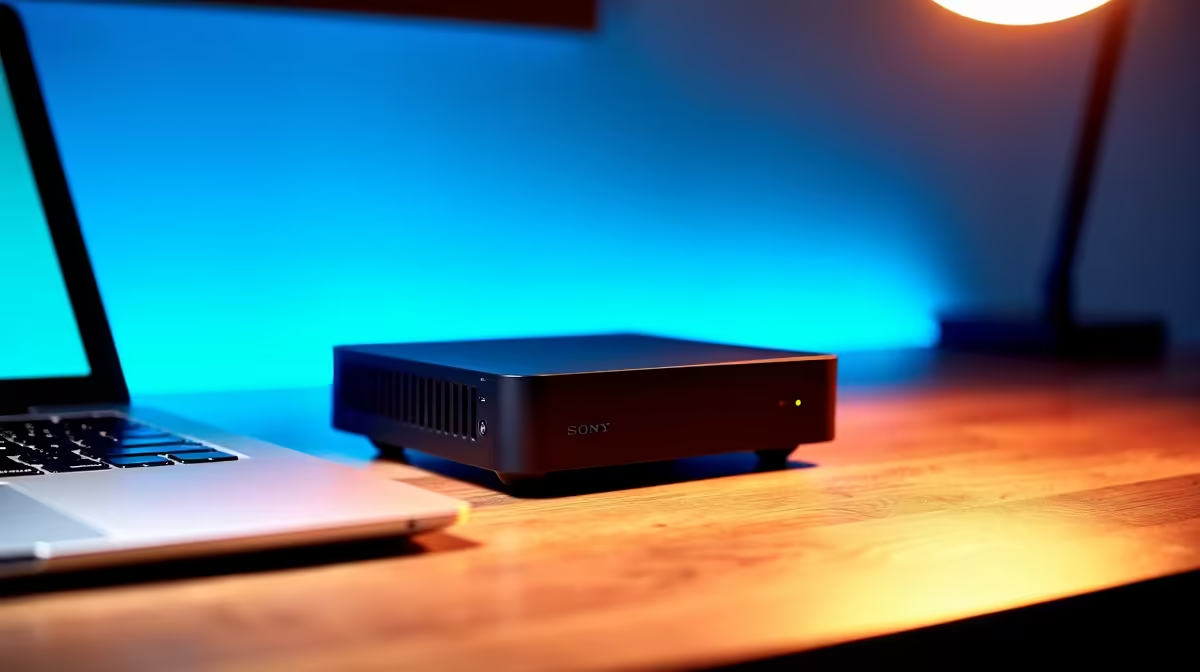
Choosing between a Mini PC vs Laptop is the ultimate crossroads for South African students balancing a budget. While laptops offer mobility for lectures at Wits or UCT, Mini PCs provide incredible performance per Rand. If you already have a monitor or a TV in your res room, a compact desktop might be the smarter investment. Let’s break down which option offers the best value for your degree. ✨
Laptops are the default choice for campus life. They are easy to carry to the library. However, you often pay a "portability tax" for that convenience. This means you get less powerful hardware for the same price. A Mini PC uses different thermal management. It can run at higher speeds for longer periods without overheating. If your course involves video editing or 3D rendering, the extra stability is vital. You can find a comprehensive range of mini PCs that offer desktop-class processors at a fraction of the size.
For many students, the mobility of a laptop is rarely used. Most work happens at a desk in a res or at home. If you already own a keyboard and mouse, a Mini PC is much cheaper. You aren't paying for a built-in screen or a battery. These miniature desktop systems also offer better ports. You can plug in multiple monitors or external drives without needing expensive dongles. Many modern units even include customisable RGB lighting. This allows you to match the colour of your setup to your peripherals. 🔧
If you choose a Mini PC, look for one with VESA mount support. This allows you to bolt the PC directly to the back of your monitor. It clears up your desk space entirely... giving you more room for textbooks and coffee during those late-night study sessions.
Dust is a major enemy of tech in South Africa. Laptops are notoriously difficult to clean. Mini PCs are different. Most allow you to pop the top cover to clear out dust or upgrade your storage. This extends the life of your machine significantly. When looking for the best value for South African students, durability matters as much as speed.
If you want top-tier specs, look at the Minisforum high-performance units. They often feature liquid metal cooling. This keeps the system quiet during heavy workloads. They are perfect for students who need a reliable workstation that won't take up the whole desk while optimising their workflow. 🚀
Ready to Find Your Perfect Match? The Mini PC vs Laptop debate is complex, but for maximum power, choice, and value in South Africa, a dedicated compact rig is hard to beat. Explore our massive range of Mini PCs and find the perfect machine to conquer your studies.
Value depends on needs: laptops win for portability and battery life, mini PCs often offer better specs per rand and easier upgrades for a dorm setup.
A reliable student laptop in South Africa typically costs between R7,000–R15,000 depending on specs and brand, balancing performance and battery life.
Yes — affordable mini PCs can handle coding, web research and office apps. Look for at least 8GB RAM and an SSD for smooth performance.
Mini PCs excel in small spaces due to compact designs and quieter operation — ideal for dorm desks and shared study areas.
Prioritize battery if you need campus mobility; choose upgradeability if you prefer a long-term desktop setup or better performance per budget.
Yes — many students pair mini PCs with external monitors or use a laptop as a second screen via HDMI or USB-C display options.
Check Evetech deals, seasonal sales and student discounts; compare specifications and warranty to secure the best value offer.
Humidity Damage to PC Components: Recovery Guide. Everything you need to know with SA pricing, step-by-step instructions & expert recommendations.
Read more
Gamer Spending Trends April : Complete Setups. Clear setup instructions with SA-specific considerations, troubleshooting tips & recommended components.
Read more
Setting Up DDR5 32GB Kit. Tested & verified settings for best FPS and visual quality on SA hardware budgets.
Read more
Tech Setup Guide for SPU Res Students. Clear setup instructions with SA-specific considerations, troubleshooting tips & recommended components.
Read more
Monster Hunter Wilds Ultrawide Support: 21:9 and. Clear setup instructions with SA-specific considerations, troubleshooting tips & recommended components.
Read more
Apple iPad Durability Guide: Cases, Screen. Practical breakdown of costs, regulations & whether it makes financial sense for SA buyers.
Read more
AMD RX 9050 XT: Rumoured Specs, Price & Release. SA-focused analysis with local pricing data, real-world insights & actionable buying advice.

Can RTX 4080 Super Run AI Workloads for SA Developers Detailed answer with SA data, expert analysis & practical recommendations for local buyers.

Can RTX 4090 Run AI Workloads for SA Developers Detailed answer with SA data, expert analysis & practical recommendations for local buyers.

Top Settings for Intel Arc B580 at Ultrawide 1440p picks evaluated on performance, value & SA availability with current Rand pricing from Evetech.

RTX 4060 CS2 Low Settings at 1080p: FPS Results. Real-world benchmark data, FPS numbers & performance analysis. What SA gamers can actually expect.

Visual Artifacts: Possible GPU Issue Issue #1. Diagnosis steps, proven fixes & when to seek professional help. SA-specific support info included.

Can the RTX 4090 Handle 1440p 144Hz Gaming. Performance testing verdict with real data & practical recommendations for SA buyers.

Top ASUS GPU Under R15000 picks evaluated on performance, value & SA availability with current Rand pricing from Evetech.

GTA 6 Max Settings on RTX 5070. Tested & verified settings for best FPS and visual quality on SA hardware budgets.

Cyberpunk 2077 Max Settings on RTX 5080. Tested & verified settings for best FPS and visual quality on SA hardware budgets.

Starfield Max Settings on RTX 5070 Ti. Tested & verified settings for best FPS and visual quality on SA hardware budgets.

Top RTX 5090 Under R5000 picks evaluated on performance, value & SA availability with current Rand pricing from Evetech.