



PCIe 5.0 vs PCIe 4.0 for Video editing in 4k in SA
PCIe 5.0 vs PCIe 4.0 for video editing in 4k is mainly about fit, features, compatibility, cost, and upgrade path, not one automatic winner. SA buyers should match the choice to the setup.
Read moreA mini DC UPS backs up only the router and ONT but gives hours of runtime for a low outlay, while a full AC UPS can also cover a PC but costs more and gives fewer runtime hours per rand on the network side. Evetech stocks both for either need.
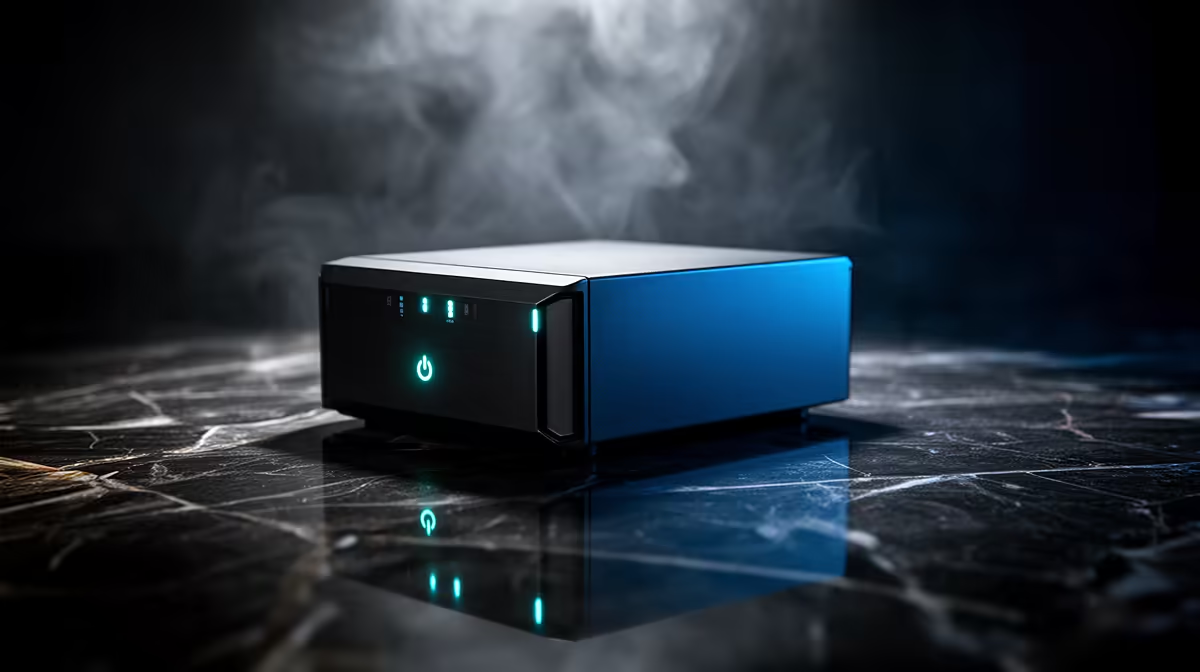
Choose a mini DC UPS when the job is keeping a compatible ONT and router online. Choose a full AC UPS when you must also supply AC equipment or give a desktop time to shut down.
Direct DC backup can use battery energy efficiently for a small network load. A full UPS brings broader outlets and more conversion stages, with output and runtime sized for different jobs.
List ONT, router, switch, access point and any cordless-phone base. Record which devices are essential.
Trace power adapters and copper Ethernet. The fibre cable itself does not conduct electricity.
Network service can still fail upstream even when every home device has power. Backup preserves your side of the link, not the provider network.
Copy output voltage, polarity, current and connector from each adapter. Check whether the mini UPS provides those exact outputs.
Add device watts and stay within total current. A dual-output label does not mean every voltage can supply maximum current at once.
Use only supported split leads. Label every connector.
Add AC input watts for ONT, router and other backed devices. Check UPS output watts, VA, waveform and runtime curve.
The adapters convert AC back to DC, which adds losses. At a small load, UPS self-consumption can take a visible share of battery energy.
A full UPS can still be the right choice when devices use different voltages or when a PC needs shutdown time.
Do not compare battery amp-hours without voltage. Convert to watt-hours where the maker provides enough data, then allow for conversion loss and cutoff.
Use published runtime curves or measured safe tests. Battery labels do not provide guaranteed hours.
Record new runtime and leave reserve.
A network backup should carry the devices without reboot. Test through the maker's supported input-loss procedure.
Watch ONT optical status, router uptime and Ethernet link. A brief reboot can drop calls even when total outage time is covered.
Some mini UPS units use pass-through DC, while others switch between adapter and battery. Exact behaviour matters.
A battery product may include surge features, but verify the exact ratings. It does not replace the distribution-board SPD.
Have fixed protection and earthing assessed by a qualified electrician. Use point-of-use products that coordinate.
Copper network between buildings needs professional protection or replacement with fibre.
Browse networking equipment for ONT-adjacent routers, switches and access points. Use accessory best sellers for supported DC leads and power accessories.
Open exact model data. Do not use a category minimum as a runtime or compatibility promise.
Keep the original adapters as labelled fallbacks.
Keeping the router alive may not keep a separate mesh node or access point online. List the device that actually covers the work area.
A wired access point elsewhere can sit on another circuit and backup. Add its power path.
Back up only the nodes needed for communication. Every extra radio reduces runtime.
A mini DC UPS cannot power a desktop PC. A full UPS may carry PC and network when watts, VA and waveform fit.
For long fibre uptime, separating network backup from the high-power PC often gives better hours. The PC UPS can then focus on shutdown.
Use two records and maintain both batteries.
After a complete power loss, power the fibre terminal first and allow it to reacquire the provider link. Bring the router online once that path is ready.
If the optical link stays down, use the provider's support route. A bigger home battery cannot restore an upstream outage.
Save router configuration through its supported method and keep credentials secure.
Keep both unit types cool and ventilated. Heat shortens battery life.
Stop for swelling, leakage, smell, heat or sharply falling runtime. Use approved replacement or service.
Recycle batteries through an accepted route.
Price unit, supported cables, replacement battery path and the number of devices covered. Add expected maintenance without inventing a universal interval.
A cheap mini UPS that needs unsupported adapters is not a fit. A full UPS with unused AC capacity may waste money and runtime.
Choose the narrowest supported system that covers the actual network chain.
A full UPS may report load, battery and alarms to a PC. That helps automated shutdown but adds software and cable requirements.
A mini UPS often uses simple indicator lights. Read what each light means and whether low-battery warning is clear.
Do not expose UPS management interfaces with default credentials. Keep network access limited and firmware current through official support.
Full UPS units can use fans, relays and audible alarms. Place one where ventilation stays clear and alerts can be heard without disturbing sleep.
Mini units are often quiet but can run warm in a network cabinet. Leave space around them.
Do not hide either battery under soft material or next to a heater.
A full UPS needs a suitable earthed wall outlet. Do not lift earth or run it from a damaged extension.
Mini UPS input uses its supported adapter. Check that pass-through operation remains within the adapter and unit rating.
For hot outlets, tingling equipment or repeated trips, disconnect safely and use a qualified electrician.
Save work and follow the maker's safe procedure to remove input power. Do not switch fixed wiring.
Check whether the ONT reboots, router WAN drops or Wi-Fi disappears. Time to low-battery warning and stop with reserve.
Repeat after six months or a battery change using the same load. The record shows real ageing.
Store original ONT and router adapters, labelled separately. If the mini UPS fails, return each device to its own correct adapter.
For a full UPS fault, move network devices to a verified point-of-use protector only after stable utility supply returns.
Do not use a random spare power brick to restore service.
A matched mini DC UPS often uses battery energy efficiently for ONT and router. Exact battery and load decide.
It can when watts, VA, waveform and runtime support the complete load.
No. Provider-side equipment can also lose power or service.
Map every powered fibre device, match DC specifications for a mini UPS, and choose full AC backup only when the supported job extends beyond the network chain.
A matched mini DC UPS often uses battery energy efficiently for ONT and router. Exact battery and load decide.
It can when watts, VA, waveform and runtime support the complete load.
No. Provider-side equipment can also lose power or service. {{PRODUCTS: { facets: { query: "router" }, limit: 12, title: "Fibre Backup Gear", style: "4" } }}
PCIe 5.0 vs PCIe 4.0 for video editing in 4k is mainly about fit, features, compatibility, cost, and upgrade path, not one automatic winner. SA buyers should match the choice to the setup.
Read more
Wi-Fi 7 vs Wi-Fi 6e for competitive esports comes down to router support, latency goals, device compatibility, and coverage. SA buyers should match the choice to the real network setup.
Read more
ATX 3.1 vs ATX 3.0 for mMO and live-service games buyers - what changes is mostly about compatibility, budget, upgrade path, and setup fit. SA buyers should check device support and real needs before expecting a clear win from either option.
Read more
LGA 1851 vs LGA 1700 can affect Twitch and YouTube streaming when gaming and encoding share CPU resources. For SA creators, the real-world difference depends on encoder choice, memory support, motherboard cost, thermals, and upgrade plans.
Read more
X870E vs X670E for aaa single-player gaming is mainly about fit, features, compatibility, cost, and upgrade path, not one automatic winner. SA buyers should match the choice to the setup.
Read more
Hall Effect switches vs Mechanical switches for mMO and live-service games is mostly about compatibility, budget, upgrade path, and setup fit. SA buyers should check device support and real needs before expecting a clear win from either option.
Read more
A fake 113GB GTA VI ISO reportedly used empty padding around a small malware payload. SA gamers should delete unofficial builds, keep Windows security active and wait for official channels.

Wi-Fi 6E vs Wi-Fi 6 matters for 4K video editing when files move across a network. The real-world difference between Wi-Fi 6E and Wi-Fi 6 for video editing in 4K depends on NAS access, cloud uploads, router range, and SA creator workflows.

The difference between PCIe 5.0 and PCIe 4.0 for SA gamers is mostly bandwidth headroom. Compare GPU slot needs, NVMe speed, motherboard support, and upgrade timing before paying extra for a newer platform.

Gaming PC stuck pixel checks in South Africa should confirm the monitor fault first. Use colour tests, screenshot comparison, cable swaps, display menu checks, and clear photos before deciding on support.

Shokz OpenFit Air 2 earbuds weigh 7.2g each and use a redesigned dual-driver open-ear layout. SA buyers should choose them for comfort and awareness, not maximum isolation.

AMD's current driver now lists a Radeon RX 9050 4GB, while product coverage details a narrowed memory system. SA buyers should weigh the low VRAM ceiling against current local Radeon options.

Samsung Display has demonstrated a 16-inch 2.5K OLED laptop panel running at 300Hz. SA buyers should wait for a named notebook, full panel specifications and a local price before planning an upgrade.

Microsoft says some Windows 11 game crashes after recent updates are linked to RGB-related drivers. Affected SA gamers should confirm the update and driver before using the published registry workaround.

Minisforum's M2 Pro pairs Core Ultra X7, Arc B390 graphics and 32GB onboard memory in 1.8 litres. SA buyers should weigh its fixed memory and $1,439 launch offer against local mini PCs.

Smart monitors can add apps and convenience, but they also add privacy settings and unwanted-software risk. SA buyers should audit the operating system before paying for extras.

Lenovo says Legion Go failures linked to BIOS N3CN42WW are not user error. Affected SA owners should stop retrying the update, preserve proof and open a support case.

The ROG Gjallar gaming soundbar is now listed in the US at $599.99. SA buyers should compare its 2.1.2 audio, wireless bass and built-in chat controls with simpler local options.