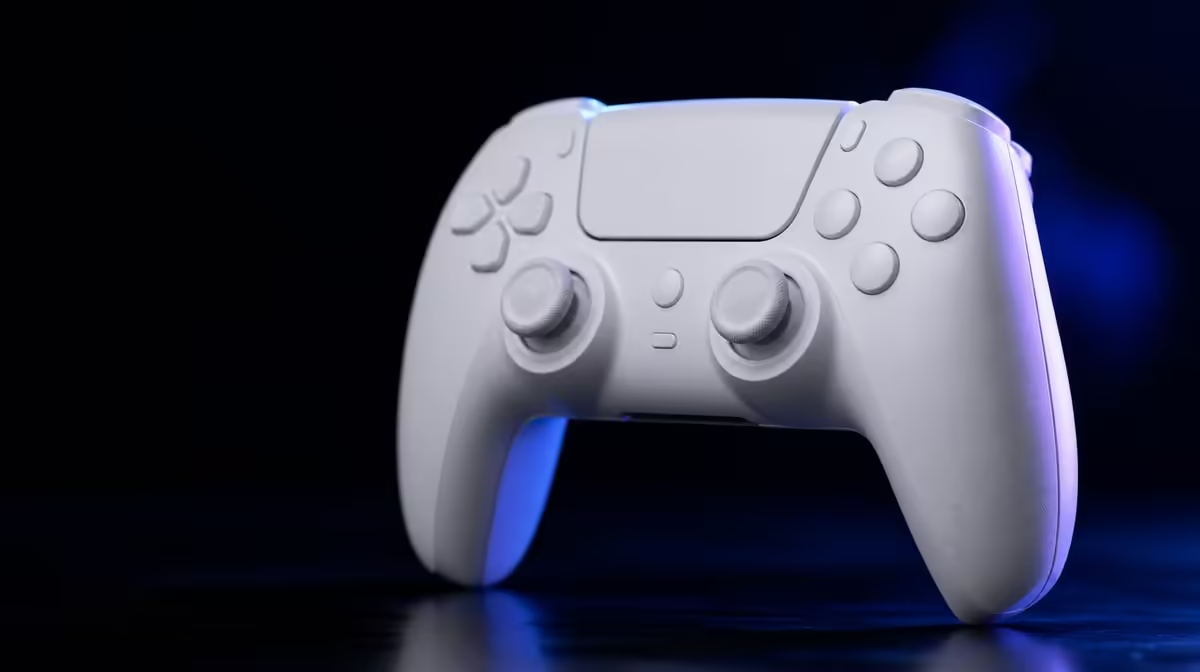
A multiplatform controller dock is dedicated charging hardware, not a universal stand for every gamepad. Multiplatform controller charging docks combine storage and power for a compatible controller, while host flexibility belongs to the gamepad itself. The R999 Cyclone 2 includes its Smart Start-Stop dock, making exact compatibility and alignment part of the routine.
Quick Answer
A charging dock gives a compatible controller a fixed storage and charging point. The Cyclone 2 package costs R999 with its dedicated Smart Start-Stop dock included. Multiplatform support does not mean the base accepts unrelated controllers; use the dock for its intended gamepad, keep it aligned and route the power cable safely.
🏠 Storage and charging meet in one place
A dock creates a home for the controller between PC or Android sessions. Returning the gamepad there reduces daily direct cable handling.
Place the base on a firm, level surface. Leave a clear lift path and route the cable with enough slack that it cannot rotate the dock.
Choose the location by routine, not by the first empty patch of desk. The controller should be easy to return after play without crossing a keyboard, pulling a cable taut or placing the base beside a heat source.
Check the surface while the desk is used normally. A lightweight shelf or unstable corner may move when another device is touched. Charging contact that appears stable during setup can become intermittent when daily movement reaches the cable or base.
Allow room above and around the gamepad. Lifting it straight from the dock is safer than twisting around a monitor stand or speaker. The route back to the base should also avoid pressing face buttons or triggers accidentally.
The physical resting position should keep pressure off the TMR sticks. Good storage supports control care as well as charging.
Dock-included packages can be compared in context through Evetech's controller category.
🎯 Compatibility must be exact
The Cyclone 2 can serve more than one host through tri-mode support, but its dock remains dedicated to the controller package.
Do not infer cross-controller dock compatibility from the word multiplatform. Charging contact, physical fit and power management must match the intended hardware.
The host and dock relationships should be drawn separately. Tri-mode support concerns how the Cyclone 2 connects to compatible PC or Android setups. The dock concerns how that same controller rests and charges between sessions.
A universal-looking shape is not evidence of a universal electrical interface. Contact position, controller weight, the way it seats and the charging logic all matter. Do not experiment with unrelated gamepads merely because they can balance on the base.
The dedicated pairing is useful precisely because the fit and routine belong together. Return the Cyclone 2 in the intended orientation, observe the normal charging response and leave other controllers on their own approved charging solutions.
If the controller travels between hosts, the dock can remain a home station. Connection flexibility does not require moving the base every time. Keep its power and cable arrangement stable while only the gamepad changes devices.
Use only the controller-dock pairing established by the package. A stand that physically holds another gamepad has not proved charging compatibility.
This distinction protects both claims: the controller can move between supported hosts, while the dock charges its proper controller.
⚡ Alignment enables smart management
With the Cyclone 2 seated correctly, Smart Start-Stop Charging manages the power routine. Poor alignment or debris can create repeated contact loss.
Observe the status after placement. If it changes with desk movement, inspect cable tension and the supporting surface before blaming automation.
Reseat the controller once, then watch whether the state remains steady. Repeatedly lifting and dropping it without changing the cause can hide an alignment problem rather than solve it.
Follow the path from the power source to the base. A cable stretched around a sharp corner or caught beneath another object can apply sideways force. Give the lead a relaxed curve and keep the connector area free from knocks.
Visible dust should prompt inspection, especially in a warm room where the base sits exposed. Disconnect power, use a gentle dry method on accessible surfaces and avoid liquid or metal tools. There is no need to invent a fixed cleaning calendar; respond to the environment and observed contact behaviour.
After cleaning or repositioning, change only one factor before retesting. This shows whether alignment, cable tension or debris was responsible. A written note is worthwhile if the same desk problem returns.
Disconnect power before a gentle dry clean of exposed areas. Avoid liquid and scraping, then reseat and observe.
Browse Evetech gaming accessories once the dock and power route have a stable position.
🔋 Keep charging claims realistic
The dock manages routine; it does not add battery capacity or guarantee lifespan. Temperature, battery age, heavy use and stable contact remain relevant.
Smart Start-Stop describes charging management around the correctly seated controller. It should not be expanded into a promise that the battery can never wear or that remaining play time has increased.
Judge the base over ordinary use. Does the controller return there after most sessions? Does the fixed position reduce direct cable handling? Is the gamepad charged when the next session begins? These answers describe practical value more clearly than the word smart on its own.
The storage benefit can remain valuable even when charging is not immediately required. A consistent home keeps the controller away from loose objects that might press the sticks or triggers and reduces the search for a misplaced gamepad.
Travellers may weight the dock differently. If the controller often leaves the desk, compatibility and tri-mode support may carry more of the purchase case. The included base still has value at home, but the buyer should score it by use rather than assume every feature is equally important.
Keep the base shaded and away from unnecessary heat. Inspect it when visible dust or charging instability appears rather than inventing a universal maintenance interval.
At R999, the dedicated dock comes with the Cyclone 2. Score it by daily use and storage convenience, not by imagined compatibility with other models.
Once exact controller-dock fit is understood, Evetech's popular accessory page can provide ideas for arranging the surrounding desk.
At R999, the Cyclone 2 package already includes this dedicated hardware. Compare another controller-and-dock option by total package price, exact fit, host support and daily routine. Do not subtract the dock from the Cyclone 2 value or add a second imaginary dock cost.
Before purchase, measure the intended space, trace the cable route and confirm that the controller's supported devices meet the playing plan. Use the live Evetech page to check current availability when those practical requirements pass.
Recheck the base after any desk rearrangement. A monitor arm, new cable bundle or shifted power source can introduce side tension that did not exist during the first setup. Restore a level surface and a relaxed lead before judging the next charging cycle.
Frequently Asked Questions
What does a controller dock combine?
It combines a fixed resting position with charging for the compatible gamepad.
Does multiplatform mean the dock accepts every controller?
No. Multiplatform describes the Cyclone 2 host role; the charging base is dedicated hardware.
Why does alignment matter?
Stable physical contact allows Smart Start-Stop management to work without repeated interruptions.
Can the dock guarantee battery protection?
No. It manages charging while temperature, age, use and contact remain relevant.
What does the dedicated package cost?
The GameSir Cyclone 2 Phantom White with its dock is R999.
Ready to treat the dock as exact charging hardware?
Explore Evetech gaming controllers and compare dedicated bases by fit, alignment, cable routing and daily storage value.