



PCIe 5.0 vs PCIe 4.0 for Video editing in 4k in SA
PCIe 5.0 vs PCIe 4.0 for video editing in 4k is mainly about fit, features, compatibility, cost, and upgrade path, not one automatic winner. SA buyers should match the choice to the setup.
Read moreThe OneXPlayer X1 uses a swappable core module to cover three performance tiers in one chassis, an unusual design with no official South African price since OneXPlayer sells only overseas. SA buyers still face shipping and customs duty landing it here.
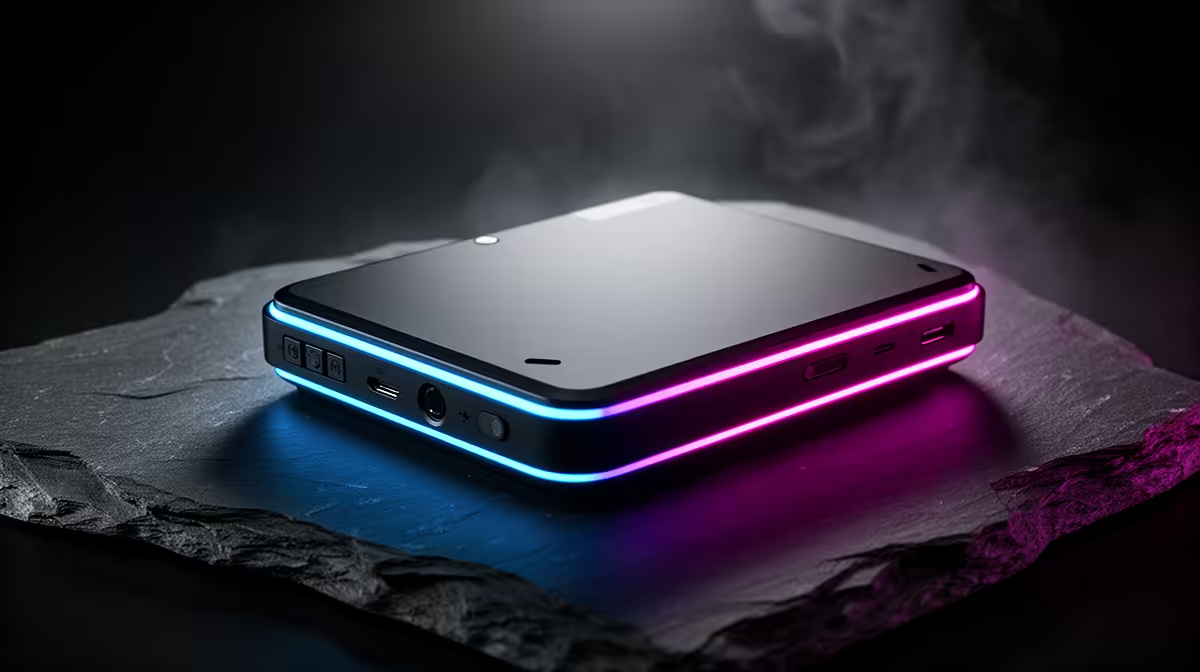
The OneXPlayer X1 tries to cover handheld play, tablet use and desk work in one broad device. That promise sounds tidy, but each mode depends on the accessories, processor configuration and support behind it. The OneXPlayer X1 price in South Africa only makes sense once you know which parts are in the box and which version you are comparing.
OneXPlayer X1 stock and Rand pricing in South Africa can shift as specialist devices move through changing local and cross-border routes. Overseas supply may add international transport, customs duty and model-specific return risk. Evetech's current handheld gaming range lets you compare locally listed Windows devices with clear configurations and present pricing.
Three-in-one refers to the X1's ability to work across handheld, tablet and computer-style setups. Detachable controls and keyboard accessories help it change roles.
Do not assume every package contains every mode. Check whether the controllers, connector, keyboard, stand, stylus and charger are included in the named bundle.
Some X1 discussions also involve different processor platforms or replaceable internal modules across product revisions. Confirm the exact model and maker-supported upgrade method before treating modularity as a purchase feature.
Opening a portable computer is not a casual controller swap. If a core module can be replaced, anti-static handling, correct fasteners, thermal interfaces and firmware support still matter.
The large display can suit strategy games, media and desk work. It also increases weight when controllers are attached.
Windows gives access to PC launchers and applications, yet desktop software may expect a keyboard and precise pointer. Touch alone does not make every task comfortable.
Choose the mode you will use most. A device that spends every day on a desk should be judged against a laptop, while one carried in both hands must pass a weight and control test.
Identify the processor, memory and SSD capacity. One chassis name can hide large differences in graphics capability and price.
Review power profiles and cooling. A portable processor may perform well at the wall and behave differently on battery.
Screen resolution affects game load. A large, sharp panel can look excellent while asking too much of integrated graphics at native settings.
Test controller attachment for play and rigidity. Look for movement, disconnects and wear around the connector.
Verify keyboard layout, trackpad behaviour and stand stability if desk mode matters. A flexible kickstand on a narrow airline tray may be frustrating.
Check USB-C charging, display output and dock support. The correct port may matter when several connectors look alike.
Measure the controller span against your shoulder width and usual grip. A wide screen can feel balanced on a table yet tiring when its full mass hangs from your hands.
Ask how the battery, display, detachable controls and internal module are supported. Modularity has value only when replacement parts and instructions exist.
Create an itemised quote with the exact X1 version, processor, RAM, storage, controllers, keyboard, stand, charger, seller, currency and date.
If the device comes from overseas, include international freight and customs duty. A heavy screen and several accessories can change the packed shipping class.
Confirm insurance for the complete bundle and note the deadline for transit-damage reports. Photograph each component during unpacking.
Check charger input ratings and output profiles. A generic USB-C adapter may not sustain the X1 under gaming load.
Add a protective case built around the attached controllers or your chosen travel mode. Loose modules need separate protection.
Compare Evetech's current PC favourites when the X1 will spend much of its time as a computer. A gaming laptop can offer a stronger keyboard, larger cooling system and simpler stand arrangement.
Use local listings to compare complete delivered systems and support. The X1's multiple roles are valuable only if they replace devices or accessories you would have bought.
Keep packaging for each detachable part. A support claim may require the full set rather than one controller.
Charge the X1 and complete Windows setup with the supported charger. Record the original firmware and driver set.
Test the display for touch response, colour faults and dead pixels. Rotate or change modes where supported and check that Windows follows.
Attach both controllers and test every input in the control utility. Gently check for unwanted movement at the rails or connectors.
Connect the keyboard and verify keys, trackpad, shortcuts and sleep behaviour. Use it on the surface where you expect to work.
Run a familiar game at a moderate power level. Tune resolution and frame cap before raising the processor limit.
Detach the controls using the approved method. Never pull against a locking tab or live connector.
Test an external display, power pass-through and any dock as a complete desk setup. Watch charging state under load.
Confirm sleep and resume in handheld and keyboard modes. Some Windows games recover poorly, so save before suspending.
Create recovery media and back up saves. A modular computer still places the operating system and data on one storage device.
Inspect attachment points after a week of use. Early looseness, intermittent input or cracked plastic should be documented before it worsens.
It describes handheld, tablet and keyboard-based computer use through detachable accessories and a large Windows display.
Listings can change. Check current local offers and Evetech's live handheld category rather than assuming a permanent route.
Any maker-supported internal change requires careful handling and the correct procedure. Do not assume it works like attaching a controller.
Freight, customs duty, insurance, missing accessories and possible international return transport can change the total.
It accesses compatible Windows PC games. Driver, control, anti-cheat and performance requirements still apply.
The seller's written support terms decide. Ask where each component must go and who pays the transport.
Match processor class, screen, controls, memory, storage and support. Add a laptop comparison if keyboard mode is central to the plan.
Ready to compare handheld, tablet and PC options? Explore Evetech's current portable gaming and PC ranges, then buy for the mode you will use most rather than the longest feature list.
It describes handheld, tablet and keyboard-based computer use through detachable accessories and a large Windows display.
Listings can change. Check current local offers and Evetech's live handheld category rather than assuming a permanent route.
Any maker-supported internal change requires careful handling and the correct procedure. Do not assume it works like attaching a controller.
Freight, customs duty, insurance, missing accessories and possible international return transport can change the total.
It accesses compatible Windows PC games. Driver, control, anti-cheat and performance requirements still apply.
The seller's written support terms decide. Ask where each component must go and who pays the transport.
Match processor class, screen, controls, memory, storage and support. Add a laptop comparison if keyboard mode is central to the plan.
PCIe 5.0 vs PCIe 4.0 for video editing in 4k is mainly about fit, features, compatibility, cost, and upgrade path, not one automatic winner. SA buyers should match the choice to the setup.
Read more
Wi-Fi 7 vs Wi-Fi 6e for competitive esports comes down to router support, latency goals, device compatibility, and coverage. SA buyers should match the choice to the real network setup.
Read more
ATX 3.1 vs ATX 3.0 for mMO and live-service games buyers - what changes is mostly about compatibility, budget, upgrade path, and setup fit. SA buyers should check device support and real needs before expecting a clear win from either option.
Read more
LGA 1851 vs LGA 1700 can affect Twitch and YouTube streaming when gaming and encoding share CPU resources. For SA creators, the real-world difference depends on encoder choice, memory support, motherboard cost, thermals, and upgrade plans.
Read more
X870E vs X670E for aaa single-player gaming is mainly about fit, features, compatibility, cost, and upgrade path, not one automatic winner. SA buyers should match the choice to the setup.
Read more
Hall Effect switches vs Mechanical switches for mMO and live-service games is mostly about compatibility, budget, upgrade path, and setup fit. SA buyers should check device support and real needs before expecting a clear win from either option.
Read more
A fake 113GB GTA VI ISO reportedly used empty padding around a small malware payload. SA gamers should delete unofficial builds, keep Windows security active and wait for official channels.

Wi-Fi 6E vs Wi-Fi 6 matters for 4K video editing when files move across a network. The real-world difference between Wi-Fi 6E and Wi-Fi 6 for video editing in 4K depends on NAS access, cloud uploads, router range, and SA creator workflows.

The difference between PCIe 5.0 and PCIe 4.0 for SA gamers is mostly bandwidth headroom. Compare GPU slot needs, NVMe speed, motherboard support, and upgrade timing before paying extra for a newer platform.

Gaming PC stuck pixel checks in South Africa should confirm the monitor fault first. Use colour tests, screenshot comparison, cable swaps, display menu checks, and clear photos before deciding on support.

Shokz OpenFit Air 2 earbuds weigh 7.2g each and use a redesigned dual-driver open-ear layout. SA buyers should choose them for comfort and awareness, not maximum isolation.

AMD's current driver now lists a Radeon RX 9050 4GB, while product coverage details a narrowed memory system. SA buyers should weigh the low VRAM ceiling against current local Radeon options.

Samsung Display has demonstrated a 16-inch 2.5K OLED laptop panel running at 300Hz. SA buyers should wait for a named notebook, full panel specifications and a local price before planning an upgrade.

Microsoft says some Windows 11 game crashes after recent updates are linked to RGB-related drivers. Affected SA gamers should confirm the update and driver before using the published registry workaround.

Minisforum's M2 Pro pairs Core Ultra X7, Arc B390 graphics and 32GB onboard memory in 1.8 litres. SA buyers should weigh its fixed memory and $1,439 launch offer against local mini PCs.

Smart monitors can add apps and convenience, but they also add privacy settings and unwanted-software risk. SA buyers should audit the operating system before paying for extras.

Lenovo says Legion Go failures linked to BIOS N3CN42WW are not user error. Affected SA owners should stop retrying the update, preserve proof and open a support case.

The ROG Gjallar gaming soundbar is now listed in the US at $599.99. SA buyers should compare its 2.1.2 audio, wireless bass and built-in chat controls with simpler local options.