



PCIe 5.0 vs PCIe 4.0 for Video editing in 4k in SA
PCIe 5.0 vs PCIe 4.0 for video editing in 4k is mainly about fit, features, compatibility, cost, and upgrade path, not one automatic winner. SA buyers should match the choice to the setup.
Read moreUsing a phone as a webcam usually beats a genuinely budget webcam on image quality, since even older phone sensors outperform entry-level webcam optics. The trade-off is extra setup complexity, and Evetech stocks proper microphones to pair with either camera choice.
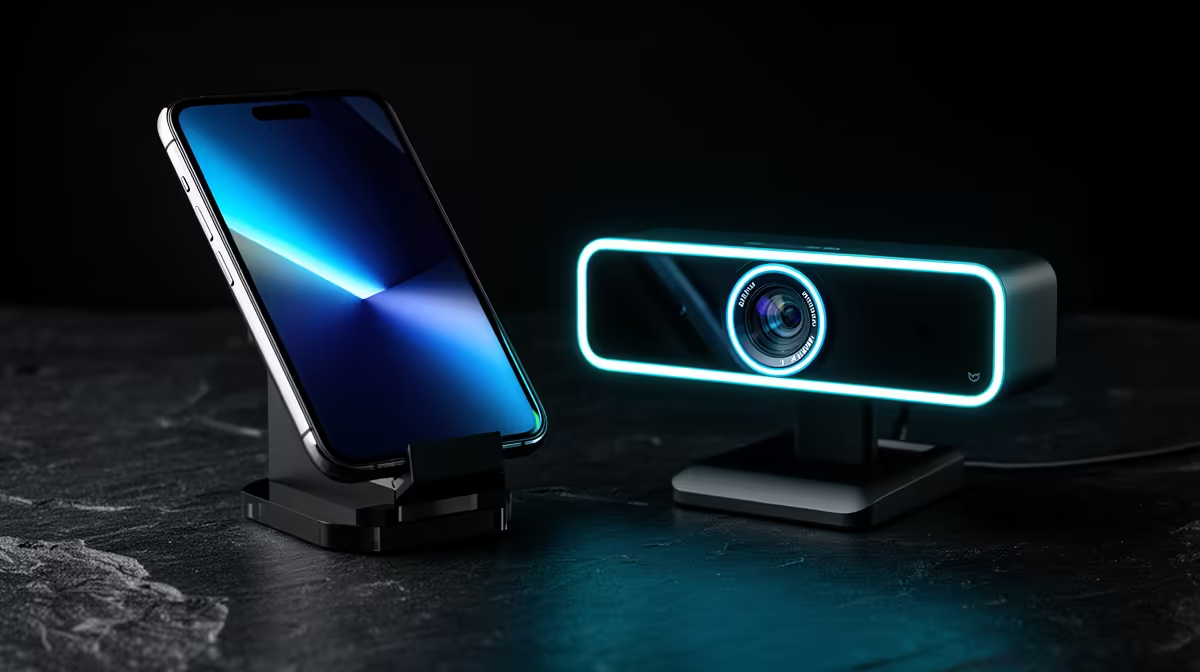
A spare phone can beat a budget webcam on image quality because its sensor, lens and image processing were built to produce attractive video in difficult light. A webcam wins on routine: it stays mounted, draws power from the PC and appears as a camera with fewer steps. Choose the phone for picture headroom and the webcam for a stream that must start in seconds.
Use the phone when you already own a suitable device, can connect it through a trusted supported method and have a stable mount plus power. Buy a budget webcam when the phone is your daily device, heat or notifications interrupt recording, or repeated setup stops you going live. Test both under the same light and streaming compression rather than comparing their local preview screens.
Even an older phone may have a larger sensor and more advanced exposure processing than an entry webcam. It can preserve skin tones, hold highlight detail and focus on a product near the lens. Rear cameras often outperform the front camera.
The phone preview may apply sharpening, noise reduction and tone mapping that look polished on its own screen. The camera-link software can compress or resize that signal before it reaches the PC, so the final stream can lose part of the advantage.
Record through the full path. Put the phone and webcam at the same height, use one light and send both through the streaming application's normal resolution and bitrate. Compare hair detail, hand movement and exposure changes.
A USB connection can provide steadier bandwidth and charging than Wi-Fi when the phone and software support it. Wi-Fi is convenient but adds local network conditions and battery use. Either route depends on an application or operating-system camera feature.
Use software from the phone maker, operating-system provider or another source you have assessed and trust. A camera application can access sensitive video and audio. Read its permissions and privacy terms, and avoid installing unknown packages from copied links.
Put the phone in a mode that prevents calls and notifications covering the output. Test whether the app keeps the screen awake, records sound and changes orientation. Disable microphone input from the phone when your dedicated mic should remain the source.
A dedicated webcam stays clipped to the display and uses one cable. The streaming software sees it each time the PC starts. Privacy shutters and status lights can make its state clear.
Entry webcam sensors need good light. They may hunt focus or smear motion in a dark room. Look for control over exposure, white balance and focus rather than buying resolution alone.
Compare models in the webcam range. Open the exact product's frame modes, field of view, mounting and operating-system support. The catalogue includes different camera types, so the named webcam matters.
A phone needs a secure clamp or tripod that does not press buttons, block the lens or let the device fall onto the monitor. The rear camera makes framing harder because you cannot see the screen from the chair. A computer preview solves that once the connection is live.
Keep the lens near eye height. Portrait and landscape orientation must match the intended crop. Leave room around the charging port and ensure the cable cannot pull the device from its mount.
Do not balance the phone against a screen edge. A proper mount protects both devices and holds the frame after the desk is bumped.
Camera processing, a bright screen, charging and Wi-Fi create heat. A phone may dim, reduce performance or stop the camera when it gets too warm. Remove a thick case only when the mount remains secure and the device maker permits it.
Use a supported charger and keep the phone away from hot PC exhaust or direct sun. Run a session longer than the planned broadcast. Watch battery level and camera stability at the end, not just the first five minutes.
A spare phone can remain dedicated and charged to a battery-care level supported by its system. A daily phone may be needed for authentication or calls, which makes it a fragile production component.
Phone microphones sound distant when the device is mounted near the display. A budget webcam's built-in mic has the same problem. Use a dedicated microphone close to the voice where the channel depends on speech.
The streaming essentials catalogue helps compare microphone patterns, connections and mounts. Confirm that the streaming application selects this mic rather than the phone or webcam after reconnecting devices.
Match audio and video delay. Wireless phone video may arrive later than a USB microphone. Record a hand clap and adjust sync inside the streaming software only after the connection is stable.
The phone can move to an overhead mount or close product angle with good autofocus. Some apps let you switch lenses or lock exposure. A spare handset can become a second scene without buying another webcam.
Check whether lens switching interrupts the feed. Lock focus for a fixed desk shot and use autofocus for products only when it changes cleanly. Disable digital beauty effects that distort moving hands or product edges.
A webcam draws power without consuming a phone battery, keeps notifications separate and can run for hours when the PC and USB path remain stable. Its lighter cable and fixed clip reduce setup friction.
USB bandwidth still matters. A high-resolution webcam sharing a controller with a capture device may drop frames. Test direct connection, then inspect the motherboard's USB layout if trouble appears.
Use the phone for five full sessions and measure setup time, heat, connection resets and sync. Use the available webcam or borrowed test model for the same scenes. The winner should stay ready, not just produce the best paused frame.
Choose the phone when its picture improvement survives compression and the setup is dependable. Choose the webcam when convenience produces more streams and its image clears the format under good light.
Many current phone and operating-system combinations support a USB camera route through approved features or software. Verify your exact devices.
Long camera and charging sessions create heat and cycling. Follow the device maker's battery guidance and stop if temperature warnings appear.
For clear creator speech, a close dedicated mic usually delivers a better result than a camera mic across the desk.
Compare phone and webcam through the same light, compression and hour-long test, choosing the camera path you can start and trust every time.
Many current phone and operating-system combinations support a USB camera route through approved features or software. Verify your exact devices.
Long camera and charging sessions create heat and cycling. Follow the device maker's battery guidance and stop if temperature warnings appear.
For clear creator speech, a close dedicated mic usually delivers a better result than a camera mic across the desk.
PCIe 5.0 vs PCIe 4.0 for video editing in 4k is mainly about fit, features, compatibility, cost, and upgrade path, not one automatic winner. SA buyers should match the choice to the setup.
Read more
Wi-Fi 7 vs Wi-Fi 6e for competitive esports comes down to router support, latency goals, device compatibility, and coverage. SA buyers should match the choice to the real network setup.
Read more
ATX 3.1 vs ATX 3.0 for mMO and live-service games buyers - what changes is mostly about compatibility, budget, upgrade path, and setup fit. SA buyers should check device support and real needs before expecting a clear win from either option.
Read more
LGA 1851 vs LGA 1700 can affect Twitch and YouTube streaming when gaming and encoding share CPU resources. For SA creators, the real-world difference depends on encoder choice, memory support, motherboard cost, thermals, and upgrade plans.
Read more
X870E vs X670E for aaa single-player gaming is mainly about fit, features, compatibility, cost, and upgrade path, not one automatic winner. SA buyers should match the choice to the setup.
Read more
Hall Effect switches vs Mechanical switches for mMO and live-service games is mostly about compatibility, budget, upgrade path, and setup fit. SA buyers should check device support and real needs before expecting a clear win from either option.
Read more
A fake 113GB GTA VI ISO reportedly used empty padding around a small malware payload. SA gamers should delete unofficial builds, keep Windows security active and wait for official channels.

Wi-Fi 6E vs Wi-Fi 6 matters for 4K video editing when files move across a network. The real-world difference between Wi-Fi 6E and Wi-Fi 6 for video editing in 4K depends on NAS access, cloud uploads, router range, and SA creator workflows.

The difference between PCIe 5.0 and PCIe 4.0 for SA gamers is mostly bandwidth headroom. Compare GPU slot needs, NVMe speed, motherboard support, and upgrade timing before paying extra for a newer platform.

Gaming PC stuck pixel checks in South Africa should confirm the monitor fault first. Use colour tests, screenshot comparison, cable swaps, display menu checks, and clear photos before deciding on support.

Shokz OpenFit Air 2 earbuds weigh 7.2g each and use a redesigned dual-driver open-ear layout. SA buyers should choose them for comfort and awareness, not maximum isolation.

AMD's current driver now lists a Radeon RX 9050 4GB, while product coverage details a narrowed memory system. SA buyers should weigh the low VRAM ceiling against current local Radeon options.

Samsung Display has demonstrated a 16-inch 2.5K OLED laptop panel running at 300Hz. SA buyers should wait for a named notebook, full panel specifications and a local price before planning an upgrade.

Microsoft says some Windows 11 game crashes after recent updates are linked to RGB-related drivers. Affected SA gamers should confirm the update and driver before using the published registry workaround.

RTX 5090 on a 650W PSU is a tight pairing with very limited headroom. For SA gaming PCs, focus on total system draw, PSU quality, connector support, CPU choice, and avoid OC plans unless the full build is carefully power-limited.
PCIe 5.0 vs PCIe 4.0 for video editing in 4k is mainly about fit, features, compatibility, cost, and upgrade path, not one automatic winner. SA buyers should match the choice to the setup.

850W PSU safety for RTX 5090 is plausible with a quality unit and balanced parts. In SA, confirm connector support, CPU power draw, case airflow, PSU age, and spare capacity before building around 850W.
Wi-Fi 7 vs Wi-Fi 6e for competitive esports comes down to router support, latency goals, device compatibility, and coverage. SA buyers should match the choice to the real network setup.