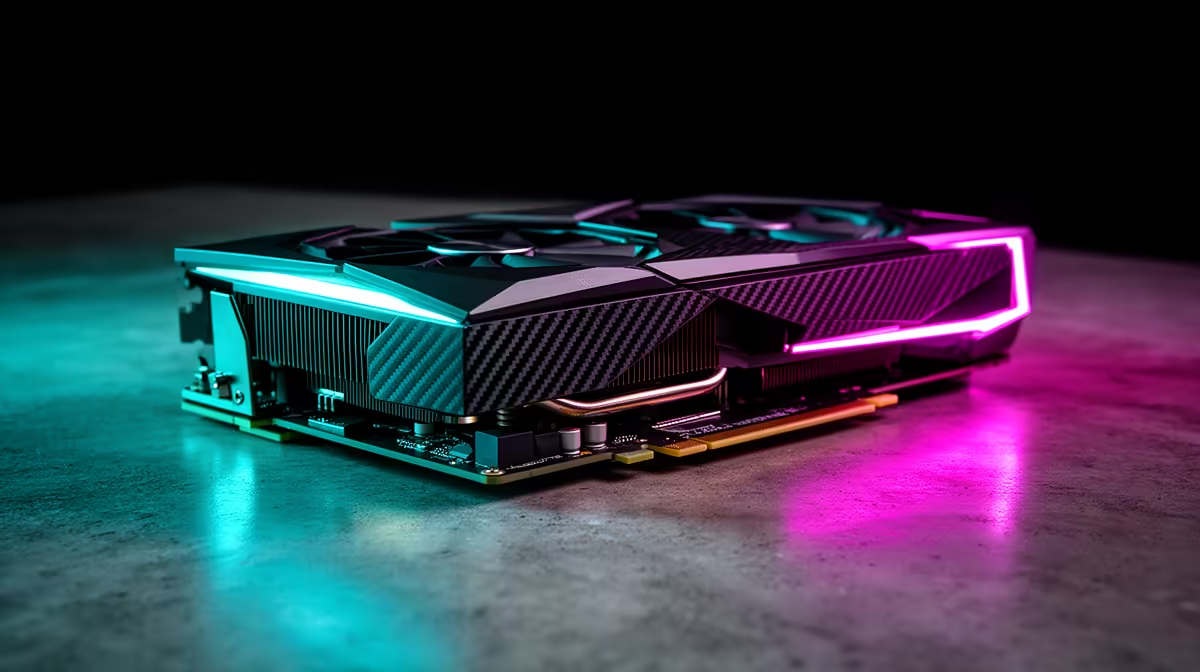
The RTX 5060 is the stronger gaming card on paper and in the workload it is built to handle. It has 50 percent more CUDA cores than the RTX 5050 and a faster GDDR7 memory system. Both cards have 8GB, so capacity remains a shared limit.
Quick Answer
Choose the RTX 5050 for a price-led 1080p build when its live saving pays for a meaningful processor, memory or monitor improvement. Choose the RTX 5060 when you want more shader and ray-tracing headroom, higher settings or a better chance at 1440p.
The Palit GeForce RTX 5060 Infinity 2 OC 8GB was R6,999 as of July 2026. The price pack does not provide a named RTX 5050 example, so compare the current 5050 product page with that dated 5060 anchor before calling the top-up small.
Use the NVIDIA graphics card range to compare named models, and check popular GPU options for the wider value picture.
Official Specifications Show the Class Gap
NVIDIA lists 2,560 CUDA cores for the RTX 5050 and 3,840 for the RTX 5060. That is a large increase in the parallel resources available to the higher card, though game performance does not scale one-for-one with core count.
Both use the Blackwell architecture and support the same broad feature family, including current DLSS technologies, ray tracing and AV1 encode. The 5060 has more Tensor and ray-tracing throughput on NVIDIA's specification table.
The RTX 5050 has a 130W total graphics power rating, while the RTX 5060 is rated at 145W. Board-partner models can use different clocks, coolers and limits. Check the named card rather than applying the reference number to every design.
Memory Speed Improves, Capacity Does Not
The RTX 5050 carries 8GB GDDR6 on a 128-bit interface with 320GB/s bandwidth. The RTX 5060 also carries 8GB on a 128-bit interface, but its GDDR7 provides 448GB/s.
That extra bandwidth helps the 5060 feed its larger GPU. It can reduce a memory-throughput bottleneck in demanding rendering. It does not turn 8GB into 12GB or 16GB.
At 1080p, 8GB can handle many games with sensible texture and ray-tracing settings. At 1440p, high-resolution texture packs and heavy ray-tracing data can push capacity. When a game exceeds available VRAM, faster memory cannot prevent every hitch or asset compromise.
Use in-game VRAM indicators as a guide and test frame-time consistency. Reduce textures or ray-tracing settings before lowering every visual option.
The RTX 5050 Makes Sense at the Right Saving
An entry gaming PC has several hard costs: a capable processor, 16GB or 32GB memory, an NVMe drive, safe power supply and a monitor. A lower GPU price can keep those supporting parts above a weak minimum.
The 5050 suits a 1080p screen when you target high settings in lighter games and accept tailored settings in demanding releases. Esports games can deliver high frame rates when the processor and game settings are balanced.
Do not buy it because its model number belongs to the new generation. Compare current benchmarks with older discounted cards and the 5060. Look at native performance, upscaling and ray tracing as separate results.
The live Rand difference decides the value. A large saving has a job. A tiny saving leaves you with less graphics headroom for years.
The RTX 5060 Has More Room to Breathe
The 5060's additional cores and memory bandwidth suit high-refresh 1080p, heavier ray tracing and an entry 1440p target. It can preserve a stronger base frame rate before frame generation.
That base rate matters. Multi Frame Generation can add displayed frames in supported games, but it does not replace the responsiveness of newly simulated frames. A faster GPU starts from a healthier foundation.
The 5060 is also a better fit when the PC will handle GPU rendering, encoding or AI workloads that use its extra processing resources. Its 8GB capacity can still constrain projects, so check the application rather than assuming gaming rank predicts creator value.
1440p Needs a Settings Plan
The 5060 can serve a 1440p monitor, especially with DLSS Super Resolution and settings chosen around the game. It is not an unlimited 1440p maximum-settings card.
Begin with texture quality that fits 8GB, then tune ray tracing and effects. Use a quality upscaling mode where the image holds up on your screen. Monitor frame-time lows as well as average performance.
The 5050 can output to the same high-resolution displays and run lighter games at 1440p. Its lower compute and bandwidth mean you will reach for compromises sooner in demanding titles.
If 1440p longevity is the main aim, compare the 5060 with a 16GB RTX 5060 Ti and competing cards at current prices. A step beyond the 5060 can be better than spending on premium cooling for the same 8GB GPU.
Ray Tracing Widens the Workload
Ray tracing adds work for intersection tests, shading, denoising and supporting data. NVIDIA specifies more ray-tracing throughput on the 5060, giving it a stronger base for those settings.
Do not enable every effect from a preset and judge the card from one result. Reflections, global illumination and path tracing have different costs. Use the game's benchmark or a repeatable scene and add features one at a time.
DLSS Ray Reconstruction and Super Resolution can improve the performance-quality balance in supported games. Check game support and compare the image in motion.
Compare Prices as a Percentage and a Job
Subtract the live 5050 price from the chosen 5060. Divide the difference by the 5050 price to understand the percentage top-up. Then decide what that amount could improve elsewhere.
If the saving buys a 1TB SSD instead of 500GB, 32GB RAM instead of 16GB, or a better 1080p monitor, the 5050 case grows. If the rest of the build is already balanced, the 5060's extra graphics resources are likely the better use.
Avoid comparing the cheapest compact 5050 with a premium triple-fan 5060 and blaming the GPU tier for the whole price gap. Match cooler class, warranty and factory overclock where possible.
Check the Named Card and Case
Board-partner models differ in length, thickness, noise, display connectors and power connection. Measure the case and check the front fans or radiator.
Confirm the power-supply recommendation for the exact model. The reference total graphics power difference is modest, but an old or low-quality PSU should not be stretched because the card appears efficient.
Use a suitable PCIe slot and current motherboard firmware. PCIe lane configuration can matter on entry platforms when a card uses fewer physical lanes. Check the product specification and board manual.
Upgrade Timing
From an older 4GB or 6GB card, either model can bring new feature support and a large quality-of-life change. The 5060 gives more raw performance around the same 8GB capacity.
From a strong recent 8GB card, compare game-by-game results before upgrading. New frame-generation support alone may not justify the total system cost if native performance changes little in your library.
Keep the monitor in the decision. A 5060 can be wasted behind a basic 60Hz 1080p panel, while the 5050 saving could fund a high-refresh adaptive-sync display.
FAQ
How many CUDA cores do the RTX 5050 and RTX 5060 have?
NVIDIA lists 2,560 for the RTX 5050 and 3,840 for the RTX 5060.
Does the RTX 5060 have more VRAM?
No. Both reference specifications use 8GB. The 5060 moves to faster GDDR7 with higher memory bandwidth.
Is the RTX 5060 worth the extra money?
It is when the live top-up is modest relative to the extra graphics performance and the rest of the PC is balanced. Compare dated named prices before deciding.
Compare the live RTX 5050 price with the dated RTX 5060 anchor, then spend the top-up where it improves your complete 1080p or 1440p build most.