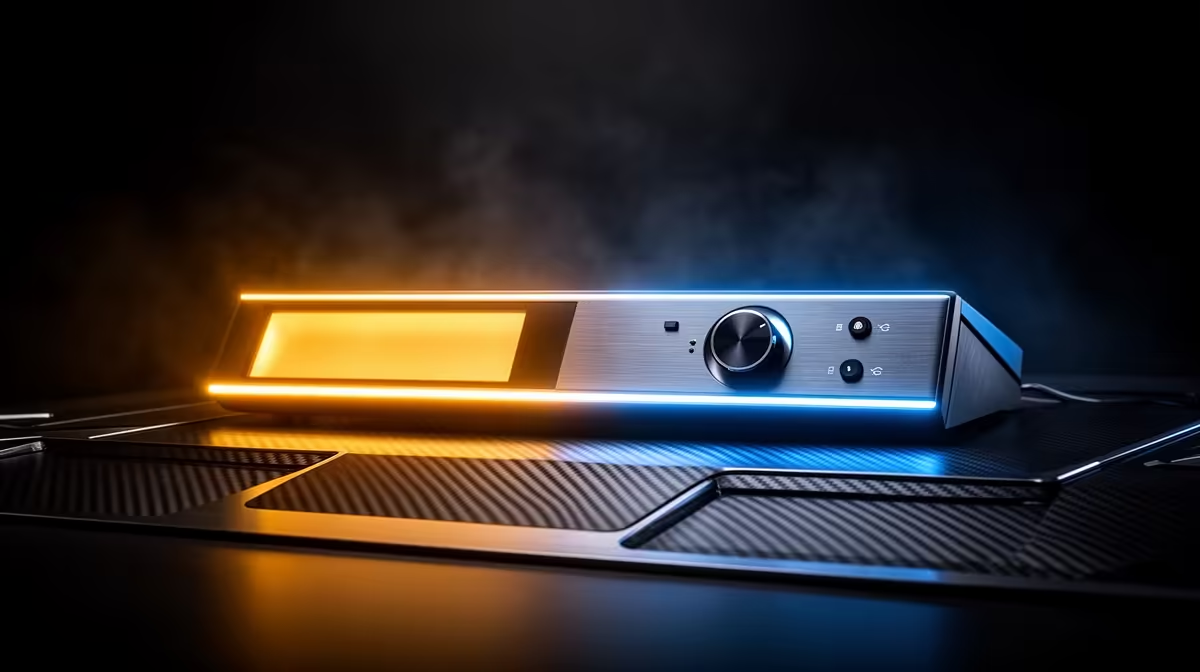
Most people buying their first light for streaming or recording assume any bright panel will do, then wonder later why their footage still looks flat or oddly coloured compared to creators they watch. The missing piece is almost always a tunable led streaming light, the kind that adjusts its colour output rather than shining a single fixed tone regardless of the room or content. This guide walks through what bi-colour actually means, why the range matters, and how a compact option like the NearStream SL10B, priced at R629, covers ground that would otherwise need two or three separate fixtures.
Quick Answer
A bi-colour LED light tunes between warm and cool colour temperatures in one fixture, which is why the NearStream SL10B's 700K to 6500K range at R629 suits vlogging, streaming and gaming without swapping gear. Warmer settings flatter skin tones for talking-head content, while cooler settings suit high-energy gaming footage, and a single dial handles both rather than forcing a choice at purchase time.
🌈 What Bi-Colour Actually Means
A fixed-colour light only ever produces one tone, usually a generic white or cool blue-white that suits some rooms and clashes with others. Bi-colour lighting instead blends warm and cool LED elements within the same fixture, letting the output shift along a dial rather than staying locked to whatever the manufacturer picked. This matters more than it sounds, because colour mismatch between your light and your room's ambient sources is one of the most common reasons footage looks subtly artificial even when everything else about the shot is fine.
Why a Fixed-Colour Light Falls Short
A single-tone light works only in the specific room and lighting condition it was tested in, and any deviation, whether a different bulb, a window, or a different room entirely, throws the colour balance off. Once that happens, footage needs correcting in post-production, which most casual streamers and vloggers never actually do.
Why Range Matters More Than Brightness
Buyers often prioritise raw brightness over adjustability, but a light that is bright yet fixed in colour is far less useful across different setups than one that is moderately bright and fully adjustable. The NearStream SL10B's full 700K to 6500K span means it adapts to the room instead of asking the room to adapt to it.
🎬 Matching Colour Temperature to Content Type
Different types of content genuinely benefit from different colour settings, and understanding this is the difference between lighting that looks intentional and lighting that looks accidental.
Vlogging and Talking-Head Video
Warmer settings, generally in the lower half of the SL10B's range, suit skin better and read as far more natural for face-to-camera content shot indoors. This is the same principle behind why home lamps and cosy lighting always trend warmer than office fluorescents.
Gaming Streams
Cooler settings toward the top of the range read as crisper and more energetic on camera, which suits the pace of gaming content and avoids clashing with the cooler tones often found in gaming peripherals and RGB setups.
Video Calls and Everyday Use
A middle setting works well for video calls, splitting the difference between flattering and neutral, which is useful if the same light does double duty for meetings as well as content creation.
🔋 Portability and Power Without a Fixed Setup
Beyond colour, the second major consideration for a light like this is how it fits into a real desk or room rather than a studio. The NearStream SL10B runs from a built-in 2000mAh battery, which means it works without constant AC power and without needing a stand to sit on a shelf, monitor arm or desk edge.
Why Battery Power Changes Placement
Removing the need for a nearby power socket means the light can go wherever the shot needs it, rather than wherever a plug happens to be. This is particularly useful in shared housing, res rooms or any space where extension cords and floor stands are impractical.
Charging Habits Worth Building
Treat the battery like any other device that needs regular charging between sessions, rather than assuming indefinite runtime. Building a habit of topping it up ahead of a scheduled stream avoids it dying mid-session, which is the main trade-off of going cordless in the first place.
🛒 Choosing the Right Light for Your Setup
At R629, the NearStream SL10B sits at a price point where the core features, bi-colour tuning across 700K to 6500K, a built-in battery, and a compact form factor, are all bundled rather than sold as separate upgrades. Comparing it against other options in the gaming accessories range is worth doing before assuming a pricier fixture is automatically better suited to a home desk setup.
Rounding Out the Setup
Once lighting is sorted, the rest of a tidy desk usually comes down to managing everything else plugged in nearby. A cable management range helps keep the remaining cords out of frame, especially once the light itself no longer needs one.
Frequently Asked Questions
What does bi-colour mean on a streaming light?
It means the light can tune between warm and cool colour temperatures within a single fixture, rather than producing only one fixed tone.
Why does colour temperature matter for video content?
Mismatched colour temperature between your light and your room makes footage look subtly artificial, while a matched setting looks natural without any editing.
Is a bi-colour light better than buying separate warm and cool lights?
For most home setups, yes, since one adjustable fixture covers the same range that would otherwise need two separate lights.
Does a built-in battery limit how long I can use the light?
Runtime depends on brightness and colour temperature settings, so it suits planned sessions best if you build a habit of charging between uses.
Can this type of light replace a full studio lighting kit?
Not entirely, but for streaming, vlogging and gaming content on a home desk, a single well-placed bi-colour light covers most practical needs.
Is R629 a reasonable price for a light with this range of features?
Yes, at that price the bundled bi-colour tuning, battery power and compact size cover ground that would often need multiple purchases elsewhere.
Where can I find accessories to pair with a compact streaming light?
Both the gaming accessories selection and the cable solutions range are useful starting points for rounding out a full setup.
Ready to lay the groundwork for a proper lighting rig?
Start with the NearStream SL10B, a R629 bi-colour panel that covers warm, cool and every shade between for streaming, vlogging and gaming. See the full lineup on Evetech's streaming light page.