Quick Answer
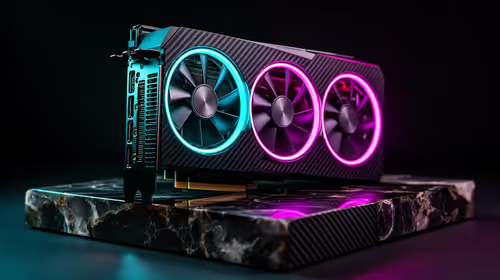
For SA local AI work the three smarter 4080 alternatives are the RTX 5070 Ti 16GB, the RTX 5080 16GB and a used 4080. VRAM is the deciding spec: 16GB runs most 7B to 13B language models and Stable Diffusion XL comfortably, with the 5070 Ti the best value around R18,000 to R22,000 at Evetech.
For Local AI, VRAM Is Everything
Running language models, image generators or fine-tuning locally is bound almost entirely by VRAM, not raw frame rate. A 16GB card loads a quantised 13B model or full Stable Diffusion XL pipeline without spilling to system RAM, which would slow inference to a crawl. CUDA support also matters, since most local AI tooling targets NVIDIA first, which is why all three picks here are GeForce.
Picking By Model Size
For 7B to 13B quantised models and SDXL, the RTX 5070 Ti 16GB near R18,000 to R22,000 is the sweet spot. If you run larger models or batch image generation daily, the RTX 5080 16GB around R26,000 to R32,000 adds compute headroom. A used 4080 16GB is a fine value if one is available locally with warranty. Anything below 16GB forces aggressive quantisation, so do not drop to 12GB for serious AI.
FAQ
How much VRAM do I need to run a 13B language model?
A 4-bit quantised 13B model fits in roughly 8 to 10GB, so 16GB gives comfortable headroom for context and other apps. For unquantised or larger models you need 24GB or more.
Can these GPUs run Stable Diffusion XL?
Yes. All three 16GB cards run SDXL at full resolution with room for ControlNet and LoRAs. The RTX 5080 generates batches faster thanks to more compute, but the 5070 Ti is the value pick.
Is NVIDIA required for local AI?
Not strictly, but most popular AI tools are built for CUDA first, so NVIDIA gives the smoothest setup and broadest compatibility. That is why this shortlist sticks to GeForce cards.
Choose your AI GPU by model size, not gaming benchmarks.
Filter the Evetech graphics range to 16GB GeForce cards so your local models and image pipelines stay in VRAM.