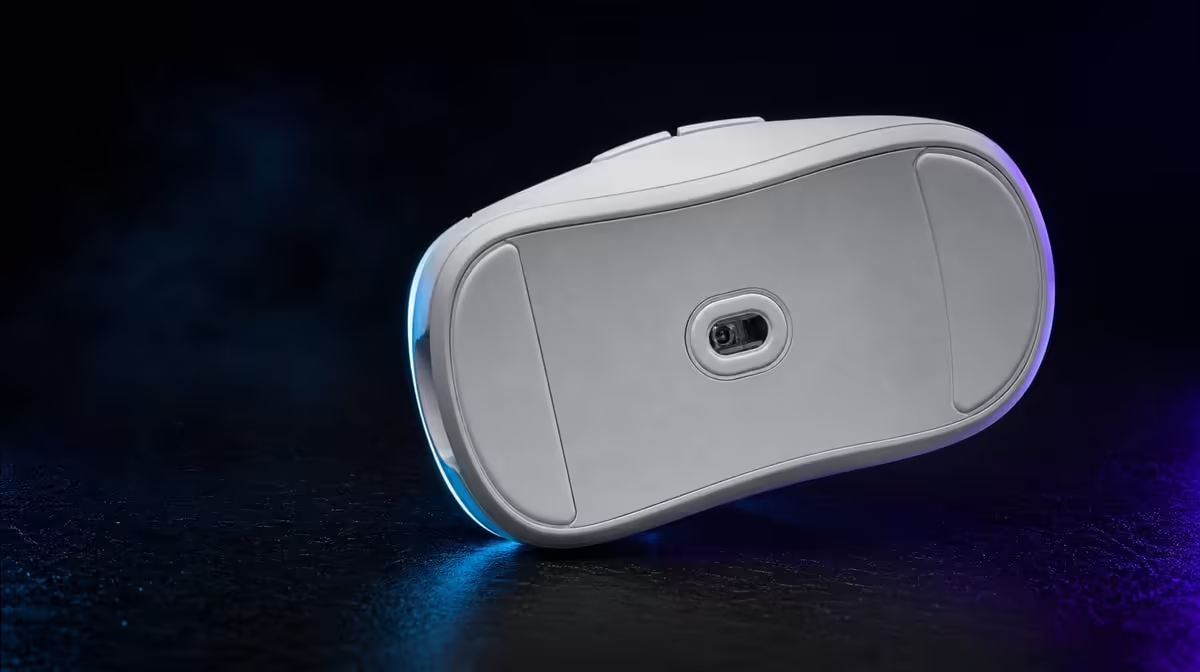
The Hero 44K's 678 IPS and 44,000 DPI figures describe high-speed tracking and movement scale. Understanding what 678 IPS and 44,000 DPI mean for aim requires separate tests, because neither number promises accuracy by itself. Grip, pad and effective sensitivity decide control.
Quick Answer
Use 678 IPS as headroom for rapid physical swipes and 44,000 DPI as the top of the sensor's adjustable sensitivity range. At R1,499, the G305 X SUPERLIGHT provides both, but most players should choose a lower controllable DPI and verify tracking through repeated fast and fine movement.
🔹 Test fast tracking
Keep DPI practical and perform rapid turns on a clean pad.
Evetech's Logitech mouse selection supports sensor comparisons.
Repeat direction changes
Test left, right and diagonal swipes. Record variation.
🔹 Test DPI control
Use micro-targets and one measured turn. Change DPI or game sensitivity, not both.
The broad gaming mouse category adds shape alternatives.
🔹 Separate reporting
Hold sensitivity fixed while testing report rate towards 8kHz. Watch game consistency.
Connection and USB route should remain unchanged.
🔹 Include grip and surface
Verify the current mass, then test balance, lift and glide.
Use the accessory best-seller view for R1,499 context and check live availability.
Save the result
Record DPI, game setting, rate, connection and surface.
Recheck after fatigue
Late-session tension can reduce fine control.
Put the two figures in separate columns
Create one column for 678 IPS and another for 44,000 DPI. Under the first, record the fast physical movements used to check tracking. Under the second, record the sensitivity steps and target exercises used to choose movement scale. Keeping the evidence apart prevents one large number from being used to explain everything.
Add a third column for the final result. It should name the practical DPI, the successful fast-swipe test and any game setting required to reproduce the feel.
Measure a complete turn
Mark a start point on the pad and measure the physical distance needed for a standard in-game turn. Repeat it several times at the same DPI and sensitivity, then note the spread of landing positions.
The aim is not to minimise distance at any cost. It is to find a movement that fits the pad and can be repeated without constant correction.
Use targets of several sizes
Run large close transitions, medium targets and tiny corrections at distance. A sensitivity can feel quick on broad movements yet make the smallest adjustment difficult. Record overshoot and undershoot separately.
If a DPI change improves one target class but harms another, adjust in smaller steps or revisit the paired in-game sensitivity. The 44,000 maximum leaves ample range without requiring the upper end.
Stress 678 IPS with realistic swipes
Keep the chosen practical sensitivity and execute rapid turns in both directions, including diagonal movement and a sudden reversal. The path should remain dependable across repeated attempts rather than producing one impressive run.
Clean the pad and sensor area before judging the result. Surface contamination, worn glide and inconsistent hand pressure can all affect the physical input being tested.
Add an immediate fine correction
After every fast swipe, finish on a small target. This combines tracking headroom with the player's ability to settle the mouse after a large movement. It is closer to actual play than a series of unconnected edge-to-edge sweeps.
Count the corrections needed after landing. A setting that reaches the area quickly but requires several repairs may be less useful than a slightly slower, more controlled profile.
Keep reporting out of the first comparison
Use one dependable report rate while choosing DPI and checking rapid tracking. Once movement is stable, hold it fixed and compare the report ladder towards the 8kHz ceiling. Monitor frame consistency in the actual game, not only pointer motion on the desktop.
This order shows which change affects scale and which affects update frequency. It also leaves a lower-rate profile ready when a game or system update changes behaviour.
Keep connection conditions visible
The mouse supports Lightspeed wireless, Bluetooth and wired operation. Write the active mode, receiver or cable route and USB position beside each test. Do not combine results from different paths as though the connection stayed constant.
Use the performance-focused route for the main gaming evaluation, then examine other modes for their intended roles. Confirm the active DPI and report profile after every switch.
Include lift and pad recovery
Players with lower sensitivities may reposition the mouse frequently. Observe whether lifting changes wrist angle, whether the mouse lands flat and whether the next movement begins cleanly. Marking a neutral pad zone can make this easy to see.
Verify the current weight if it drives the shortlist. Then test the actual balance during repeated lift-and-return movements.
Challenge all six inputs
Map one command at a time across the six programmable buttons and press it while tracking. Watch for thumb pressure that moves the shell or tension that changes a fine correction.
An accessible command can still be a poor mapping if it interrupts aim. Retain only inputs that remain memorable and physically quiet during the movement course.
Account for display changes
Resolution, aspect ratio, field of view and game-specific sensitivity options can alter how an unchanged mouse profile feels. Record these values with the test instead of saving DPI by itself.
When moving to another display or title, apply the old profile only as a starting reference. Repeat the measured turn and target course before deciding that the sensor behaviour changed.
Test warm and tired hands
Run the course after a short warm-up and again near the end of a typical session. Increased tension or reduced precision can expose a sensitivity that looked comfortable only in the first few minutes.
Compare error patterns rather than chasing a perfect score. Persistent overshoot suggests a different adjustment from fatigue-related grip changes.
Judge the R1,499 package
The sensor figures sit within a wider product: tri-mode connectivity, up to 8kHz reporting, six programmable buttons and rated battery life beyond 130 hours. At R1,499, the buying decision should consider whether those capabilities support the intended devices and games together.
A player who needs dependable connection switching may value the package differently from one focused on a single desktop. The sensor test supplies one part of that complete decision.
Preserve a reproducible aim card
Write the final DPI, in-game setting, measured turn distance, report rate, connection, surface and display details on one compact card. Add the fast-swipe result used to check 678 IPS headroom.
After software, game, USB or desk changes, restore that card before creating a new profile. It gives troubleshooting a known start and prevents maximum specifications from replacing evidence.
Frequently Asked Questions
Is 678 IPS a cursor-speed setting?
No. It describes high-speed physical tracking capability.
Does 44,000 DPI guarantee accuracy?
No. It is maximum sensitivity range.
Can players use a much lower DPI?
Yes. The chosen setting should suit control and pad space.
Why test report rate separately?
It changes update frequency rather than movement scale.
What else affects aim?
Grip, surface, shape, connection, game sensitivity and practice all matter.
Ready to translate sensor figures into aim tests?
Compare Evetech's gaming mice using one clean pad and separate fast-tracking, sensitivity and report-rate checks.