



PCIe 5.0 vs PCIe 4.0 for Video editing in 4k in SA
PCIe 5.0 vs PCIe 4.0 for video editing in 4k is mainly about fit, features, compatibility, cost, and upgrade path, not one automatic winner. SA buyers should match the choice to the setup.
Read moreRight-handed contours, thumb rests and textured grips guide hand placement and control. Their value depends on fit: support should reduce pressure without restricting movement. An 80g asymmetric shell may feel agile, but its contact points still need to match the hand.
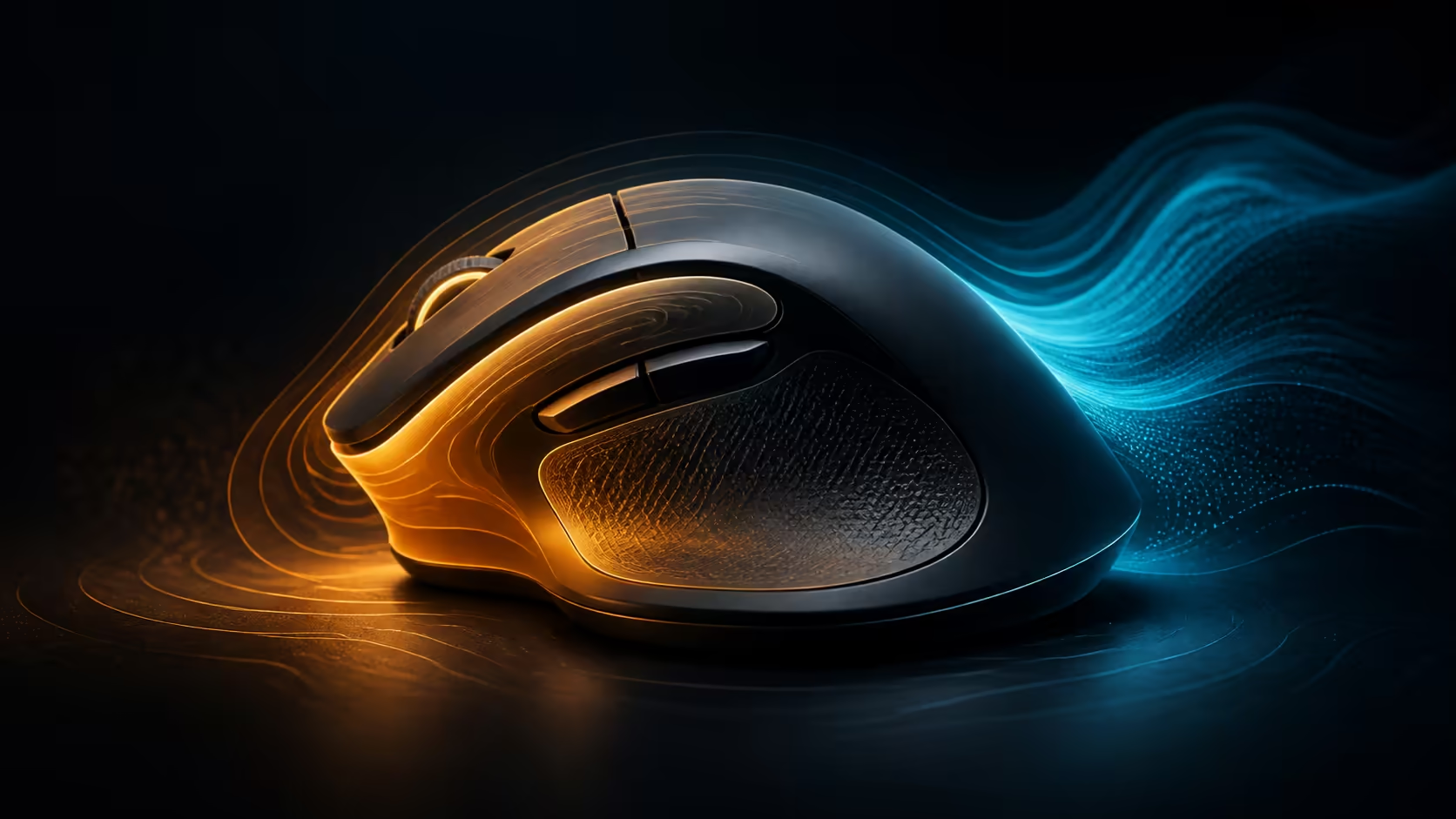
Ergonomic mouse design is the geometry of contact. A right-handed ergonomic mouse shape changes where the thumb, palm and outer fingers carry pressure, while thumb rests and textured grips influence how much force is needed to steer. Each feature can help when it matches the hand, but extra shaping is not automatically extra comfort.
Choose right-handed contours that support a neutral wrist, a thumb area that does not force a stretch, and texture that provides control without encouraging a hard squeeze. The R1,299 HARPOON v2 offers an 80g asymmetric right-handed shell; its fit should be assessed before its 26K sensor, six buttons or tri-mode links decide the purchase.
A symmetrical mouse keeps its sides broadly similar, while an ergonomic right-handed design gives each side a different role. The thumb side may narrow or curve inward, the right edge may support the outer fingers, and the hump can meet the palm off-centre.
This direction can make hand placement repeatable. It can also create pressure when the user's hand size or grip does not align with the contour. The useful question is not whether a shape looks ergonomic, but whether the wrist stays relaxed while the hand reaches every essential control.
Study side views and top views in Evetech's gaming mouse catalogue. Hump position, slope and button location often reveal more than the weight label.
First, place the thumb naturally and notice whether it bends inward to hold the mouse. Second, assess the palm or rear-hand contact according to the preferred grip. Third, give the ring and little fingers enough space to guide the outer edge without dragging awkwardly.
A thumb rest creates a ledge or shaped area intended to support the thumb and keep it away from the pad. This can reduce dragging and provide a secure lift point. It may also widen the shell or fix the thumb in a position that does not suit every hand.
The absence of a large ledge does not make a mouse non-ergonomic. A carefully curved side can provide enough support with more freedom to reposition. Compare the actual contact rather than counting visible features.
Side-button placement is closely related. A useful control should be reached by rolling or moving the thumb slightly, not by breaking the grip. If a thumb rest makes the buttons distant, the feature trade-off may not suit the user's shortcut needs.
Textured areas can help the fingers guide and lift a mouse with less squeezing. The texture should feel secure during both dry and warm-handed use without becoming abrasive. Deep patterns are not automatically more effective than a subtle material change.
Check where texture is placed. Grip on the thumb and outer finger zones can matter more than decoration across a surface the hand barely touches. The finish should also be practical to clean because residue can alter both feel and control.
Wireless buyers can compare finish and contour across Evetech's cordless mouse range. A cable-free design still needs enough surface security to lift and reposition without tension.
The HARPOON v2 weighs 80g. That mass can feel light and mobile for many players, but the centre of balance and contact pattern determine how it starts and stops. A back-heavy mouse can lift differently from a centred one despite an equal scale reading.
Test broad swipes, fine corrections and several lifts. Notice whether the thumb begins to pinch or the wrist rotates. Sensitivity also matters: an extremely low setting may demand constant large travel, while an overly high value can cause repeated corrective tension. The MARKSMAN 26K sensor provides ample adjustment range, but comfort comes from choosing a controlled value.
Repeat the test after thirty minutes of ordinary work, not only during an energetic game. Work exposes sustained palm and thumb pressure, while gaming exposes fast lifts and stops. A contour that remains relaxed in both conditions is a stronger match than one that passes a brief first impression.
Palm, claw and fingertip are useful descriptions, not permanent rules. Many users shift contact during a long game or move closer to a palm grip for work. A suitable ergonomic shell tolerates those small changes without creating a sharp pressure point.
Six programmable buttons give the HARPOON v2 room for selected game and work shortcuts. Test every control from the normal grip. A command that requires the thumb to stretch or the palm to slide may be better left on the keyboard.
Keep the most frequently used side action on the position reached with the least thumb movement. Place less urgent functions farther away, and never force a full grip change for a shortcut that is supposed to save effort. Ergonomic mapping is as much about reach as the shell itself.
The mouse supports 2.4GHz, Bluetooth and USB-C, so the same physical design can move between a gaming tower and laptop. Long work sessions and fast games expose different fit problems. Evaluate the shell in both roles before celebrating multi-device convenience.
At R1,299, this model appears in Evetech's mouse range below R2,000. Its 140-hour battery extends time between charges, which makes sustainable posture and low grip pressure more important rather than less.
Rest the hand naturally on paper and mark the thumb tip, palm base and outer-finger line. Compare those points with the side buttons, hump and right edge shown in the mouse profile. The drawing is not a measurement standard, but it helps explain why two people with similar hand length can prefer different contours. Repeat after adopting the normal gaming grip. Changes between the relaxed and active trace reveal which ergonomic contacts must tolerate movement rather than one fixed pose.
It shapes the thumb side, outer edge and hump around right-hand placement. The aim is supported contact without forced wrist rotation.
It can keep the thumb off the pad and provide a stable lift point. It must still match thumb length and button position.
Texture can improve control with less squeezing. Placement and comfort matter more than how dramatic the pattern looks.
No. Extra contours can create pressure when they do not align with the user's hand size or grip.
Mass affects movement effort, while balance and contact determine how that mass is controlled. Neither can be judged alone.
They should inspect hump support, wrist height, main-button reach and whether the hand can rest without sliding forward.
Rear support, finger arch, click access and secure lifting matter because less of the palm remains on the shell.
Yes. A well-proportioned contour can fit comfortably without a large thumb ledge or aggressive texture.
Ready to judge ergonomics by contact instead of decoration? Compare Evetech's right-handed gaming mice through thumb position, palm support, outer-finger space and relaxed button reach.
It shapes the thumb side, outer edge and hump around right-hand placement. The aim is supported contact without forced wrist rotation.
It can keep the thumb off the pad and provide a stable lift point. It must still match thumb length and button position.
Texture can improve control with less squeezing. Placement and comfort matter more than how dramatic the pattern looks.
No. Extra contours can create pressure when they do not align with the user's hand size or grip.
Mass affects movement effort, while balance and contact determine how that mass is controlled. Neither can be judged alone.
They should inspect hump support, wrist height, main-button reach and whether the hand can rest without sliding forward.
Rear support, finger arch, click access and secure lifting matter because less of the palm remains on the shell.
Yes. A well-proportioned contour can fit comfortably without a large thumb ledge or aggressive texture.
PCIe 5.0 vs PCIe 4.0 for video editing in 4k is mainly about fit, features, compatibility, cost, and upgrade path, not one automatic winner. SA buyers should match the choice to the setup.
Read more
Wi-Fi 7 vs Wi-Fi 6e for competitive esports comes down to router support, latency goals, device compatibility, and coverage. SA buyers should match the choice to the real network setup.
Read more
ATX 3.1 vs ATX 3.0 for mMO and live-service games buyers - what changes is mostly about compatibility, budget, upgrade path, and setup fit. SA buyers should check device support and real needs before expecting a clear win from either option.
Read more
LGA 1851 vs LGA 1700 can affect Twitch and YouTube streaming when gaming and encoding share CPU resources. For SA creators, the real-world difference depends on encoder choice, memory support, motherboard cost, thermals, and upgrade plans.
Read more
X870E vs X670E for aaa single-player gaming is mainly about fit, features, compatibility, cost, and upgrade path, not one automatic winner. SA buyers should match the choice to the setup.
Read more
Hall Effect switches vs Mechanical switches for mMO and live-service games is mostly about compatibility, budget, upgrade path, and setup fit. SA buyers should check device support and real needs before expecting a clear win from either option.
Read more
A fake 113GB GTA VI ISO reportedly used empty padding around a small malware payload. SA gamers should delete unofficial builds, keep Windows security active and wait for official channels.

Wi-Fi 6E vs Wi-Fi 6 matters for 4K video editing when files move across a network. The real-world difference between Wi-Fi 6E and Wi-Fi 6 for video editing in 4K depends on NAS access, cloud uploads, router range, and SA creator workflows.

The difference between PCIe 5.0 and PCIe 4.0 for SA gamers is mostly bandwidth headroom. Compare GPU slot needs, NVMe speed, motherboard support, and upgrade timing before paying extra for a newer platform.

Gaming PC stuck pixel checks in South Africa should confirm the monitor fault first. Use colour tests, screenshot comparison, cable swaps, display menu checks, and clear photos before deciding on support.

Shokz OpenFit Air 2 earbuds weigh 7.2g each and use a redesigned dual-driver open-ear layout. SA buyers should choose them for comfort and awareness, not maximum isolation.

AMD's current driver now lists a Radeon RX 9050 4GB, while product coverage details a narrowed memory system. SA buyers should weigh the low VRAM ceiling against current local Radeon options.

Samsung Display has demonstrated a 16-inch 2.5K OLED laptop panel running at 300Hz. SA buyers should wait for a named notebook, full panel specifications and a local price before planning an upgrade.

Microsoft says some Windows 11 game crashes after recent updates are linked to RGB-related drivers. Affected SA gamers should confirm the update and driver before using the published registry workaround.

RTX 5090 on a 650W PSU is a tight pairing with very limited headroom. For SA gaming PCs, focus on total system draw, PSU quality, connector support, CPU choice, and avoid OC plans unless the full build is carefully power-limited.
PCIe 5.0 vs PCIe 4.0 for video editing in 4k is mainly about fit, features, compatibility, cost, and upgrade path, not one automatic winner. SA buyers should match the choice to the setup.

850W PSU safety for RTX 5090 is plausible with a quality unit and balanced parts. In SA, confirm connector support, CPU power draw, case airflow, PSU age, and spare capacity before building around 850W.
Wi-Fi 7 vs Wi-Fi 6e for competitive esports comes down to router support, latency goals, device compatibility, and coverage. SA buyers should match the choice to the real network setup.