Quick Answer
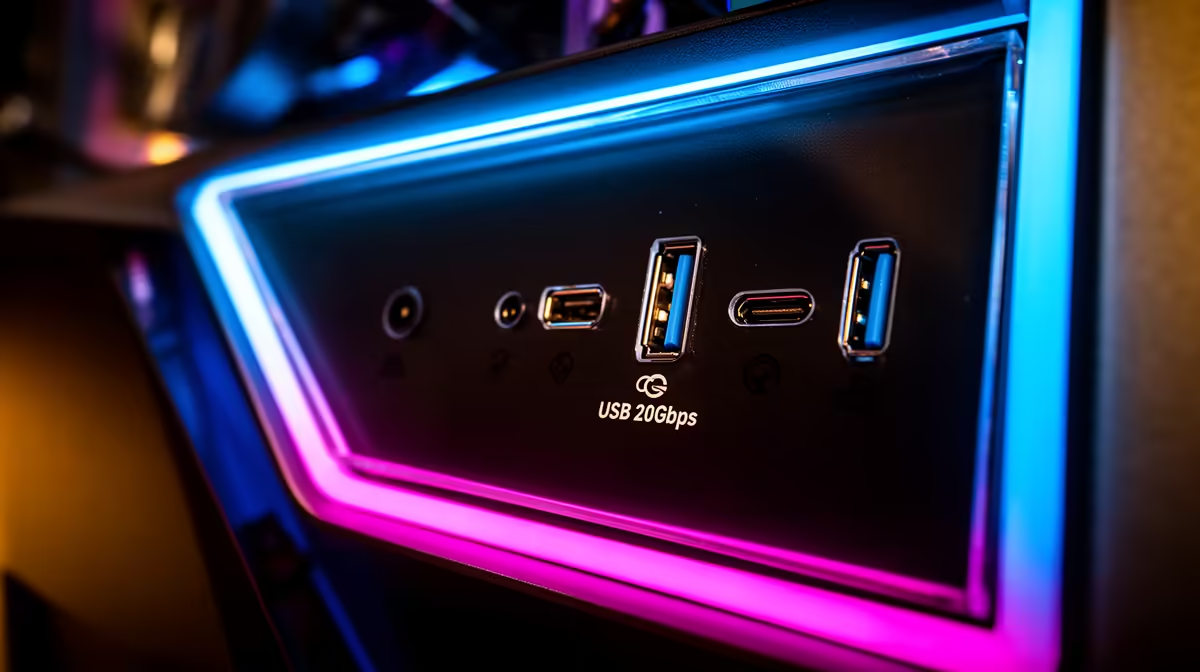
USB 20Gbps Type-C front I/O is meaningfully faster than the standard USB 3.2 Gen 1 (5Gbps) Type-A ports found on most cases. For daily gaming use the difference is subtle, but for transferring game captures, backing up NVMe drives externally, or connecting USB4 peripherals, USB 20Gbps cuts transfer time roughly in half compared to 10Gbps and four times faster than 5Gbps.
What USB 20Gbps Type-C Actually Delivers 🚀
USB 3.2 Gen 2x2 (20Gbps) via a front-panel Type-C port can saturate an external NVMe enclosure, which typically reads at 1,800 to 2,000 MB/s. Moving a 50GB game recording from an external SSD to your PC takes around 25 seconds at 20Gbps versus 50 seconds at 10Gbps and 90-plus seconds at 5Gbps. The Type-C connector also delivers up to 60W of power delivery in some case implementations, which charges a phone or USB-C handheld console while you play. For content creators and streamers in SA who regularly shuttle OBS recordings off an external drive, a case with genuine 20Gbps front I/O is a time-saver worth having.
Standard USB Ports: Still the Daily Workhorse 🖥️
The vast majority of gaming cases ship with two or four USB 3.2 Gen 1 Type-A (5Gbps) ports on the front panel, and for most peripheral connections they are perfectly sufficient. A gaming mouse, keyboard, or USB headset transfers data well under 1Gbps, so 5Gbps leaves no bottleneck. Standard USB-A ports are also universally compatible with every USB peripheral built in the last decade without adapters or cables. The cost saving is real too: cases with standard front I/O start around R1,200 to R1,800, while models with a full 20Gbps Type-C header push the starting price to R2,500 or more. If your motherboard lacks a USB 3.2 Gen 2x2 header, the port defaults to 10Gbps or 5Gbps regardless of the case rating.
Matching Front I/O to Your Motherboard Header 🔧
Front-panel USB 20Gbps Type-C requires a dedicated USB 3.2 Gen 2x2 internal header on the motherboard, typically labelled USB_TC or USB32G2X2. This header is common on mid-range to high-end B650 and X870 boards but absent from entry-level boards and some B550 designs. Before purchasing a high-end case, confirm your motherboard has the matching header in its manual. If it does not, the Type-C port will operate at the next supported speed, usually 10Gbps. On the SA market, B650 boards with a Gen 2x2 header sit between R4,500 and R7,000, while X870E boards featuring multiple such headers start around R8,000.
Check the Header Before You Spec ⚡
Download your motherboard's manual and search for "USB32G2X2" or "Type-E" connector in the I O section before buying a 20Gbps case. A mismatch means you pay a premium for a port running at half its rated speed. This takes two minutes and prevents an R500 to R1,000 regret.
FAQ
Does USB 20Gbps Type-C front I/O affect gaming performance directly?
No, in-game performance is unaffected. USB front I/O speed only matters during file transfers or when using USB-connected external storage devices. Frame rates and input latency in games are governed by the GPU, CPU, and RAM, not the front panel.
Can I use a USB-C adapter on a standard front USB-A port?
Yes, passive adapters exist, but they do not change the underlying speed. A 5Gbps USB-A port converted to Type-C via an adapter still maxes out at 5Gbps. For true 20Gbps you need the dedicated internal Gen 2x2 header and a case that supports it.
Is USB 20Gbps front I/O worth the price premium in South Africa?
If you regularly transfer large files to or from external SSDs, yes. If your front ports mostly connect a mouse and headset, the premium is hard to justify. Prioritise it on builds for content creators or streamers; skip it on pure gaming rigs where every rand counts.
Want fast front-panel I/O on your next build?
Evetech stocks gaming cases with USB 20Gbps Type-C front I/O alongside motherboards with the matching Gen 2x2 header.