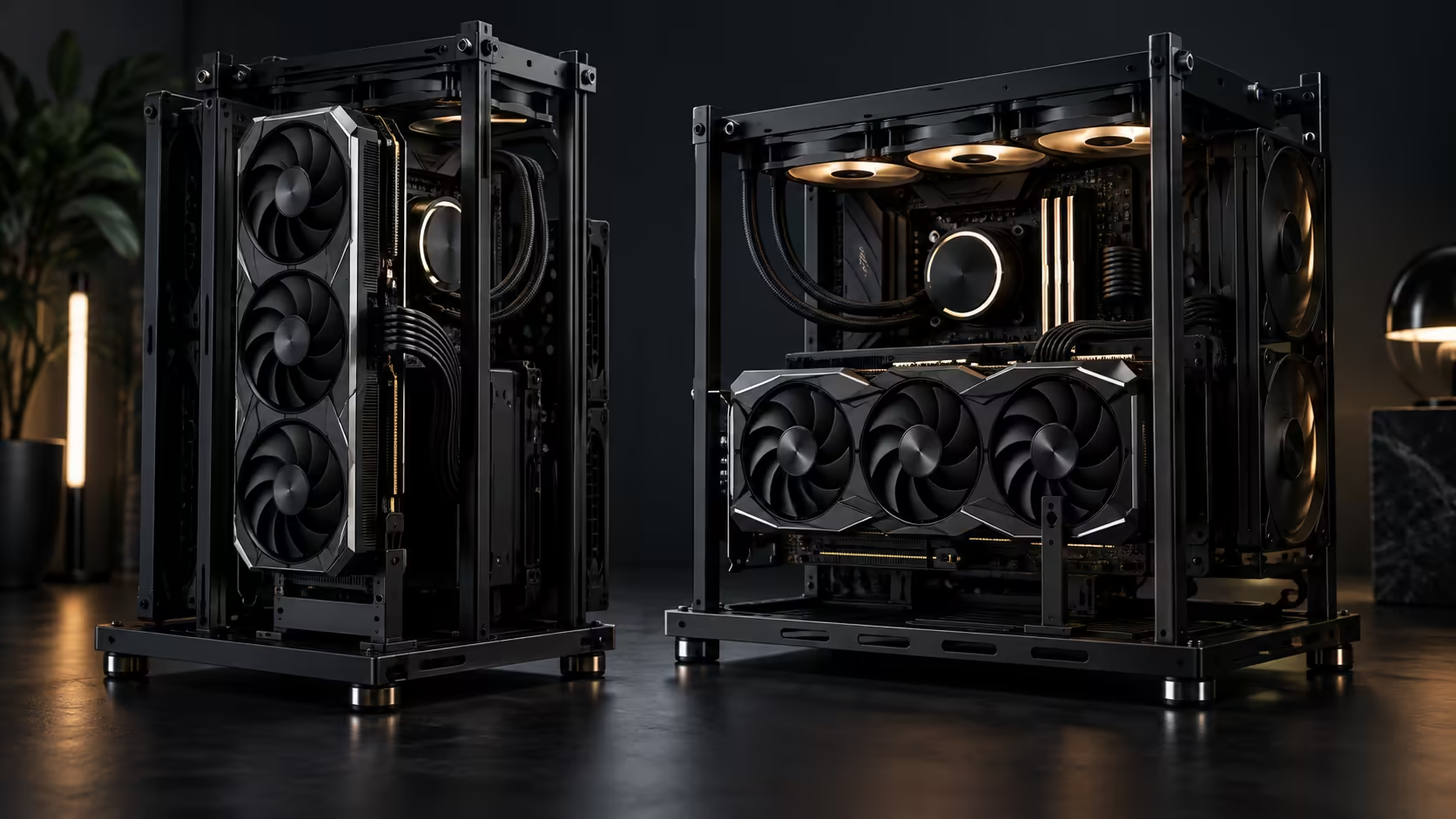
Two graphics cards of identical length behave completely differently depending on whether they lie flat or stand up, and an open frame is where that difference is hardest to ignore. Vertical GPU mounting looks better in almost every photo of a build; horizontal mounting is what most cards were actually engineered to sit at. Neither is wrong, but they win on different things, and knowing which wins on which is what should decide the orientation, not the look alone.
Quick Answer
Horizontal wins on clearance and cooling for most cards, because it uses the slot the way it was designed and lets exhaust vent straight up rather than into a neighbouring panel. Vertical wins on visual presentation and, on some layouts, on distance from a hot power supply below it, but it needs a support bracket for any card near the frame's 368mm limit. The R15,999 ROG GR20 Edition 20 allows both, so the decision is genuinely yours to make on merit rather than being forced by the chassis.
📐 Clearance: the number does not change, but the margin for error does
The GR20's rated clearance is 368mm regardless of orientation, so a card that fits one way fits the other on paper. What changes is how forgiving that number is in practice.
Mounted horizontally, a card's length runs parallel to the frame's own longest dimension, and there is usually a visible gap left over even at the clearance limit, because the frame was measured with that orientation in mind first. Mounted vertically through a riser, the card's travel path has to clear the riser cable's bend radius as well as its own length, and a card genuinely at 368mm can end up needing a few extra millimetres of working room that a horizontal mount never asks for.
Practically: if your card is comfortably under the limit, both orientations have room to spare. If it is within 15mm to 20mm of 368mm, horizontal is the safer measurement to trust.
🔧 Support: where vertical asks for extra hardware
A horizontally mounted card rests its length along the frame, so gravity pulls it straight down into the slot rather than away from it, and a case's PCIe bracket alone usually holds that load without complaint.
A vertically mounted card hangs its full weight off the slot and the riser cable, with nothing beneath it on an open frame's open side. That is not a flaw specific to this chassis; it is true of vertical GPU mounting everywhere, and it is the reason a support arm or brace exists as a product category at all. Buy one from the graphics card accessories range at the same time as a card you intend to mount vertically, not after the first time you notice the far edge has dropped.
The riser cable itself is worth a mention here too. A vertical mount needs a PCIe riser to carry the signal from the slot to the card, and a poor-quality riser can bottleneck bandwidth or introduce instability that a direct horizontal connection never has to deal with. Buy a riser rated for the PCIe generation your board and card use, not just one that physically fits.
❄️ Cooling: horizontal usually breathes easier
A card's fans, whether two or three of them, are designed to pull air through the shroud and push it out through the top and the open backplate side. That design assumes nothing is blocking the top exhaust closely, which is generally true in a horizontal mount on an open frame, where the top of the card faces open air.
A vertical mount changes that geometry. Depending on how close the card sits to the frame's side rail or a neighbouring panel, sometimes within 50mm on a tightly packed build, the top exhaust can end up pushing hot air into that surface rather than into open room air, and the trapped heat can recirculate back into the card's own intake. On an open frame this effect is smaller than in a closed case, because there genuinely is more open air around the card either way, but it does not disappear entirely.
The other cooling factor is proximity to the power supply. On some layouts, a vertical mount lifts the card further from a power supply that is dumping its own heat lower in the frame, which can offset some of the exhaust disadvantage. Whether that applies to your build depends on where your specific power supply sits relative to the vertical mounting point, so check the layout before assuming either direction wins outright on temperature.
🏆 The verdict, by priority
If clearance margin and cooling are the priority, horizontal wins for most cards, most of the time, and it is the orientation to default to unless you have a specific reason not to.
If the build is meant to be looked at, vertical is worth the extra bracket and the careful riser choice, and a well-supported vertical card looks the part without the sag or the reliability risk of an unsupported one. Compare frame options in the graphics card range and the mid-tower case range together if you are still deciding, since the card you choose and the frame you mount it in are really one decision, not two.
Frequently Asked Questions
Does vertical mounting reduce the usable clearance?
Slightly, because a riser cable's bend radius eats into the working room a horizontal mount does not need. A card comfortably under the 368mm limit is unaffected; one right at the limit should be measured carefully first.
Is a support bracket mandatory for vertical mounting?
Effectively yes for any card of meaningful weight, since the slot and riser cable carry the entire load with nothing beneath the card to help.
Does horizontal mounting always cool better?
Usually, because the top exhaust vents into open air rather than towards a nearby panel, though the margin on an open frame is smaller than it would be in a closed case.
What should I look for in a riser cable?
A rating that matches your board and card's PCIe generation. A cable rated for an older generation than your hardware can bottleneck bandwidth or cause instability that has nothing to do with the mount itself.
Can I switch between vertical and horizontal later?
Yes, the same frame supports both without modification, though moving from horizontal to vertical means adding a riser and a support bracket you did not need before.
Ready to mount your card the way it actually performs best?
Weigh clearance margin and cooling against the look you want before you commit to an orientation.