



Marvel Rivals launch in South Africa
Marvel Rivals launch needs a balanced parts plan, not a random basket. Map the CPU, GPU, RAM, SSD, cooling, and monitor target to the budget so SA builders know where to spend first.
Read moreWebcam buying order for Adobe Premiere Pro should be shortlisted around the job it must do. South African buyers should compare fit, performance, compatibility, and upgrade room, warranty path, and upgrade room before treating any pick as best.
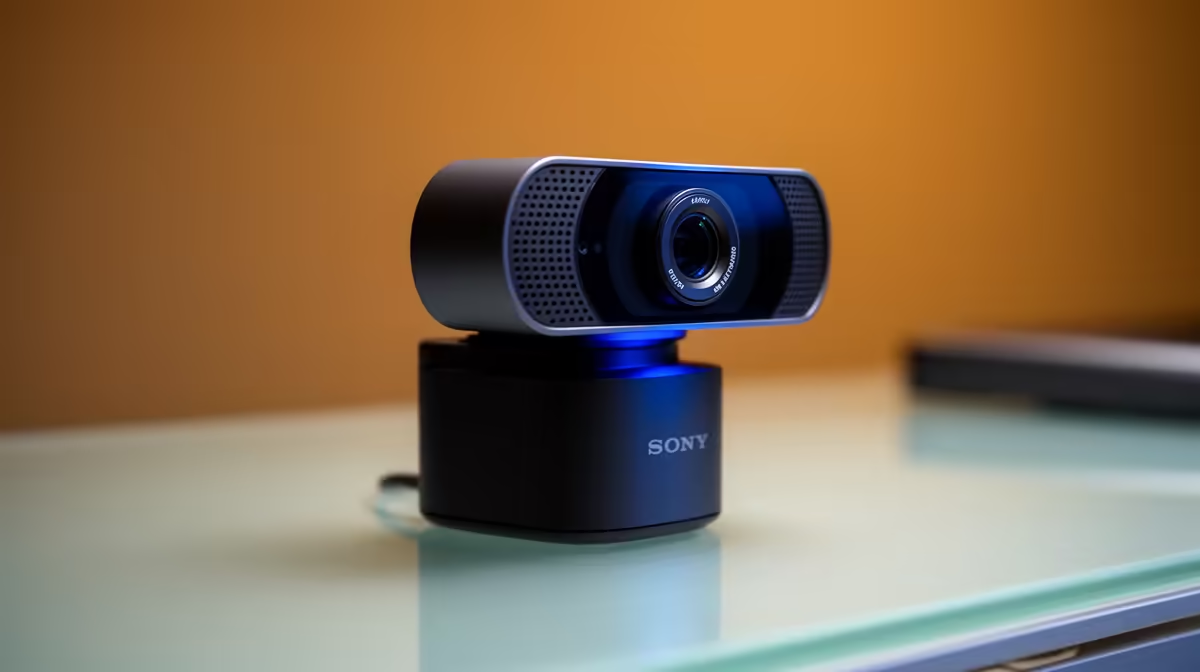
For Adobe Premiere Pro, buy a webcam setup in this order: first good lighting (a key light or bright window), then a webcam matched to your output (1080p60 for talking-head clips, 4K30 if you crop in post), then a clean background. A R1,200 to R2,500 1080p60 cam plus lighting beats a R3,000 4K cam in a dim room.
The biggest improvement to any webcam footage is light, so the must-have first buy is a key light or simply positioning yourself facing a bright window. A well-lit 1080p cam looks better than a 4K cam in shadow. Then choose the cam for your output: a R1,200 to R2,500 1080p60 model for smooth talking-head clips, or a R3,000-plus 4K30 cam if you crop and reframe footage in a 1080p Premiere timeline. Don't buy the cam before the lighting, since the lighting does more for image quality.
After lighting and the cam, a clean or neutral background (a plain wall or a simple backdrop) keeps the focus on you and edits cleanly in Premiere. Skip auto-framing gimmicks and software effects unless they suit your style, since they can complicate the edit. Plan your source format too: most webcams record H.264 MP4, which scrubs smoothly in Premiere on modern hardware. Buy lighting, then the matched cam, then sort the background, in that order, so each step actually improves the footage that lands in your timeline.
Lighting. A key light or a bright window improves image quality more than a pricier cam, so a well-lit 1080p cam beats a 4K cam in shadow. Sort lighting before spending on the camera.
A 1080p60 cam for smooth motion, or a 4K30 cam if you crop and reframe in a 1080p timeline. Match the resolution to whether you reframe footage in post, not just to the highest number.
Most webcams output H.264 MP4, which scrubs smoothly in Premiere on modern hardware. That keeps your editing simple, so you rarely need to transcode footage before cutting.
Sort lighting first with a key light or bright window, then compare the 1080p60 and 4K webcams at Evetech to match your Premiere talking-head footage.
Marvel Rivals launch needs a balanced parts plan, not a random basket. Map the CPU, GPU, RAM, SSD, cooling, and monitor target to the budget so SA builders know where to spend first.
Read more
Path of Exile 2 launch needs a balanced parts plan, not a random basket. Map the CPU, GPU, RAM, SSD, cooling, and monitor target to the budget so SA builders know where to spend first.
Read more
Black Myth Wukong launch needs a balanced parts plan, not a random basket. Map the CPU, GPU, RAM, SSD, cooling, and monitor target to the budget so SA builders know where to spend first.
Read more
Hollow Knight PC requirements should be mapped to resolution, settings and upgrade budget before choosing a tier. Verify current requirements, then balance GPU, CPU, RAM and SSD around SA pricing.
Read more
Hollow Knight build planning should focus on the target resolution, settings and total system balance. Treat launch wording as time-sensitive, then verify requirements before choosing SA PC parts.
Read more
Fallout 4 PC requirements should be mapped to resolution, settings and upgrade budget before choosing a tier. Verify current requirements, then balance GPU, CPU, RAM and SSD around SA pricing.
Read more
Best Value Laptops South Africa 2026 — Find top picks, local prices and buy tips to maximise performance per rand. Compare deals for students, creators and gamers. 🔎💸

Struggling with a weak Desktop PC Wi-Fi signal? 📶 Discover expert tips on positioning your tower and external antennas to eliminate lag and maximize your internet speeds for gaming and streaming. 🚀

Tired of loadshedding router restarts killing your Wi-Fi? ⚡ Discover why power cuts disrupt your connection and learn expert tips to get back online faster after the lights return. 🌐

Master using a Nano SIM 4G router as your primary internet solution. Get stable speeds and seamless connectivity for gaming and streaming at home! 🌐🚀

Gauteng r30 000 needs practical checks before you choose. Compare fit, workload, support, setup needs, timing, and delivery expectations without relying on live availability or fixed 2026 claims.

Gauteng r40 000 needs practical checks before you choose. Compare fit, workload, support, setup needs, timing, and delivery expectations without relying on live availability or fixed 2026 claims.

Gauteng r50 000 needs practical checks before you choose. Compare fit, workload, support, setup needs, timing, and delivery expectations without relying on live availability or fixed 2026 claims.

Gauteng r60 000 needs practical checks before you choose. Compare fit, workload, support, setup needs, timing, and delivery expectations without relying on live availability or fixed 2026 claims.

Three-tier smart watch plan for commuting should be shortlisted around the job it must do. South African buyers should compare fit, performance, compatibility, and upgrade room, warranty path, and upgrade room before treating any pick as best.

AR Glasses buying order for commuting students should be shortlisted around the job it must do. South African buyers should compare fit, performance, compatibility, and upgrade room, warranty path, and upgrade room before treating any pick as best.

Smart Watch buying order for commuting should be shortlisted around the job it must do. South African buyers should compare fit, performance, compatibility, and upgrade room, warranty path, and upgrade room before treating any pick as best.

Smart Watch buying order for quiet PC builds needs a balanced parts plan, not a random basket. Map the CPU, GPU, RAM, SSD, cooling, and monitor target to the budget so SA builders know where to spend first.