


RTX 4060 Ti Throttling Under Load: SA Temperature Guide
RTX 4060 Ti Throttling Under Load: Temperature. Everything you need to know with SA pricing, step-by-step instructions & expert recommendations.
Read moreWhat does 20K DPI mean and does it matter for real-world use? Learn what 20K DPI means, when high DPI helps, and how to pick the right DPI for gaming or productivity 🎯🖱️
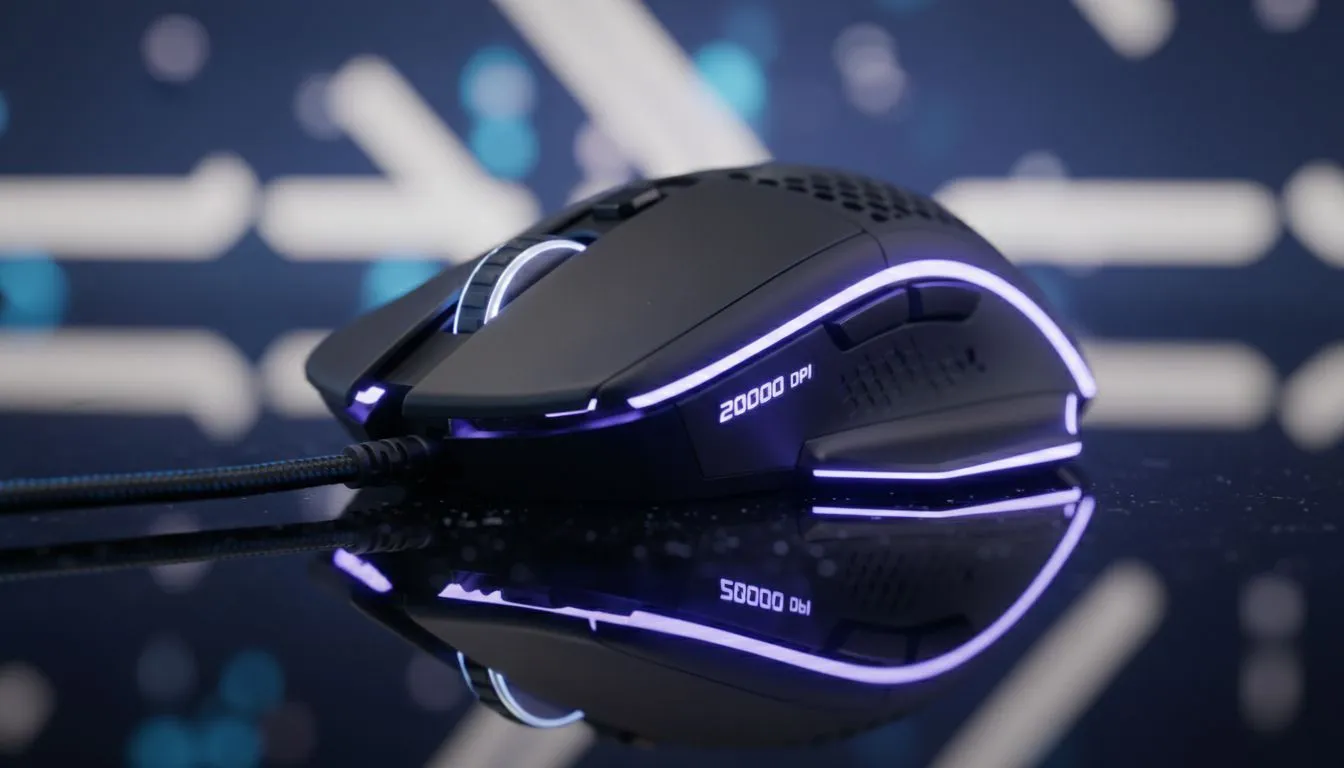
"What Does 20K DPI Mean and How Much DPI Do You Need" — that question pops up whenever a new sensor boasts insanely high numbers. In short: 20K DPI is a sensor's maximum reported sensitivity, not a promise you'll need it. High DPI can help if you play at ultra-high resolutions or use tiny mouse mats, but most players never approach that ceiling (see Evetech's gaming mouse collection for examples) https://www.evetech.co.za/components/gaming-mouse-117.aspx.
DPI stands for dots per inch — how many pixels the cursor moves when the mouse travels one inch. A 20K DPI sensor can theoretically move 20 000 pixels for a one‑inch motion. That sounds flashy, but manufacturers often quote peak numbers that are more about marketing than everyday use. If you want to compare models or hunt for value, our curated best gaming mouse deals page is a good place to start for real-world options and ZAR prices.
Deciding on DPI comes down to playstyle, screen resolution and mousepad space. Low-sensitivity players who aim with broad arm movements prefer lower DPI and higher in-game sensitivity tweaks, while fingertip players might like higher DPI for tiny corrections. If you’re choosing between form factors, Evetech lists both wireless mice and wired mice so you can weigh latency, battery life and sensor caps.
Start simple: pick a DPI that lets you do a comfortable 180-degree sweep across your mousepad in one to two full arm motions. Then tune in-game sensitivity to match. Try small, single-variable changes and test in a consistent environment — training maps and aim trainers help.
Begin with a comfortable, lower DPI and increase only if you consistently run out of turning room. Use an aim trainer or your favourite game's practice mode for three 5‑minute sessions after every adjustment to see if precision improves.
If you need accessories to complete a setup, browse our mouse accessories for good pads and cable options that stabilise tracking.
Sensor max DPI is one metric, but tracking accuracy, lift-off distance, polling rate and firmware matter too. When comparing models, look for measured test results and user reviews instead of only headline DPI values. Evetech's product pages and reviews are helpful places to check real specs and prices in ZAR before you buy.
Don’t buy a mouse for a headline number. Pick a sensor and shape that fit how you play, and then fine-tune DPI and in-game sensitivity. Want hands-on help? Our team at Evetech can recommend models that match your genre, grip and desk space.
Ready to Find Your Perfect Match? The Mac vs Windows debate is complex, but for maximum power, choice, and value in South Africa, Windows is hard to beat. Explore our massive range of laptop specials and find the perfect machine to conquer your world.
20K DPI means the sensor reports 20,000 dots per inch — a theoretical max for cursor movement sensitivity, not guaranteed tracking precision.
Most gamers don't need 20K DPI. Practical settings usually range 400–3200 DPI; tune DPI with in-game sensitivity for control.
FPS players often use 400–800 DPI paired with low in-game sensitivity for accurate aim and consistent muscle memory.
Higher DPI increases sensitivity but not inherent accuracy. Sensor quality, polling rate, and tracking matter more than raw DPI.
Choose 1000–2000 DPI for productivity to allow fast cursor travel across multiple monitors without losing precision.
Yes. Manufacturers may quote peak DPI while real-world tracking and lift-off accuracy can be far lower.
Use calibration tools, in-game sensitivity tests, or online DPI analyzers to confirm effective DPI and tracking performance.
RTX 4060 Ti Throttling Under Load: Temperature. Everything you need to know with SA pricing, step-by-step instructions & expert recommendations.
Read more
Apex Legends Max Settings on RTX 4080. Tested & verified settings for best FPS and visual quality on SA hardware budgets.
Read more
GPU Buying Guide. Everything you need to know with SA pricing, step-by-step instructions & expert recommendations.
Read more
GPU Terms Guide. Everything you need to know with SA pricing, step-by-step instructions & expert recommendations.
Read more
AMD Adrenalin Download & Setup Guide: GPU. Clear setup instructions with SA-specific considerations, troubleshooting tips & recommended components.
Read more
Back-to-School GPU Buying Guide. Everything you need to know with SA pricing, step-by-step instructions & expert recommendations.
Read more
Snapdragon X2 NPU Explained: How 80 TOPS Changes. Plain-English explanation of what it means, why it matters & how it affects your buying decisions in SA.

HBM? High Bandwidth Memory Used in GPUs and AI. Plain-English explanation of what it means, why it matters & how it affects your buying decisions in SA.

How much should you spend on sim racing accessories in South Africa for a realistic setup? We break down budgets by quality tiers, so you buy smart gear and avoid overspending 🎮💸

G-Sync and FreeSync? Variable Refresh Rate. Plain-English explanation of what it means, why it matters & how it affects your buying decisions in SA.

AMD Laptop: Value. SA-focused analysis with local pricing data, real-world insights & actionable buying advice.

How MacBook Neo Handles 30+ Chrome Tabs with Only. SA-focused analysis with local pricing data, real-world insights & actionable buying advice.

Why Apple Put 8GB RAM in MacBook Neo: The A18 Pro. SA-focused analysis with local pricing data, real-world insights & actionable buying advice.

Upgrade your work laptop with a New Motherboard. Step-by-step instructions with SA-specific tips, common pitfalls to avoid & expert recommendations.

Maintain wired headset — Checklist: • inspect cables • clean earpads • store properly 🔧🎧 Practical steps to preserve sound quality and avoid premature replacements.

Fix crackling headset fast: step-by-step checks for cables, connectors, drivers, and settings to remove static or distorted audio on wired headsets 🎧⚙️

Stereo vs mono headsets: learn which delivers clearer calls, better spatial music, or simpler mono voice performance — pick the right headset for meetings, music, or gaming 🎧💬

- Compare gaming headset vs studio headphones; - Assess comfort, mic and sound; - Recommend best daily picks. Gaming headset vs studio headphones: learn which suits work, music and casual gaming. 🎧⚖️