Quick Answer
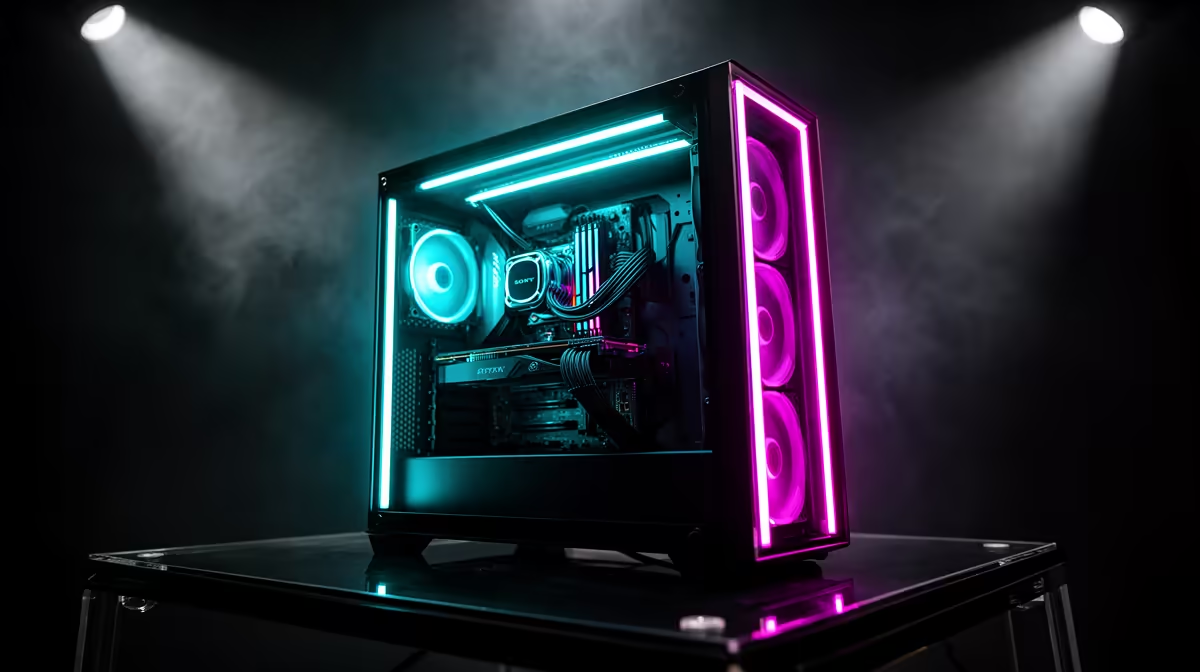
For a showcase ATX gaming case, prioritise expansive tempered glass coverage (ideally three or four panels), interior lighting provisions such as ARGB fan mounts or a mirrored display stage, at least 430mm GPU clearance, front or top 360mm radiator support, and clean cable routing channels behind the motherboard tray. All of these together let premium hardware speak for itself visually while keeping thermals and cable clutter out of the picture.
Glass and Lighting: The Visual Foundation ✨
A showcase build lives or dies on visibility. Full side-panel tempered glass is the baseline; premium cases step up to curved front glass panels or panorama designs with three-sided glass that eliminates the solid front fascia entirely. Inside, ARGB fan mounting positions and integrated LED strips sync across software ecosystems like ASUS Aura, MSI Mystic Light, or Gigabyte RGB Fusion. Some cases add a mirrored base or display stage beneath the GPU, reflecting the light from the graphics card and PSU area upward into the chamber. In the SA market a well-specified showcase mid-tower with panorama glass starts around R3,500 to R6,000, which is a justifiable premium when the goal is a display-worthy system.
Clearance and Cooling Capacity 💧
High-end showcase builds run triple-fan GPUs and 360mm AIOs, so clearance specs must match the ambition. Confirm at least 400mm GPU clearance (430mm is better, given triple-fan RTX 5090 models measuring up to 358mm) and a 360mm radiator mount at the front or top of the case. Adequate front intake area is equally important: mesh front panels move far more air than solid glass fronts, but some premium cases achieve a reasonable balance with side vented mesh alongside a decorative front. Without proper airflow, an RTX 5090 and Ryzen 9 9950X pairing can see GPU junction temps spike above 90 degrees Celsius under sustained load, even with a 360mm AIO on the CPU.
Cable Management Design 🔧
Clean routing channels behind the motherboard tray, Velcro tie points, and covered cable cutouts separate a case designed for showcase builds from one where aesthetics are an afterthought. Look for a minimum 25mm of space behind the tray for power supply cables and modular bundles, plus a PSU shroud that hides cabling below the motherboard. Some cases add cable-hiding covers along the base or front column, which can reduce visible wire clutter by 80 percent compared to an open interior. Grommet-lined cutouts at each major routing point protect cables and give the interior a finished look that matters when the whole build is lit and on display.
Match Your ARGB Ecosystem Early ⚡
Choose your case's lighting software compatibility before picking fans and coolers. If your motherboard is an ASUS ROG Strix X870-E, spec ARGB fans that support Aura Sync so the whole system lights up from one app. Mixing ecosystems means managing two or three separate lighting apps, which is frustrating to maintain.
FAQ
How many fans should a showcase ATX case come with?
Many premium showcase cases ship without pre-installed fans so the builder can choose matching ARGB sets. If fans are included, three 120mm or three 140mm units is the baseline; confirm they are ARGB if lighting consistency matters to you.
Does panorama-style glass hurt airflow compared to mesh cases?
Yes, sealed panorama glass restricts intake air, which raises temps by 3 to 7 degrees Celsius compared to fully meshed fronts. Premium panorama cases compensate with vented side panels or large mesh sections along the base, partially offsetting the difference.
What is a realistic ZAR budget for a complete showcase ATX build?
The case alone sits between R3,500 and R7,000 for a premium showcase design. A full build adding an RTX 5080, Ryzen 7 9800X3D, 32GB DDR5, and a 360mm AIO will sit north of R45,000 at current SA pricing.
Ready to spec your showcase build?
Browse Evetech's range of ATX gaming cases to find the right glass, clearance, and lighting features for your display-worthy system.