


Humidity Damage to PC Components: Recovery Guide
Humidity Damage to PC Components: Recovery Guide. Everything you need to know with SA pricing, step-by-step instructions & expert recommendations.
Read moreDiscover how Lenovo gaming laptop cooling systems like Coldfront 5.0 prevent thermal throttling and boost FPS. We dive deep into the tech that gives you a competitive edge, ensuring your machine stays cool under pressure for peak performance. ❄️ Ready to win more? Let's explore why Lenovo's thermal design is superior. 🎮
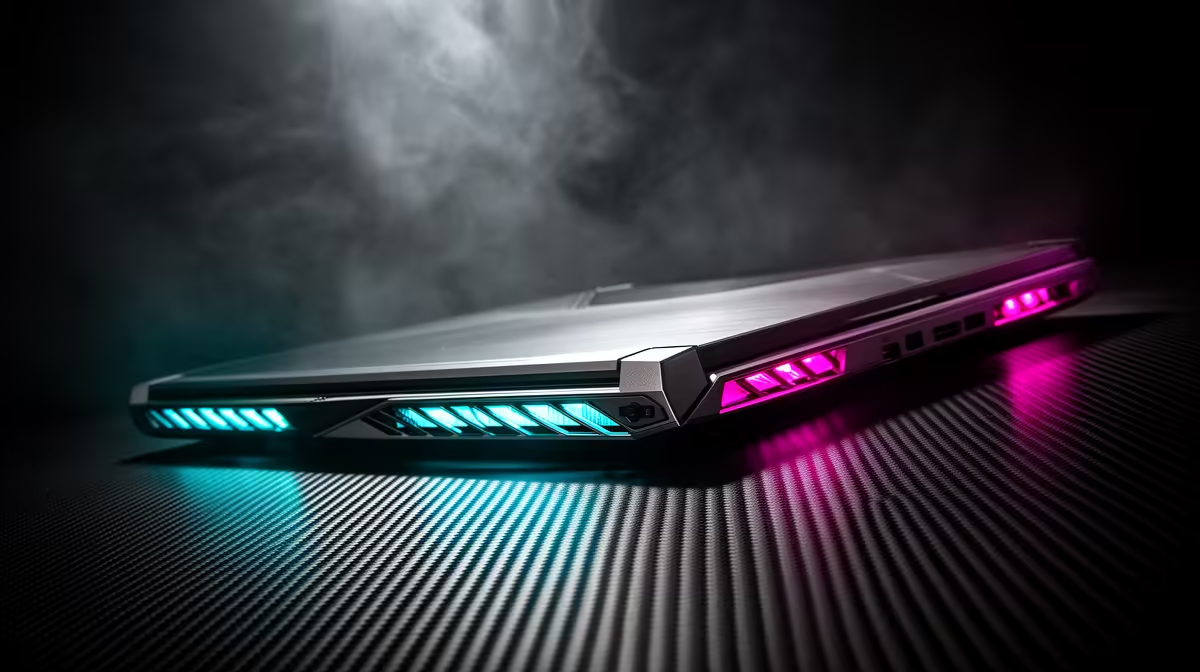
Feeling the heat? We're not just talking about another sunny day in Durbs. We mean that moment your gaming laptop starts sounding like a jet engine and your frame rates drop mid-firefight. It’s a frustrating experience every PC gamer knows. But what if your machine's design could prevent that? This is where superior Lenovo gaming laptop cooling isn't just a feature… it's your secret weapon for consistent victory.
Before we dive into the hardware, let's quickly talk about the enemy: thermal throttling. In simple terms, when your laptop's processor (CPU) or graphics card (GPU) gets too hot, it automatically slows itself down to prevent damage. Think of it as a built-in safety switch.
The result? Stuttering gameplay, lower frame rates, and a machine that isn't delivering the performance you paid for. For gamers, this can be the difference between clutching a win and staring at a respawn screen. Effective cooling directly combats this, ensuring your components can run at their peak speeds for longer. 🚀
Lenovo doesn't just stick a fan in a box and call it a day. Their approach to thermal management is one of the most sophisticated in the industry, especially in their flagship models. The secret lies in a multi-pronged strategy that creates a highly efficient cooling ecosystem.
At the heart of this system is their Legion Coldfront technology. This isn't just one component, but a combination of:
This is why the high-performance Lenovo Legion series is often praised for its ability to sustain high performance under heavy loads without breaking a sweat.
Elevate the back of your laptop by an inch or two with a simple stand or even a book. This small change dramatically improves airflow to the intake vents underneath, often lowering temperatures by a few degrees. It's a low-tech trick that offers a real performance benefit!
Top-tier thermal performance isn't just reserved for the most expensive machines. Lenovo has done an excellent job of cascading its cooling innovations across its entire gaming lineup, ensuring every gamer gets a reliable experience.
For those starting their PC gaming journey or looking for incredible value, the Lenovo IdeaPad Gaming 3 offers a robust cooling system that punches well above its price point. It provides a solid foundation for 1080p gaming without the thermal headaches common in other budget laptops.
Stepping up, the new Lenovo LOQ lineup is a masterclass in smart design. It inherits much of its thermal DNA from the premium Legion series, bringing features like MUX Switches and advanced fan control to a more accessible price point. It’s the perfect sweet spot for the serious gamer who demands performance and stability. ✨
Let's be honest, our climate can be demanding. A hot summer day can push any piece of tech to its limits. This is where an expertly engineered Lenovo gaming laptop cooling system becomes essential, not just a luxury. It provides the thermal headroom needed to perform flawlessly, whether you're gaming through a heatwave in the Karoo or a humid afternoon in KZN.
A cooler-running laptop is also a healthier laptop. By keeping temperatures in check, you reduce stress on the internal components, which can contribute to a longer lifespan for your investment. When you choose a Lenovo, you're not just buying a spec sheet; you're investing in a machine designed to endure. Exploring the entire range of Lenovo gaming laptops shows a clear commitment to performance and longevity, no matter your budget.
Ready to Experience Cool, Consistent Power? Don't let thermal throttling cap your potential. A superior cooling system is the key to unlocking peak performance, frame after frame. Explore our full range of Lenovo Gaming Laptops and find the perfect chilled-out powerhouse for your setup.
Lenovo Legion Coldfront is an advanced thermal system using vapor chambers, larger fans, and smart software to dissipate heat efficiently, preventing throttling and maximizing performance.
Yes, Legion laptops are renowned for their excellent cooling. Systems like Coldfront 5.0 are specifically engineered for high-TDP components, ensuring stable and cool gaming sessions.
Lenovo's intelligent cooling uses AI to monitor system thermals and predict power needs, automatically adjusting fan speeds and performance for an optimal balance of power and cooling.
Yes, using the Lenovo Vantage software, you can switch between different thermal modes like Quiet, Balanced, and Performance to manually control fan curves and cooling profiles.
Ensure clear airflow, use a cooling pad, keep vents clean, and utilize Lenovo Vantage software to switch to Performance mode for maximum fan speed during intense gaming.
Yes, select high-end Lenovo Legion models utilize liquid metal on the CPU to achieve superior thermal conductivity, resulting in lower temperatures and higher sustained clock speeds.
Humidity Damage to PC Components: Recovery Guide. Everything you need to know with SA pricing, step-by-step instructions & expert recommendations.
Read more
Gamer Spending Trends April : Complete Setups. Clear setup instructions with SA-specific considerations, troubleshooting tips & recommended components.
Read more
Setting Up DDR5 32GB Kit. Tested & verified settings for best FPS and visual quality on SA hardware budgets.
Read more
Tech Setup Guide for SPU Res Students. Clear setup instructions with SA-specific considerations, troubleshooting tips & recommended components.
Read more
Monster Hunter Wilds Ultrawide Support: 21:9 and. Clear setup instructions with SA-specific considerations, troubleshooting tips & recommended components.
Read more
Apple iPad Durability Guide: Cases, Screen. Practical breakdown of costs, regulations & whether it makes financial sense for SA buyers.
Read more
AMD RX 9050 XT: Rumoured Specs, Price & Release. SA-focused analysis with local pricing data, real-world insights & actionable buying advice.

Can RTX 4080 Super Run AI Workloads for SA Developers Detailed answer with SA data, expert analysis & practical recommendations for local buyers.

Can RTX 4090 Run AI Workloads for SA Developers Detailed answer with SA data, expert analysis & practical recommendations for local buyers.

Top Settings for Intel Arc B580 at Ultrawide 1440p picks evaluated on performance, value & SA availability with current Rand pricing from Evetech.

RTX 4060 CS2 Low Settings at 1080p: FPS Results. Real-world benchmark data, FPS numbers & performance analysis. What SA gamers can actually expect.

Visual Artifacts: Possible GPU Issue Issue #1. Diagnosis steps, proven fixes & when to seek professional help. SA-specific support info included.

Can the RTX 4090 Handle 1440p 144Hz Gaming. Performance testing verdict with real data & practical recommendations for SA buyers.

Top ASUS GPU Under R15000 picks evaluated on performance, value & SA availability with current Rand pricing from Evetech.

GTA 6 Max Settings on RTX 5070. Tested & verified settings for best FPS and visual quality on SA hardware budgets.

Cyberpunk 2077 Max Settings on RTX 5080. Tested & verified settings for best FPS and visual quality on SA hardware budgets.

Starfield Max Settings on RTX 5070 Ti. Tested & verified settings for best FPS and visual quality on SA hardware budgets.

Top RTX 5090 Under R5000 picks evaluated on performance, value & SA availability with current Rand pricing from Evetech.