



How to Use a Nano SIM 4G Router for Reliable Home Internet
Master using a Nano SIM 4G router as your primary internet solution. Get stable speeds and seamless connectivity for gaming and streaming at home! 🌐🚀
Read more• Why monitors have VGA ports — explain legacy support; • When to use VGA vs HDMI/DP; • Tips for adapters and connections. Why monitors have VGA ports: learn legacy compatibility, when you need VGA, and how to connect 🔌📺
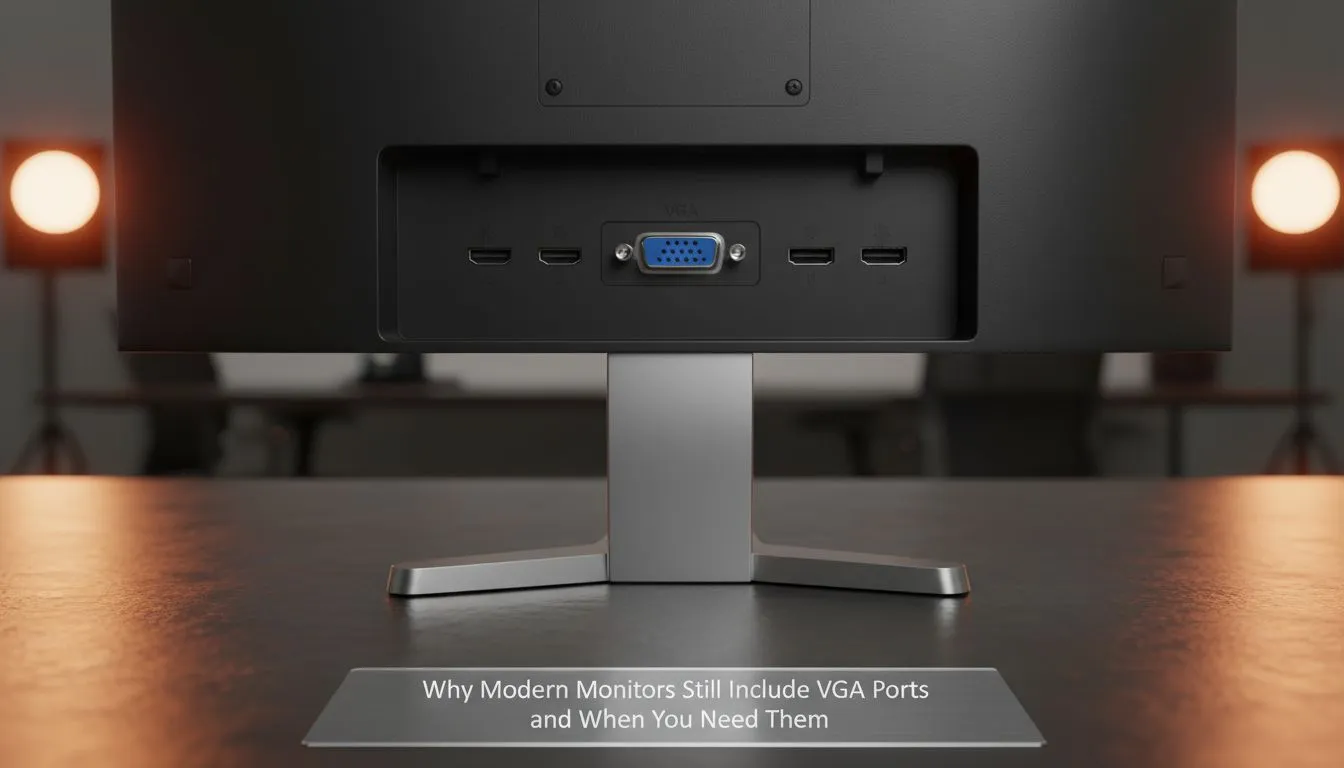
You’ve just unboxed a sleek new display, but there it is... that chunky blue 15-pin socket staring back at you. In an era of 4K and lightning-fast refresh rates, it feels like finding a cassette player in a Tesla. Yet, understanding why monitors have VGA ports and when you need them is vital for local gamers and office pros alike. Let's dive into this analogue survivor. 🔧
VGA stands for Video Graphics Array. It was introduced way back in 1987. For decades, it was the only way to connect a computer to a screen. Unlike modern digital cables, VGA sends an analogue signal. This means the quality can degrade over long distances or if the cable is poor. While we have moved toward a vast selection of PC monitors that favour digital clarity, VGA remains a universal fallback.
You might wonder why manufacturers still bother. The answer is often "legacy support". Many South African businesses and schools still use older desktop towers. These machines are workhorses that simply refuse to quit. By including a VGA port on a new IPS panel, brands ensure that you can upgrade your screen without needing a whole new PC. ⚡
It is also about redundancy. If your HDMI port fails, having a VGA port as a backup can keep you working. Many budget-friendly flat screen monitor options keep the port to remain compatible with older CCTV DVRs and server racks.
You need a VGA port if you are connecting to hardware built before the HDMI era. This includes older projectors often found in boardrooms or older laptops that lack digital outputs. However, if you are a gamer, VGA is rarely the right choice.
Modern features like AMD FreeSync or the premium NVIDIA G-Sync experience require the high bandwidth of DisplayPort or HDMI. You simply cannot run Adaptive Sync over an analogue VGA cable. If you have invested in a high-refresh curved monitor, using VGA would be like putting bicycle tyres on a Ferrari. 🚀
If you must use VGA and notice a "fuzzy" image, check your monitor settings for an 'Auto-Adjust' or 'Phase' option. Because the signal is analogue, the monitor needs to manually sync the pixels to the incoming wave. A quick press of the auto-adjust button usually clears up the blurriness instantly!
While VGA is a great safety net, digital is king. In South Africa, where we often multitask between work and gaming, having multiple ports is a huge plus. Use the VGA port for your old "spare" PC and save the HDMI or DisplayPort for your main rig. This allows you to toggle between inputs easily without swapping cables constantly. ✨
Ready to Upgrade Your View? Whether you need legacy support or the latest high-refresh tech, we have the right screen for you. Explore our massive range of PC monitors and find the perfect display to level up your South African setup today.
Manufacturers keep VGA ports for legacy monitor compatibility and business deployments; they ensure older PCs and projectors still connect via VGA port on modern monitors.
Use VGA when working with older hardware without digital outputs or legacy projectors; when device compatibility matters more than digital quality, use VGA.
VGA is analog and can show lower clarity and color accuracy versus HDMI or DP; vga vs hdmi quality favors HDMI for crisp digital signals.
Yes. Use an active HDMI-to-VGA adapter for compatibility; a passive cable often won't convert the digital signal to analog properly—see vga adapter for hdmi.
Yes. VGA still supports environments with legacy equipment and simple displays; vga still used 2026 for reliable legacy connections.
Active adapters can preserve signal but analog conversion may introduce noise; choose high-quality adapters to minimize degradation when you connect vga to laptop.
Prioritise DisplayPort or HDMI for gaming and high-res work, but keep a monitor with VGA for legacy support and unexpected compatibility needs, monitor ports explained.
Master using a Nano SIM 4G router as your primary internet solution. Get stable speeds and seamless connectivity for gaming and streaming at home! 🌐🚀
Read more
Confused by Cat4 vs Cat6 LTE routers? 🌐 We break down the technical differences to help you choose the right router for faster gaming and streaming. Get the speed you deserve today! 🚀
Read more
Learn how to setup a VPN server on your 4G LTE router to secure your remote access. Protect your data and browse safely from anywhere with our easy guide! 🌐🔐
Read more
Choosing the best 4G LTE router for South Africa ensures reliable internet when fibre is unavailable. Discover top connectivity tips for rural and urban areas. 🌐📶
Read more
Discover what is passive PoE and how it streamlines outdoor router installations. Eliminate messy cabling and simplify your network setup with this efficient power delivery method. ⚡🌐
Read more
Need to extend internet coverage to outbuildings or farms? 📡 An outdoor 4G router is the ultimate solution for stable, high-speed connectivity in remote locations. Discover how to boost your range and stay connected anywhere on your property. 🌐
Read more
Wondering if a TKL wireless mechanical keyboard is worth it for everyday productivity? We break down latency, battery life, comfort, and workflow gains for real work. ⚡⌨️

Maximise battery life on a fanless 15-inch laptop using efficiency core architecture. Cut idle drain, tune power profiles, and improve thermals for longer runtime. 🔋⚙️

Learn how to reduce desk clutter with a TKL wireless keyboard using fewer cables, smart placement, and tidy essentials. Get a faster, calmer workspace with better ergonomics. ✅🧼

RGB keyboard lighting too distracting? Learn how to manage backlight modes, set brightness, and reduce distraction for focus and productivity 😌🖱️

Are themed gaming keyboards worth the extra cost? Compare build quality, switch options, features, and resale value to find the best fit for your setup 🎮⌨️

Full-Size vs Tenkeyless mechanical keyboards for gaming: find out if a smaller layout truly improves aim, speed, and comfort. We break down layout, desk space, latency-feel, and keybinds 🎮⌨️

Dedicated media rollers vs function key shortcuts: learn which setup gives you better workflow control, faster media access, and fewer mistakes. 🖱️🎧

Best Mechanical Switch Type for Gaming: Clicky vs Linear vs Tactile. Find your feel, speed, and noise balance with practical guidance for FPS, MOBA, and productivity 😄🎮

Direct mouse answer: Mouse not keeping up with your work? Everything that matters about dual-mode 2.4GHz + BT 5.0: DPI behaviour, channel switching, battery curves and per-app button mapping. Covers when 2.4GHz USB wins (low-latency desk) and when BT 5.0 wins (laptop, d

Plain wireless mouse guide: Mouse not keeping up with your work? Everything that matters about wireless productivity mouse: DPI behaviour, channel switching, battery curves and per-app button mapping. Includes DPI tuning tips, channel switch shortcuts, and ZAR-aware fea

Real productivity numbers: Set up your wireless mouse in this order: everything that matters about wireless productivity mouse: DPI behaviour, channel switching, battery curves and per-app button mapping. Includes DPI tuning tips, channel switch shortcuts, and ZAR-aware

Pen not feeling like paper? Stylus lag and skipping usually trace to old drivers, dirty nibs, or display refresh mismatches, not the pen itself. Covers pressure curve tuning, tilt thresholds, nib swap timing, and SA pricing brackets.