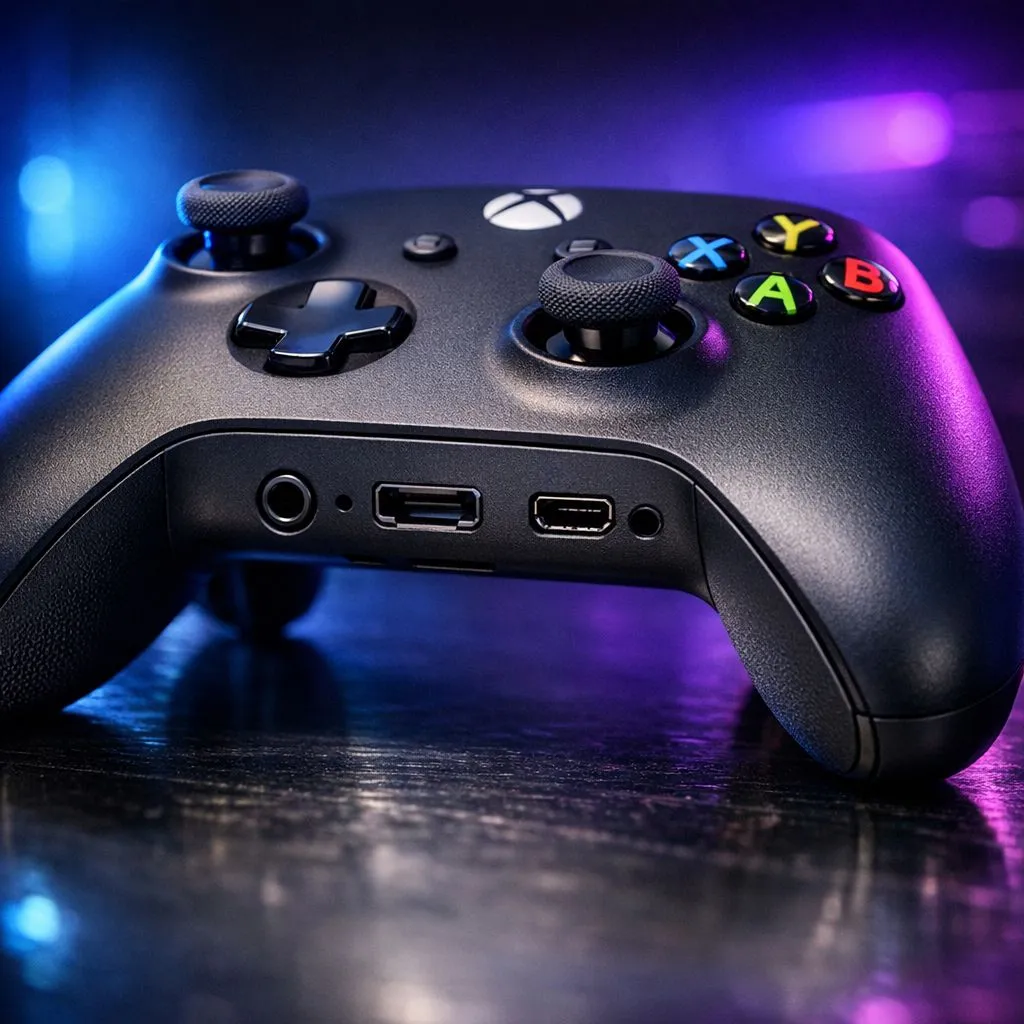
Understanding the 3.5mm Stereo Headset Jack
Ever plugged your headset into your Xbox controller only to be met with total silence? Whether you are playing Halo or FC25, clear audio is vital. Navigating the various Xbox controller ports: Complete guide to audio connections helps you fix these issues fast. From the classic 3.5mm jack to proprietary expansion ports, we break down how to get the best sound for your Mzansi gaming sessions. 🎮
Most modern Xbox controllers feature a standard 3.5mm jack. This port is located at the bottom of the controller. It supports both audio output and microphone input. If your current pad is acting up or the jack feels loose, you can buy gaming controllers from Evetech to get back in the action. Ensure your headset plug is pushed in fully... you should hear a slight click. This ensures the ground and mic rings align perfectly for the best sound quality.
The Legacy of the Xbox Expansion Port
Next to the 3.5mm jack, you will notice a wider, flatter port. This is the proprietary expansion port. In the early days of the Xbox One, this was the only way to get audio. You needed a Stereo Headset Adapter to plug in your gear. Today, it is mostly used for chatpads or high-end adapters that allow for quick volume balancing.
Many competitive players prefer Razer controllers because they often rethink these layouts for better ergonomics. While the expansion port is less common for basic audio now, it remains a sturdy connection point for professional accessories that require more power than a standard jack can provide.
Audio Lag Fix ⚡
If your wireless headset feels slightly delayed, try connecting it directly to the controller via the 3.5mm jack. This bypasses potential wireless interference in busy South African households with multiple Wi-Fi devices. It is a quick way to ensure your audio stays perfectly synced during intense matches.
USB-C vs Micro-USB Audio Capabilities
The port at the top of your controller is primarily for charging and data. On the newer Series X|S controllers, this is a USB-C port. On older models, it is Micro-USB. While you cannot typically plug a USB headset directly into these Xbox controller ports: Complete guide to audio connections, they are essential for firmware updates.
Updating your controller firmware via USB can actually fix audio buzzing or mic dropouts. For those seeking the absolute pinnacle of performance, the Razer Wolverine V3 Tournament Edition offers an 8K polling rate. This wired connection ensures that your audio and inputs are processed with zero latency... a must-have for local tournaments. ✨
Optimising Your Audio Settings in Mzansi
Once you have chosen the right port, you must optimise the software. Xbox supports Windows Sonic for Headphones for free. This provides a virtual surround sound experience. You can also purchase Dolby Atmos or DTS Headphone:X for even better spatial awareness. These settings can be found in the "Volume & audio output" menu on your console. 🚀
Remember to check your "Mic Monitoring" levels. This allows you to hear your own voice through the headset. It prevents you from shouting and waking up the whole house during a late-night session. High-quality Xbox controller ports: Complete guide to audio connections knowledge ensures your hardware and software work in perfect harmony.
Ready to Find Your Perfect Match?
Mastering your connection is just the start. To truly dominate the leaderboards in South Africa, you need hardware that matches your skill. Explore our massive range of gaming controllers and find the perfect tool to elevate your gameplay today.