So, you've just unboxed a sleek new soundbar, hoping for mind-blowing audio, but the sound is… well, a bit flat. You're not alone. Many South African gamers and movie buffs miss out on incredible audio by sticking with factory defaults. Getting the best soundbar settings isn't complicated; it's about a few simple tweaks. Let's unlock the cinematic sound and tactical advantage you paid for, turning your living room into an audio powerhouse. 🚀
Why Your Soundbar's Position is Half the Battle
Before you even touch a remote, where you place your soundbar is critical. Think of it as the foundation of your audio setup. For the clearest sound, place it directly below your TV, ensuring it's not blocking the screen or the TV's IR sensor.
Keep the front of the soundbar flush with the edge of your TV stand or cabinet. This prevents sound from reflecting off the surface and muddying the audio. Also, give it some breathing room on the sides, especially if it has side-firing speakers for a wider soundstage.
Dialing in the Best Soundbar Settings
Now for the fun part. Dive into your soundbar’s menu using its remote. While every brand is slightly different, most share these core settings. Optimising these is key to unlocking its true potential.
Sound Modes: Your One-Click Presets
Most modern soundbars come with presets like ‘Cinema’, ‘Music’, ‘Game’, or ‘Sports’. These are a great starting point.
- Cinema/Movie Mode: Usually boosts dialogue and expands the soundstage for an immersive feel.
- Game Mode: Often enhances positional audio cues, like footsteps or distant shots, giving you a competitive edge.
- Music Mode: Aims for a balanced, stereo sound that’s true to the original recording.
Start with the mode that matches your activity. A huge range of modern speakers offer these presets, making it easy to switch on the fly.
Bass & Treble: The EQ Basics
This is your fundamental equaliser (EQ).
- Bass: Controls the low-end frequencies (rumbles, explosions). A little boost can add cinematic weight, but too much will sound boomy and overwhelm other sounds. For that cinematic rumble, a 2.1 system with a subwoofer is where the magic happens.
- Treble: Controls the high-end frequencies (dialogue, glass shattering, bullet casings). If voices sound muffled, try nudging the treble up slightly.
Make small adjustments and listen carefully. The goal is balance, not extremes.
Pro Audio Tip 🎧
Don't forget your source! Your TV, console, or PC also has audio settings. Ensure it's set to output 'Bitstream' or 'Dolby DTS' instead of 'PCM' to send the raw surround sound signal to your soundbar. This single change can make a massive difference, especially for movies with complex audio tracks.
Fine-Tuning for Gaming vs. Movie Night
While presets are great, die-hard enthusiasts can fine-tune their audio for specific situations. The best soundbar settings for gaming are often different from those for movies.
Optimise Audio for Gaming Dominance 🎮
For competitive games like Warzone or Valorant, clarity and positional audio are everything.
- Activate Game Mode: This is non-negotiable. It reduces processing latency and widens the soundstage.
- Boost Mid-Range/Treble: This can make crucial audio cues like enemy footsteps or reloads more pronounced.
- Normalise Bass: Too much bass can drown out the subtle sounds you need to hear. Keep it neutral or slightly reduced.
Many brands like Promate offer excellent value for gamers looking to upgrade their audio without breaking the bank.
Optimise Audio for Cinematic Immersion 🎬
For a proper movie night with the latest blockbuster, you want dynamic, impactful sound.
- Use Cinema Mode: It’s designed for this!
- Enable Dialogue Enhancement: Many soundbars have a ‘Clear Voice’ or similar setting. This is a lifesaver for movies with loud action scenes and quiet dialogue.
- Give the Subwoofer Some Love: Feel the explosions! Increase the bass or subwoofer level slightly for that satisfying rumble. A stable wired connection ensures no dropouts during a critical scene.
Getting the Connection Right Matters
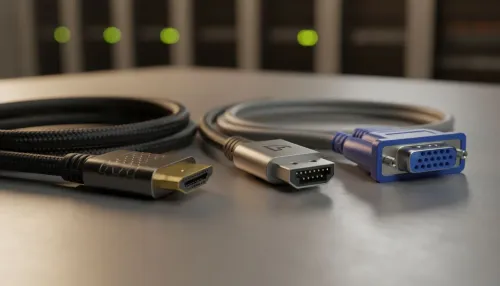
How you connect your soundbar to your TV can impact audio quality. If possible, always use an HDMI ARC (or eARC) port. It supports higher-quality audio formats like Dolby Atmos and allows you to control the soundbar volume with your TV remote. Optical is a good second choice, but HDMI is the modern standard.
Even if you're just starting out, upgrading from your TV's built-in speakers to a simple 2.0 stereo setup is a huge leap in quality. And while many prefer the reliability of wired audio, modern wireless soundbars offer incredible convenience and clean aesthetics with minimal compromise. ✨
Ready to Hear the Difference?
Optimising your soundbar settings is the first step to audio nirvana. If you're ready to upgrade your entire experience, we've got the gear. Explore our massive range of speakers and soundbars and find the perfect sound solution for your setup.