Protect Your Gaming Monitor From Loadshedding & Surges
Don't let power cuts ruin your display! ⚡ Learn how to protect your gaming monitor from loadshedding and nasty power surges. Discover the right UPS and surge protection gear to keep your pixels perfect and your investment safe.
|
Loading tags...
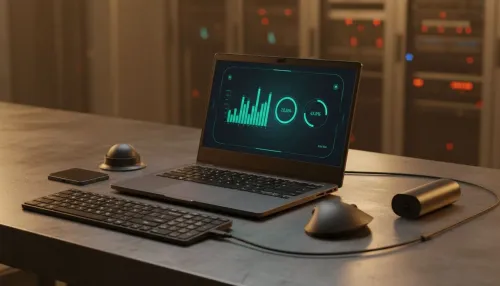
That familiar plunge into darkness... Stage 6 again. But it’s the sudden, violent return of power that really makes your heart stop. That angry flicker can send a destructive surge straight to your PC's most prized component: your gaming monitor. Protecting your monitor from loadshedding isn't just a good idea in South Africa; it's an essential part of any serious setup. Don't let a power surge be the final boss your screen can't beat.
Why Surges Are a Monitor's Worst Enemy
Loadshedding isn't just about the lights going out. The real danger lies in the power surges and dips that happen when the grid comes back online. These spikes of electricity can fry the delicate internal components of your display in an instant. Modern PC monitors are packed with sensitive electronics that control everything from colour accuracy to refresh rates, making them particularly vulnerable. A single, powerful surge is all it takes to turn your vibrant portal to other worlds into a very expensive paperweight. ⚡
Your Essential Toolkit: Surge Protector vs. UPS
So, how do you properly protect your gaming monitor from these surges? You have two main options, and they are not the same.
The Surge Protector: Your Bare Minimum
Think of a surge protector as a basic shield. It's a multi-plug that absorbs smaller, common power spikes. It's cheap, simple, and far better than plugging directly into the wall. It’s a non-negotiable first step for protecting the investment you've made in your collection of all gaming monitors.
The UPS: The Ultimate Guardian
An Uninterruptible Power Supply (UPS) is the real hero. It contains a battery that your monitor (and PC) runs off constantly. This means your setup is completely isolated from the grid's dirty power. When loadshedding hits, the battery keeps your gear running, giving you precious minutes to save your game and shut down safely. No surge can touch it. 🚀
TIP FOR YOU
Choosing Your UPS 🔋
Check the VA (Volt-Ampere) rating on a UPS. To find the right size, add up the wattage of your PC and monitor (e.g., 500W PC + 50W monitor = 550W). A UPS with a VA rating around 1.5x your total wattage (e.g., 550W x 1.5 ≈ 825VA) is a great starting point, giving you a safe buffer and a few minutes of runtime.
Advanced Tactics for Loadshedding Survival
Even with protection, a little extra caution goes a long way. During a particularly nasty thunderstorm, it's wise to unplug your equipment entirely. The most expensive hardware to replace is often the most sensitive, and owners of high-resolution 5K and 4K monitors know the pain of potential damage all too well.
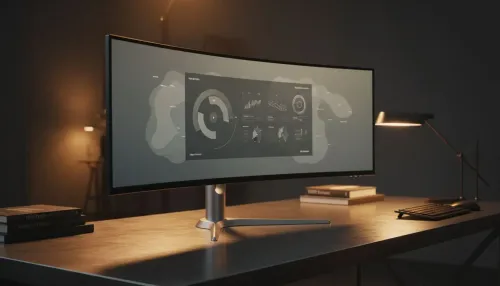
The heartbreak is even worse when you lose an immersive setup. Those gorgeous, panoramic curved monitors that wrap you in the game world deserve the best defence you can give them. Even smaller gear, like versatile portable monitors used for a second screen on the go, faces risks every time it's plugged into a new, unknown socket.
Building a Resilient Gaming Station
Protecting your monitor from loadshedding starts with the right gear. While you're browsing for a UPS, consider other ways to fortify your setup. A high-quality power strip is one of the most crucial monitor accessories you can buy. It's a small price to pay for peace of mind. Investing in proper protection ensures your hardware lasts longer, saving you a fortune in repairs or replacements down the line. Don't wait for that fatal flicker. ✨
Ready to Defend Your Display? Loadshedding is a reality, but losing your monitor doesn't have to be. Safeguard your setup with the ultimate defence against surges. Explore our full range of UPS solutions and give your gear the protection it deserves.
Yes, sudden power cuts and voltage spikes upon return can fry internal capacitors, damage the power supply, or shorten the lifespan of the panel.
Absolutely. A UPS provides battery backup for safe shutdown and acts as a buffer against voltage fluctuations, essential for high-end displays.
A surge protector handles voltage spikes but offers no backup power. For complete protection against loadshedding crashes, a UPS is superior.
A standalone 600VA to 850VA UPS is usually sufficient for a monitor and a console, ensuring you have enough time to power down safely.
Rapid on-off cycling causes thermal stress on the panel and components, potentially causing dead pixels or shortening the lifespan of your gaming monitor.
Unplug your devices during storms and use a pure sine wave UPS to regulate power delivery to your sensitive gaming monitor.
Related Articles