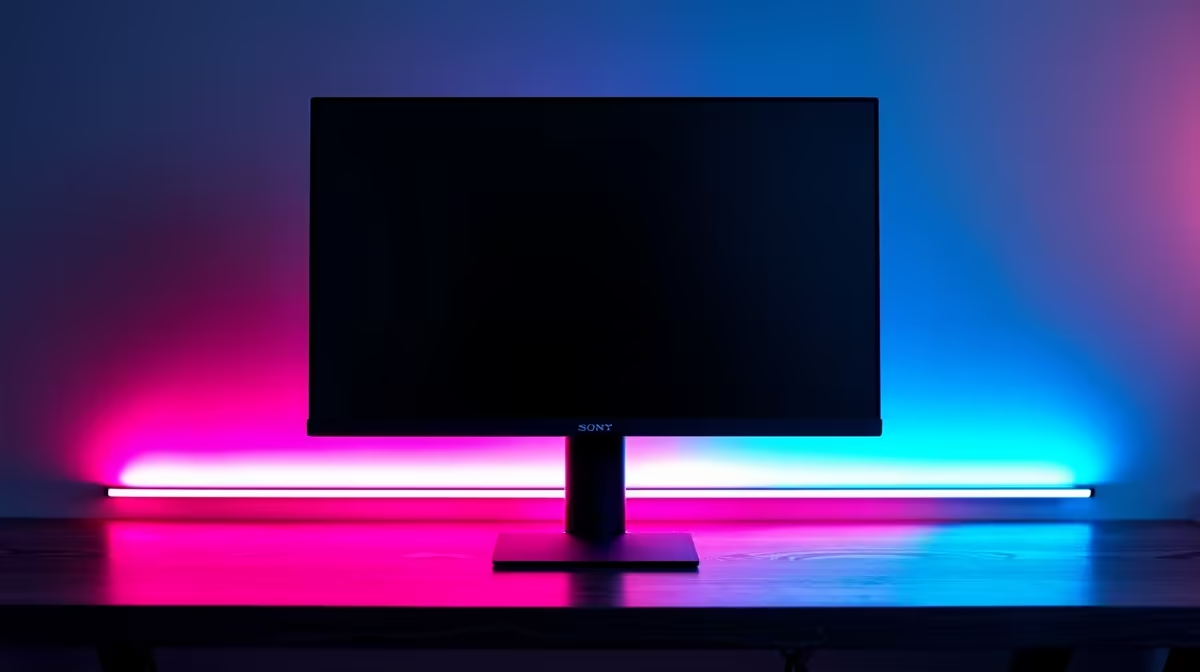
Finished another late-night Apex Legends session with your eyes feeling like sandpaper? You’re not alone. Staring at a bright screen in a dark room is a recipe for eye strain and headaches. But what if a simple, affordable lighting trick could make your setup more comfortable and your picture quality look even better? This is where bias lighting comes in, and we're here to get this simple concept of bias lighting explained for you. ✨
So, What Is Bias Lighting, Exactly?
In short, bias lighting is a soft, neutral light source you place behind your monitor or TV. The goal isn't to light up your room, but to create a gentle glow on the wall behind your screen. This reduces the harsh contrast between your bright display and the dark surroundings. Think of it as a buffer for your eyes, making the transition from screen to wall much smoother and less jarring.
It’s a subtle effect, but one that your eyes will thank you for after a long gaming marathon or a movie binge. The best part? You don't need a fancy, expensive setup. A simple USB-powered LED strip is all it takes to get started.
How Bias Lighting Actually Saves Your Eyes
Ever noticed how your pupils shrink in bright light and expand in the dark? When you're gaming in a dark room, your eyes are constantly fighting. Your pupils try to adjust to the bright, flashing colours on your AOC monitor while also trying to cope with the darkness surrounding it. This constant adjustment leads to fatigue, dryness, and even headaches.
Getting bias lighting explained properly means understanding this simple biological trick. By illuminating the area behind your screen, you raise the average ambient light in your room. This allows your pupils to stay in a more relaxed, consistent state. Your eyes don't have to work nearly as hard, letting you focus on hitting your shots, not on rubbing your temples. 😌
The Unexpected Bonus… Better Perceived Contrast
Here’s a cool side effect that every gamer will appreciate: bias lighting can actually make your monitor's picture look better. How? It’s all about perception.
When a neutral white light frames your screen, it provides a reference point for your brain. This makes the blacks on your screen appear deeper and more inky, and the colours seem richer and more vibrant. It’s the same principle art galleries use to make paintings pop. So, whether you're exploring the dark dungeons of Diablo IV on a Dahua monitor or enjoying a cinematic cutscene, your experience will feel more immersive.
Get The Colour Right! 💡
For the most accurate effect, look for an LED strip with a colour temperature of 6500K (Kelvin). This is known as the D65 white point, the standard for visual media. It provides a pure, neutral white that won’t skew the colours on your screen. Avoid coloured LEDs, as they can interfere with your perception of the on-screen image and defeat the purpose.
Setting Up Your Bias Lighting for Under R200
Ready to give it a try? Getting started is incredibly easy and affordable. You can find USB-powered LED light strips online or at local electronics stores, often for less than R200.
Here’s a quick guide:
- Measure: Measure the back of your monitor to see what length strip you need.
- Clean: Wipe down the back of your monitor to ensure the adhesive sticks properly.
- Stick: Peel the backing off the LED strip and apply it around the edges of your monitor's back panel.
- Power Up: Plug the USB cable into a spare port on your monitor or PC.
That’s it! You’ve just given your entire setup a massive comfort and quality-of-life upgrade. This simple trick works wonders on any display, from basic HP screens to high-end G-Sync compatible screens designed for competitive play.
Of course, bias lighting is just one part of the perfect visual setup. To truly eliminate stutter and screen tearing, you'll want to ensure you have the right monitor for your graphics card, whether that means looking for monitors with FreeSync for your AMD rig or other displays that support Adaptive Sync for broader compatibility.
Ready to Perfect Your Visual Experience?
Bias lighting is a fantastic first step, but it works best with a quality display. Explore our huge range of PC monitors and find the perfect screen to complete your ultimate gaming setup.