


Best Laptop with Ryzen 5 + RTX 4090 Laptop: SA Picks 2026
Top Laptop with Ryzen 5 + RTX 4090 Laptop: Picks picks evaluated on performance, value & SA availability with current Rand pricing from Evetech.
Read moreFind the best gaming backpack buying guide for your setup—prioritise padding, weight, weather resistance, and storage. Get smart storage tips and fit tips for your budget 🎒☔
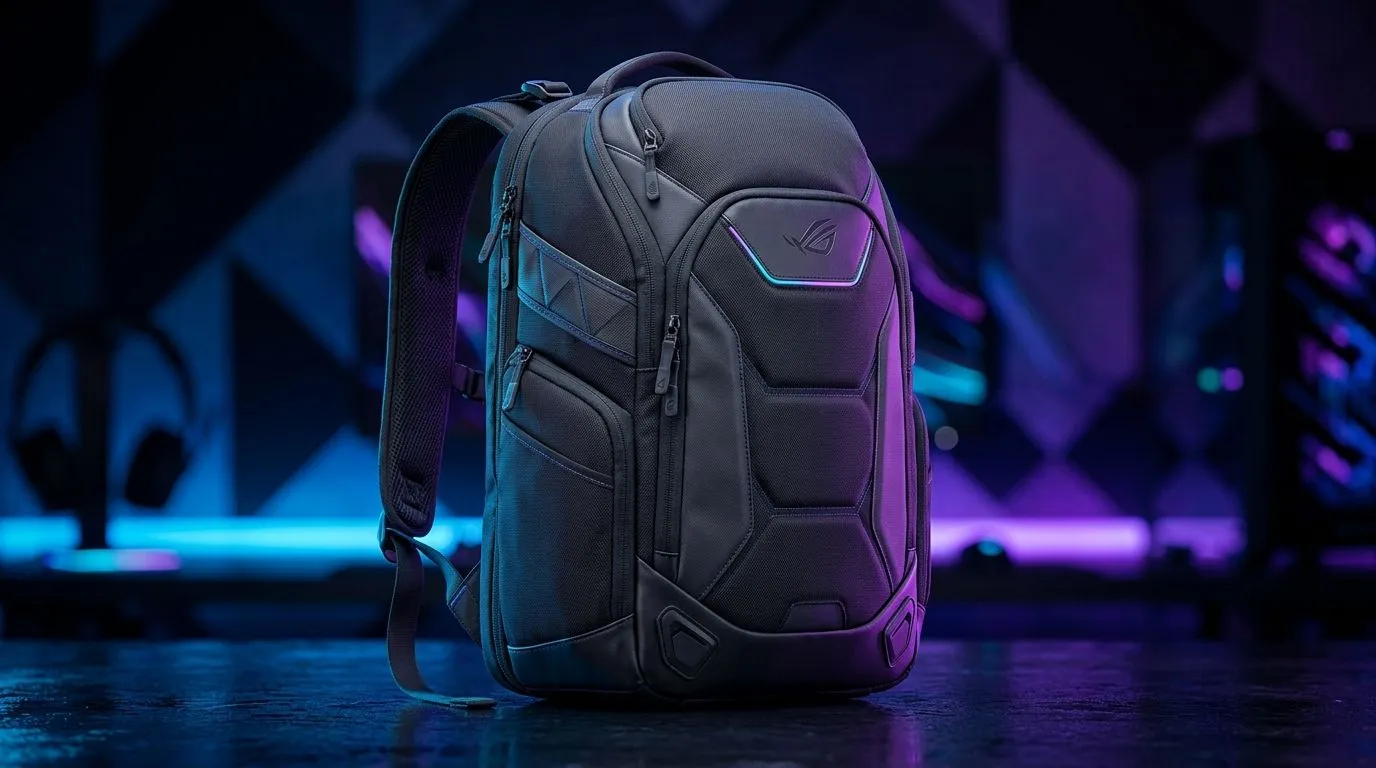
A good gaming backpack is more than a bag. It protects your laptop, charger, headset, mouse, and the random extras that end up in your kit on a Friday night LAN. If you commute in Joburg traffic, hop between campus and home, or travel with your gear, the wrong bag can leave your shoulders sore and your tech rattling around. The right one keeps everything secure, balanced, and easy to grab 🔧
The first thing to check is padding. A proper gaming backpack should have a padded laptop compartment that fits your device snugly. Too much movement inside the bag can lead to scuffs, pressure marks, and stress on corners. A separate sleeve or raised compartment is even better because it keeps the laptop away from heavier items like power bricks and metal accessories.
Comfort matters just as much. Wide shoulder straps spread the load better than thin ones. A padded back panel helps when you’re carrying a full setup for long stretches. If you often walk between classes, offices, or parking areas, that comfort adds up fast.
For buyers browsing options, start with the general laptop backpack range at Evetech. If you prefer a known accessory brand, the Promate laptop backpack selection is worth a look. Those who already trust a laptop maker may like the HP backpack range too.
Weight is easy to ignore until you’ve packed a charger, controller, headset, and power bank. Then every extra gram starts to matter. A lighter backpack is usually the smarter choice if you carry it daily. But don’t chase lightness at the expense of structure. If a bag is too soft, your gear can press into each other.
Try to think in layers. The laptop should sit closest to your back. Heavier items belong lower down and near the centre. Smaller accessories go into front pockets or organiser sections. That keeps the load stable and reduces that lopsided feeling on one shoulder.
A practical tip: if you can feel your bag pulling backwards while standing still, it’s probably too top-heavy. Adjust the straps first. If that doesn’t help, repack. Small tweaks make a big difference on long days.
Always place your laptop in the padded sleeve first, then pack your charger and mouse around it. Heavy items should sit low and close to your back to keep the bag stable and reduce shoulder strain.
Storage is where many backpacks look good on paper but disappoint in real life. A useful gaming backpack should have enough room for essentials without turning into a bottomless pit. Look for at least one dedicated laptop compartment, a main storage area, and smaller pockets for cables, keys, pens, and USB drives.
If you carry a headset or controller, check the internal layout carefully. A bag with a few well-placed organiser pockets is often better than one huge compartment. It helps prevent scratches and stops smaller accessories from disappearing into the void.
Water resistance is another detail worth respecting. South African weather can be unpredictable, and a light shower can ruin a commute. You do not need a fully waterproof tank, but a water-resistant outer layer gives useful protection for everyday use.
If budget is a factor, you can filter by price and start with options around R651 and up. That’s a sensible entry point if you want real padding and usable organisation, not just a school bag with a tech label. For Evetech-branded options, check the Evetech backpack range as well.
Think about where you’ll use the bag most. A student needs quick access to chargers and books. A commuter needs security and comfort. A frequent traveller needs reliable padding and room for extras like a mouse, cable pouch, or headset.
Also consider how the bag opens. A wide opening makes packing easier. It also saves time when you’re at a venue and need your gear fast. Simple zips, reinforced stitching, and strong handle loops are all signs of a backpack built for regular use.
If you’re buying online, compare the product photos carefully. Look for padding thickness, pocket placement, and strap shape. That visual check tells you a lot before you even read the specs. And if the listing shows dimensions, compare them with your laptop size before checkout.
When you’re deciding, use this order:
Your laptop should fit properly, with no excess sliding.
Protect the laptop, back panel, and shoulder straps.
Choose a bag that feels manageable when fully loaded.
Make sure the pockets match your everyday kit.
Look for sturdy zips, solid stitching, and practical materials.
That’s the shortlist. Keep it simple, and you’ll avoid paying for features you’ll never use. A good backpack should make your routine easier, not add friction to it 🚀
Ready to Find Your Perfect Match? The Mac vs Windows debate is complex, but for maximum power, choice, and value in South Africa, Windows is hard to beat. Explore our massive range of laptop specials and find the perfect machine to conquer your world.
Start with padding and laptop/gear protection, then check weight and weather resistance. Finally, match storage compartments to your accessories.
Look for thick, structured padding around the laptop sleeve and a snug fit. Better padding reduces impacts during commutes and travel.
Yes for commuting—lightweight gaming backpacks reduce fatigue. Still, ensure protective padding and a stable frame so your gear stays secure.
Weather resistance usually comes from water-resistant zippers, treated fabric, and sealed seams. Check for a rain-cover or durable outer shell.
Choose compartments for your laptop, mouse, controller, cables, and chargers. Dedicated pockets keep items from shifting and protect fragile gear.
Usually not. Multiple organized compartments help prevent scratches and cable tangles, improving protection and faster packing.
Aim for a balance: enough padding for protection without excessive heft. Compare listed weight plus what you’ll carry daily.
Use cable sleeves or organizer pockets, separate power bricks, and pack loosely rather than crushing items. Storage compartments matter.
Top Laptop with Ryzen 5 + RTX 4090 Laptop: Picks picks evaluated on performance, value & SA availability with current Rand pricing from Evetech.
Read more
Top Budget GPU for Marvel Rivals picks evaluated on performance, value & SA availability with current Rand pricing from Evetech.
Read more
Valorant Settings on RTX 5070: Performance. Real-world benchmark data, FPS numbers & performance analysis. What SA gamers can actually expect.
Read more
Top Budget GPU for Assassins Creed Shadows picks evaluated on performance, value & SA availability with current Rand pricing from Evetech.
Read more
Valorant Settings on RTX 4080 Super: Performance. Real-world benchmark data, FPS numbers & performance analysis. What SA gamers can actually expect.
Read more
Top Valorant Settings for RTX 5070: FPS Optimisation picks evaluated on performance, value & SA availability with current Rand pricing from Evetech.

RDNA 3.5 Graphics in Ryzen AI 400? Can You Game. Plain-English explanation of what it means, why it matters & how it affects your buying decisions in SA.

GPU Price Index : December Report. Current stock data & price tracking for SA buyers. See what is available and where prices are heading.

RX 9070 XT Elden Ring Nightreign at 4K: FPS. Real-world benchmark data, FPS numbers & performance analysis. What SA gamers can actually expect.

Core i5-14600K + B760 + RTX 5060 Build Under. Full parts list, Rand pricing & expected performance. Build confidently with SA-available components.

RX 7600 Apex Legends at 4K: FPS Benchmark. Real-world benchmark data, FPS numbers & performance analysis. What SA gamers can actually expect.

RX 7900 XTX GTA 6 at 4K: FPS Benchmark & Optimal. Real-world benchmark data, FPS numbers & performance analysis. What SA gamers can actually expect.

Head-to-head comparison of RTX 5070 vs RX 9070 XT: Gaming Performance for SA gamers. Performance benchmarks, Rand pricing & which delivers better value.
Top Laptop with Ryzen 5 + RTX 4090 Laptop: Picks picks evaluated on performance, value & SA availability with current Rand pricing from Evetech.
Top Budget GPU for Marvel Rivals picks evaluated on performance, value & SA availability with current Rand pricing from Evetech.
Valorant Settings on RTX 5070: Performance. Real-world benchmark data, FPS numbers & performance analysis. What SA gamers can actually expect.
Top Budget GPU for Assassins Creed Shadows picks evaluated on performance, value & SA availability with current Rand pricing from Evetech.