


Dedicated Media Keys for Streamers: Improve Workflow Fast
Dedicated media keys give streamers one-touch control to mute, switch scenes, clip highlights, and adjust audio — cutting task time and boosting consistency 🎛️⚡
Read more• Explain how Logitech G PowerPlay 2 wireless charging works • Highlight marathon gaming benefits • Provide setup and compatibility tips ⚡🎮 Logitech G PowerPlay 2 keeps your mouse charged with continuous wireless power and stable tracking for marathon gaming.
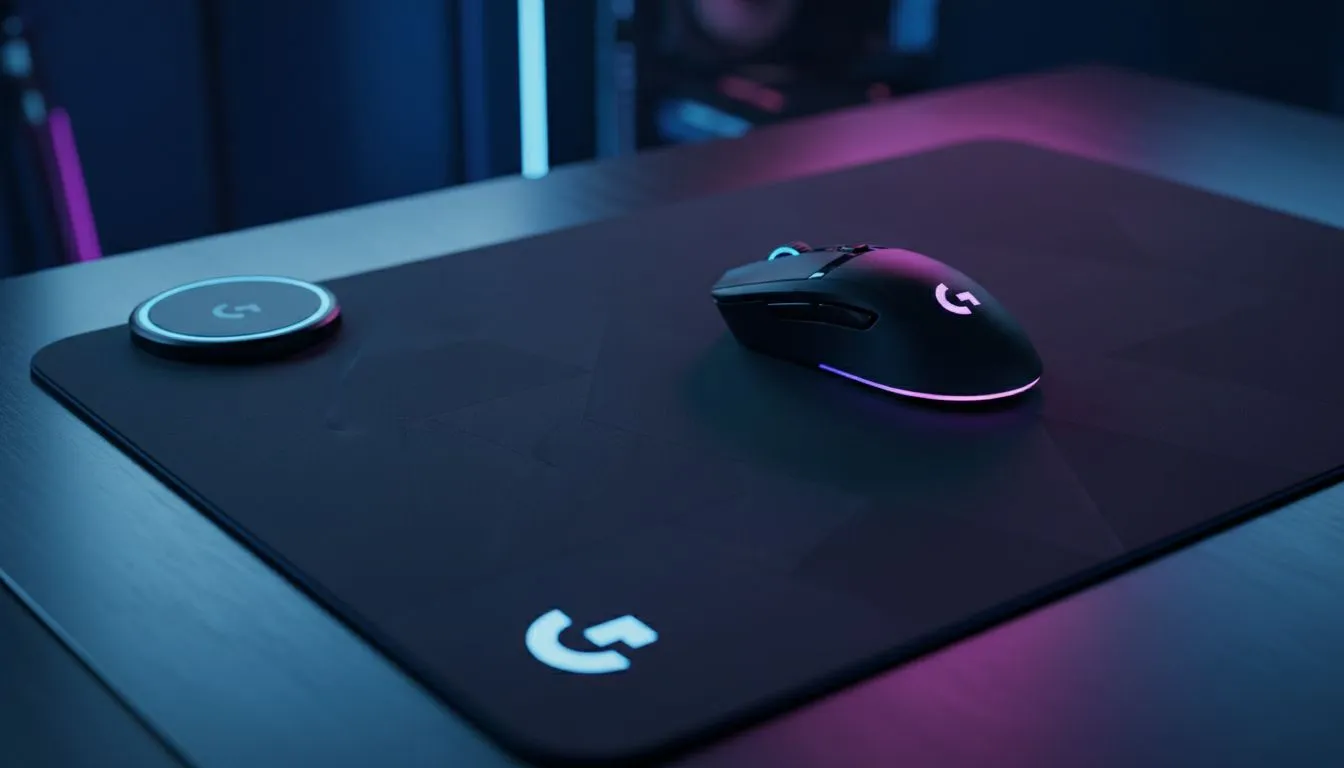
South African gamers hate one thing: mid-match battery panic. The Logitech G PowerPlay 2 keeps your mouse charged while gaming, so you can focus on clutch plays and not battery bars. If you play long sessions or stream, a charging surface that works while you move is a quiet upgrade that actually changes how you play. 🚀
The PowerPlay 2 is a wireless charging mouse mat that supplies power as you glide, cutting downtime and cable clutter. For a primer on mouse mat types and why surface choice matters, check Evetech's mouse pads guide for basics and build choices: https://www.evetech.co.za/components/mouse-pads-101. If you prefer brand-specific picks, Evetech lists curated options under Evetech mousepads here: https://www.evetech.co.za/components/mouse-pads-101?category=Evetech+Mousepad.
In practice the mat feels like a premium gaming surface with consistent glide. If you use other branded surfaces, compare ergonomics with SteelSeries pads to match control and speed: https://www.evetech.co.za/components/mouse-pads-101?category=Steelseries+Gaming+Mouse+Pads. Marvo fans will find alternatives that prioritise value over extra features here: https://www.evetech.co.za/components/mouse-pads-101?category=Marvo+Gaming+Mousepads.
For best performance, keep the PowerPlay 2 centred under your mouse sensor and avoid lifting to re-align mid-combat. A consistent glide and smooth acceleration make wireless charging practically invisible during play.
Placement matters. The PowerPlay 2's transmitter works through the pad; alignment keeps Qi reception steady. If you prefer a minimalist desk without RGB, browse non-RGB mouse pad options to match that look: https://www.evetech.co.za/components/mouse-pads-101?attributes-lightingeffects=No. If you want flair, there are RGB-splashed mats too: https://www.evetech.co.za/components/mouse-pads-101?attributes-lightingeffects=Yes+%28RGB%29. Sizes vary—pick the footprint that suits your desk and arm sweep; XXL sizing gives freedom: https://www.evetech.co.za/components/mouse-pads-101?attributes-size=XXL while extended mats cover keyboard and mouse together: https://www.evetech.co.za/components/mouse-pads-101?attributes-size=Extended.
Think of the PowerPlay 2 as a long-term upgrade if you use a high-end wireless gaming mouse. Look at compatibility, desk layout, and whether you need a full extended surface. Keep cushions and cable routing in mind to avoid accidental misalignment. If you're unsure which pad size fits your desk, measure your arm sweep and compare with the product dimensions on Evetech before checkout.
For players who stream, raid or regularly play 3+ hour sessions, the PowerPlay 2 reduces interruptions and keeps your focus. It's not a cheap add-on, but it trades a small premium for uninterrupted gameplay and a cleaner desk.
Ready to Find Your Perfect Match? The Mac vs Windows debate is complex, but for maximum power, choice, and value in South Africa, Windows is hard to beat. Explore our massive range of laptop specials and find the perfect machine to conquer your world.
PowerPlay 2 uses a powered mat to deliver continuous wireless power to compatible mice via an embedded charging field, enabling constant charging while you play.
PowerPlay 2 compatibility covers many Logitech G mice with PowerCore modules or native support; check Logitech powerplay compatibility for your model.
No. PowerPlay 2 maintains stable tracking and performance; many users report no input lag and consistent sensor behavior during marathon gaming.
Plug the mat into USB, attach or enable the compatible mouse's PowerCore module, and follow the PowerPlay 2 setup guide in Logitech G HUB for optimal settings.
Yes. The PowerPlay 2 provides continuous wireless power so a compatible mouse stays charged or tops up battery during marathon gaming sessions.
You need the PowerPlay 2 mat itself; it doubles as a high-performance surface and wireless charging pad, so no extra charging pad is required.
For marathon gamers, PowerPlay 2 offers clear benefits: continuous charging, fewer interruptions, and reliable performance—ideal if your mouse supports wireless charging.
Dedicated media keys give streamers one-touch control to mute, switch scenes, clip highlights, and adjust audio — cutting task time and boosting consistency 🎛️⚡
Read more
PBT vs ABS keycaps: Clear, local guide for South African gamers—compare feel, sound, durability and where to buy. Find the best material for your budget and playstyle 🎮🇿🇦
Read more
- Multi-Function Digital Dial: define benefits - Show gamer setups and macros - Offer buying and setup tips Multi-Function Digital Dial puts programmable control at your fingertips for faster actions and smoother streaming. 🎮⚙️
Read more
- Explain benefits; - Show the science; - Compare options; - Recommend picks. Magnetic wrist rest for gaming cuts wrist strain and boosts comfort during long sessions 🕹️✨
Read more
best gaming keyboard South Africa: Learn how to pick a low-latency mechanical keyboard, choose switches, layout and budget for competitive play 🎮⚡
Read more
Best wireless keyboard and mouse combo for small desks — curated, space-saving picks that boost comfort and productivity in tight setups. Find low-profile layouts, compact mice, and reliable range to fit your compact workstation. 🖱️⌨️
Read more
Discover webcams that automatically adjust light and color for crystal-clear video calls 🎥✨. Boost your streaming quality today!
Read more
Discover webcams that blend into your workflow 🎯 Capture moments while you work, stream, or create. Upgrade your setup with smart, multitasking tech!
Read more Dedicated media keys give streamers one-touch control to mute, switch scenes, clip highlights, and adjust audio — cutting task time and boosting consistency 🎛️⚡
Read more
Checklist: 1) Map keyboard actuation depth to genres 2) Step-by-step adjust settings 3) Test and tune for performance 🎮⌨️ Learn keyboard actuation depth for FPS, MOBA, RTS, and RPG to improve response and accuracy.
Read more
Optical switches deliver faster actuation and lower latency than traditional mechanical switches, using light-based triggers and minimal debounce to boost gaming and typing performance ⚡⌨️
Read more
Clean gaming keyboard quickly and safely in dusty or humid conditions with step-by-step tips, tool checklist, and maintenance routines to prevent corrosion and switch failure. 🧼💨
Read more