


ASUS 420Hz Monitor: What SA Esports Buyers Should Know
ASUS has introduced a 24.5-inch 1080p Fast IPS monitor with a 420Hz overclocked refresh rate. It is a specialised esports screen, not an automatic upgrade for every gaming PC.
Read moreMicrosoft is working to reduce Windows 11 memory use on 8GB PCs. For a new gaming build, 16GB remains the practical floor while 32GB gives heavier games and multitasking more room.
Windows 11 RAM advice has become less certain just as memory prices make every capacity step more expensive. Microsoft removed a gaming guide that described 16GB as a practical starting point and 32GB as a no-worries choice, while its Windows team is also working to reduce the operating system's memory footprint on 8GB PCs. Those two developments are not opposites. They describe different workloads.
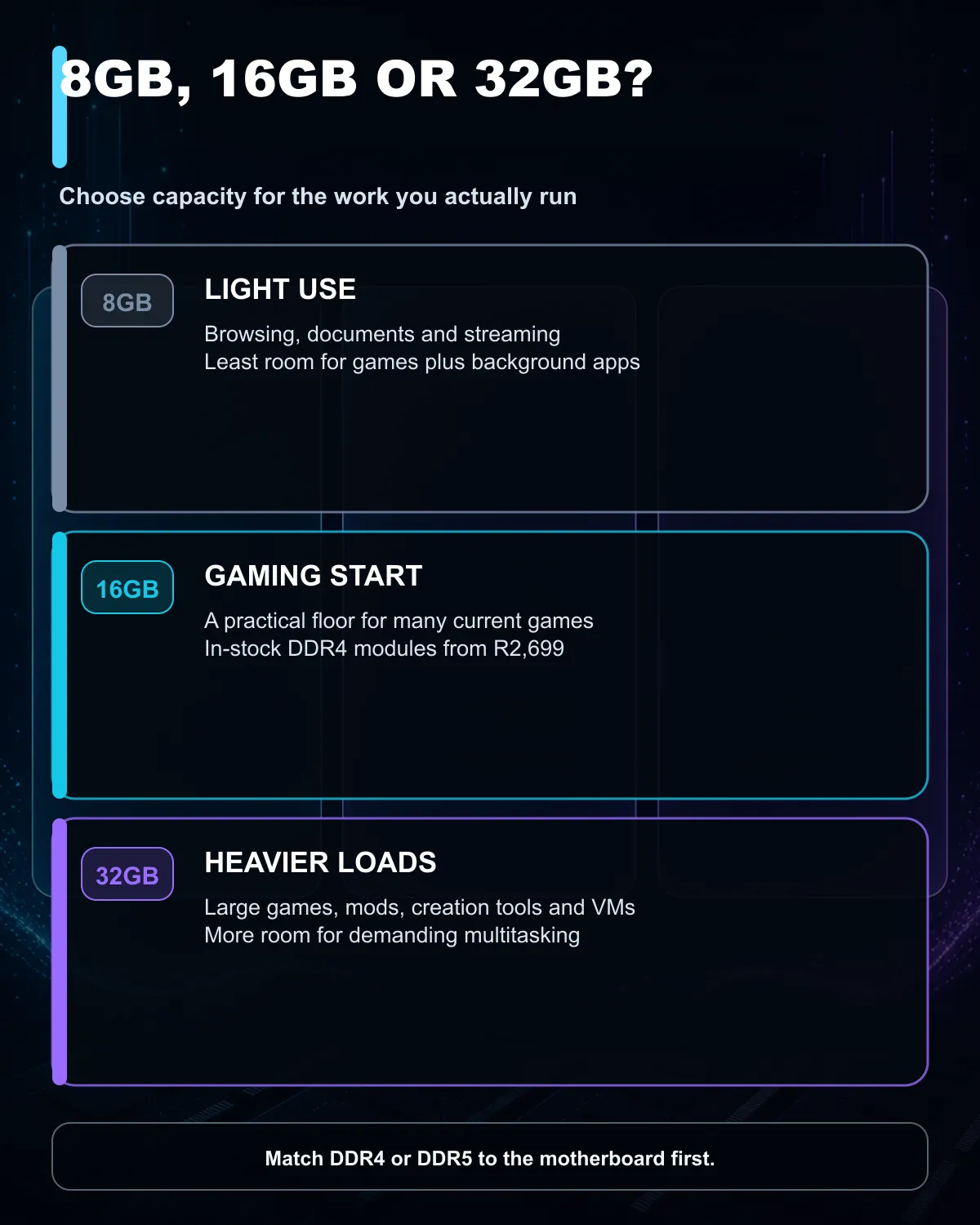
An 8GB PC can run Windows 11, but it leaves limited room for a modern game, browser tabs and background apps at the same time. For a new gaming desktop, 16GB remains the sensible floor and current in-stock 16GB modules start from R2,699. Choose 32GB when demanding games, large mods, creation tools or heavy multitasking regularly push beyond 16GB.
The removed guide did not turn 32GB into a formal minimum. It presented 16GB as a practical starting point for smooth gaming and 32GB as a more comfortable long-term capacity. Microsoft has since redirected that page, so buyers should not treat its old wording as a permanent specification.
At the same time, Windows leaders have described work across the interface, services, scheduler and drivers to reduce memory use on lower-capacity machines. Better efficiency is useful, especially for affordable laptops that cannot be upgraded. It does not make the physical capacity irrelevant. An application can still need more memory than the operating system saves.
The right question is therefore not whether Windows starts. It is whether the complete workload stays responsive after the game, voice chat, launcher, browser and security software are open. A system that constantly moves data to storage because RAM is full may feel slower even when it meets the operating system minimum.
The 7 August catalogue snapshot found in-stock 16GB DDR4 modules from R2,699. A 16GB DDR5 module started at R3,799. These are single-module entry prices, so buyers planning a balanced two-module setup should compare the full kit cost and motherboard support.
Start with the DDR4 memory range for an existing DDR4 desktop. A new DDR5 platform needs the separate DDR5 memory range. The generations are physically and electrically different; a DDR4 module cannot be moved into a DDR5 slot.
Price alone should not decide the module. Confirm whether the listed capacity is one stick or a kit, then check supported speed, voltage, profile support and cooler clearance. Two products marked 16GB can create very different upgrade paths when one is 2x8GB and the other is 1x16GB.
Eight gigabytes suits basic browsing, documents, streaming and light use when the machine is kept tidy. It is less comfortable for a current gaming PC because one demanding title and several background apps can consume the available memory quickly. An 8GB laptop with soldered memory also has no later escape route.
Sixteen gigabytes remains workable for many mainstream games. Check the recommended, not merely minimum, specification for the titles you play. Watch memory use during a normal session. If usage stays close to full, the machine stutters while switching apps, or large mods fail to load cleanly, the workload is providing a stronger signal than a generic guide.
Thirty-two gigabytes is the safer choice for large modern releases, simulation games, heavily modded titles, content creation, local development tools and virtual machines. It also helps a user who keeps many browser tabs, capture software and communication apps open while gaming. Capacity does not raise frame rate by itself when 16GB was already sufficient, but it prevents memory pressure from becoming the bottleneck.
Check the motherboard manual before buying. Record the supported DDR generation, number of slots, maximum capacity and recommended slot order. Then inspect the installed modules in Windows or the firmware. Mixing unmatched modules can work, but the system may fall back to the slowest common settings or need manual tuning.
For a new platform, compare complete DDR5 upgrade kits only after choosing the processor and motherboard. A platform bundle can simplify compatibility, while an existing PC may need nothing more than a matched memory kit.
Do not replace usable RAM because one web page disappeared. Upgrade when the measured workload needs more capacity, when an unupgradable 8GB machine blocks the work, or when a planned motherboard change requires a different generation. That rule survives future changes in marketing language.
Yes. It can handle light use, but games and multitasking have less spare capacity once Windows and background apps are loaded.
It is enough for many games when background use is controlled. Check each game's recommended specification and observe memory use during play.
No. It helps when 16GB is full or nearly full; otherwise the processor and graphics card usually set the frame-rate limit.
No. A motherboard supports one generation, and the modules use different slot layouts.
In-stock 16GB DDR4 modules started at R2,699, while a 16GB DDR5 module started at R3,799 on 7 August 2026.
Ready to match memory to your workload? Compare current DDR4 and DDR5 desktop memory at Evetech, confirm motherboard compatibility, and choose capacity from measured use rather than a headline.
Yes. Microsoft is working to improve low-memory performance, but 8GB still leaves less room for games, browsers and background apps.
It remains a practical starting point for many games. Check the recommended specification for the titles and apps you use most.
Choose 32GB for demanding games, large mods, content creation, virtual machines or heavy multitasking where 16GB regularly fills up.
The 7 August catalogue read found in-stock 16GB DDR4 modules from R2,699 and a 16GB DDR5 module from R3,799.
No. DDR4 and DDR5 use different slots and electrical layouts, so the memory generation must match the motherboard.
Match capacity, speed and compatibility first. A tested paired kit is usually the cleaner route when balanced dual-channel operation matters.
ASUS has introduced a 24.5-inch 1080p Fast IPS monitor with a 420Hz overclocked refresh rate. It is a specialised esports screen, not an automatic upgrade for every gaming PC.
Read more
A new open-source tool watches per-pin current on ASUS Astral RTX 5080 and 5090 cards. It can trigger an emergency shutdown, but it does not replace correct cabling and inspection.
Read more
Memory supply is expected to stay tight into 2027. South African builders with a near-term project should price the correct RAM now instead of waiting for an assumed drop.

AMD's Q2 results show weaker gaming revenue but stronger Ryzen-led client sales. South African buyers should judge today's CPU value by platform cost, not the headline alone.

SpaceX is exploring a terrestrial mobile network, but that does not change Starlink's South African licensing position. Local buyers should wait for formal authorisation and launch terms.

Black Friday Gaming PC Wait can help if your PC need is flexible. On a R8,000 SA budget, compare deal risk, component balance, warranty, and timing before waiting.

MSI has joined a new wave of overseas graphics-card price increases. South African buyers should compare the card they need against live local options rather than panic-buy.
Memory supply is expected to stay tight into 2027. South African builders with a near-term project should price the correct RAM now instead of waiting for an assumed drop.
AMD's Q2 results show weaker gaming revenue but stronger Ryzen-led client sales. South African buyers should judge today's CPU value by platform cost, not the headline alone.

Steam's July 2026 survey puts 16GB VRAM and 8-core CPUs at the top of their categories. South African buyers can reach both from about R12,998 before the rest of the build.

NVIDIA has listed 26 games for GeForce NOW in August. South African access remains available through the local alliance service, but each title still needs store ownership and service support.
ASUS has introduced a 24.5-inch 1080p Fast IPS monitor with a 420Hz overclocked refresh rate. It is a specialised esports screen, not an automatic upgrade for every gaming PC.
A new open-source tool watches per-pin current on ASUS Astral RTX 5080 and 5090 cards. It can trigger an emergency shutdown, but it does not replace correct cabling and inspection.
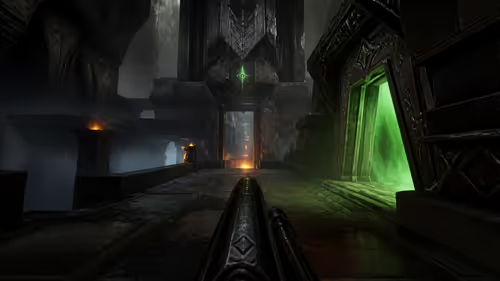
Quake's 30th anniversary update adds the Dawn of the Machine episode with 19 maps. Existing owners can install it free on supported PC storefronts, with no hardware upgrade required.