Quick Answer
The RTX 5070 Ti runs Fortnite at 4K with excellent performance in 2026, averaging 120 to 160 fps at Epic settings and pushing past 200 fps with DLSS 4 Quality mode enabled. At Competitive settings optimised for high frame rates, the card delivers 180 to 240 fps native at 4K - making it one of the most capable cards available for 4K Fortnite gameplay.
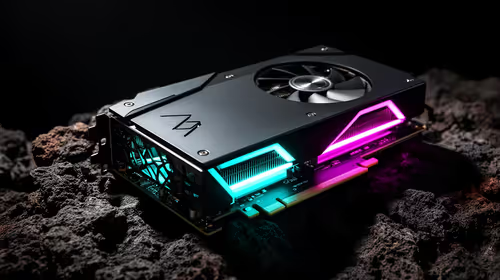
Fortnite has become one of the most technically scalable games available, running on everything from a low-end integrated graphics chip to the fastest consumer GPUs NVIDIA has released. The RTX 5070 Ti sits near the top of that hierarchy in 2026, and 4K Fortnite is where it genuinely earns its position. Here is what to expect and how to tune the settings for maximum performance.
RTX 5070 Ti at 4K: Fortnite FPS Benchmark
At native 4K with all settings at Epic quality and DirectX 12 selected, the RTX 5070 Ti averages 130 to 160 fps depending on area density. Landing at Tilted Towers during a hot drop with heavy particle effects, player models, and building materials all rendering simultaneously will put 1 percent lows around 90 to 100 fps. Open areas outside of populated POIs maintain higher averages, often pushing to 170 to 180 fps.
With DLSS 4 Quality mode active at 4K output, the card renders at approximately 2,844 x 1,601 and upscales to 4K. Average frame rates in this mode reach 190 to 230 fps with excellent image quality - DLSS 4's Transformer model significantly improved hair, foliage, and fine detail reconstruction compared to DLSS 3. Frame Generation with DLSS 4 pushes displayed frame rates above 300 fps at 4K, though competitive players should weigh the latency implications.
Best Settings for 4K Competitive Fortnite
For competitive 4K Fortnite on the RTX 5070 Ti, the priority is maximising frame rate consistency rather than visual fidelity. Recommended settings: Rendering Mode DirectX 12; 3D Resolution 100 percent (native); Shadows set to Off or Medium; Anti-Aliasing set to DLSS 4 Quality; Textures set to Epic (8GB VRAM budget is fine at 4K); Effects set to Medium; Post Processing set to Low. With NVIDIA Reflex enabled and set to On + Boost, end-to-end system latency is minimised.
These settings produce 200-plus fps at 4K on the RTX 5070 Ti in typical gameplay scenarios, which is excellent for a 144Hz or 165Hz 4K monitor.
Frequently Asked Questions
Q: Does the RTX 5070 Ti support DLSS 4 Frame Generation in Fortnite? A: Yes. Fortnite added DLSS 4 Multi Frame Generation support for RTX 5000 series cards. The RTX 5070 Ti can use MFG to produce 2 or 4 frames per rendered frame, dramatically increasing displayed frame rates at 4K.
Q: What monitor pairs best with the RTX 5070 Ti for 4K Fortnite? A: A 4K 144Hz or 4K 165Hz OLED or IPS monitor is the ideal pairing. The RTX 5070 Ti can sustain frame rates above 144fps at 4K with DLSS 4 Quality, fully feeding these displays. A 240Hz 4K display is usable but requires Frame Generation to be fully utilised.
Q: Is the RTX 5070 Ti overkill for Fortnite specifically? A: For Fortnite alone at 4K, yes - the card is more powerful than Fortnite requires. Its value is in the broader library of demanding titles where 4K performance is actually GPU-limited, and in providing longevity for competitive settings as Fortnite's visual fidelity continues to increase with Unreal Engine updates.
Ready to Find Your Perfect Match? Browse Evetech's gaming PC deals to find an RTX 5070 Ti build ready for 4K Fortnite.