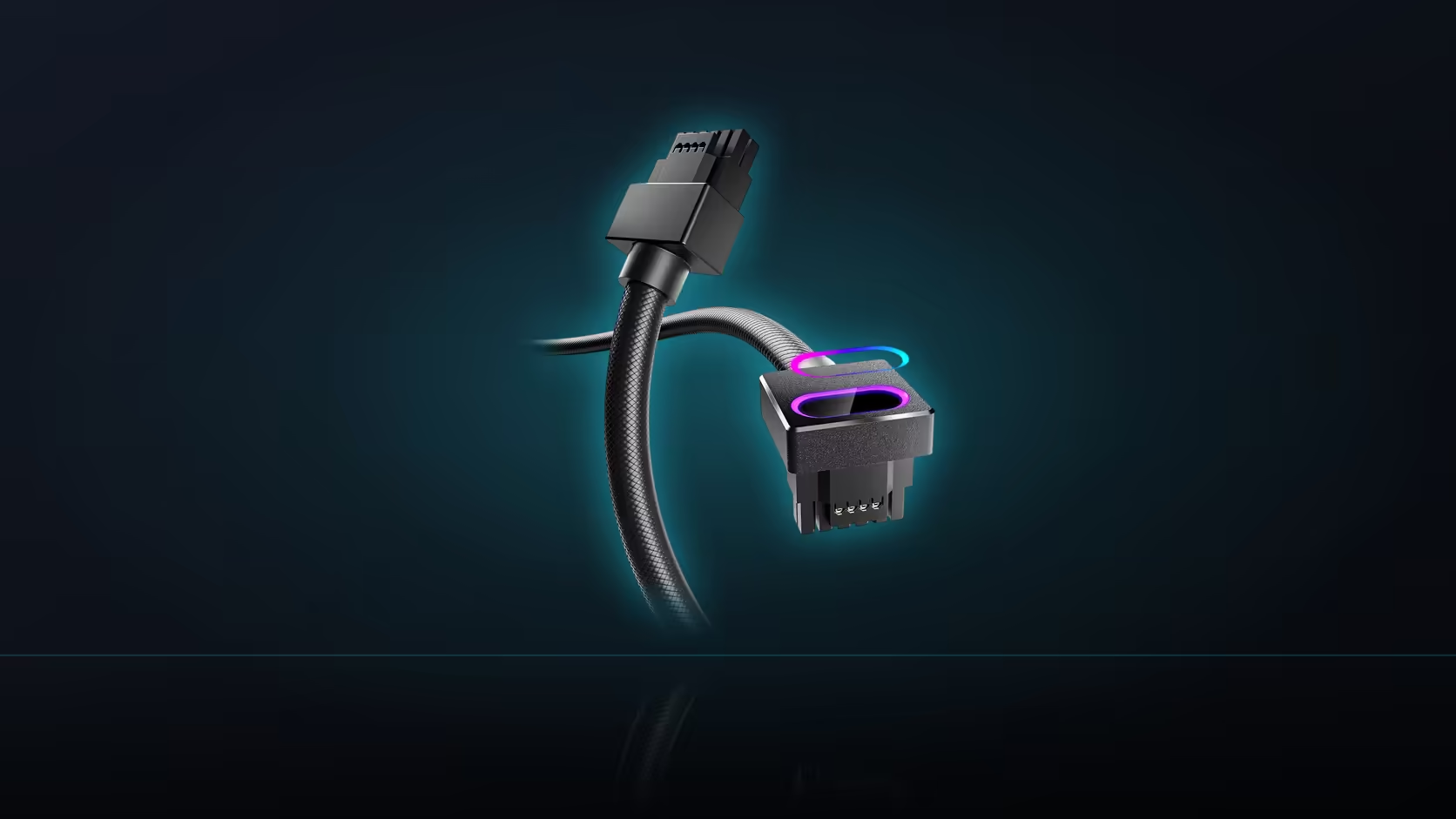
The exact place you most need a clear view is also the exact place the Hydrus 16-pin cable puts its brightest light. That is not a design flaw, it is just a coincidence of where the ARGB head happens to sit - but it is worth knowing about before you rely on a glowing connector as proof that everything is fine underneath it.
Quick Answer
Switch off the ARGB lighting on this R699 AsiaHorse cable before inspecting the connector for a proper seat. The glow sits directly over the joint you need to check for a gap, which makes that edge harder to read rather than easier - a clear, unlit view of the connection is more useful than a well-lit one.
Why the lighting actually interferes with the check
AsiaHorse's seating instruction asks for a firm connection with no visible gap between the head and the card's socket - a check that depends on being able to see a fine line or shadow at that specific joint. An active ARGB light sitting right at that location tends to flatten exactly the kind of shadow that would otherwise reveal a partial seat, washing out the subtle visual cue the check relies on. The light is doing its job as decoration while actively working against you as an inspection tool.
The better way to look
Switch the lighting off first, then hold a torch or phone light angled from one side rather than straight on. Any remaining gap will cast a small shadow under angled light that a flat, front-on view - lit or unlit - is more likely to miss entirely. This takes only a moment longer than glancing at a lit head and is considerably more reliable.
A physical check to pair with the visual one
Following the visual inspection with a gentle press on the head is a useful second confirmation - if it shifts at all under light pressure, it has not seated fully regardless of how the joint looked visually. Neither check alone is quite as reliable as both together.
Does the lighting circuit need to be disconnected entirely?
No. Turning the lighting off through your motherboard's software is sufficient for this purpose - there is no need to physically unplug the 5V 3-pin lead just to get a clear view for the inspection. The power path and the lighting circuit are entirely separate anyway, so the lighting state has no bearing on the connection you are actually checking.
Does this apply at the power supply end too?
That end has no lit head to contend with, so the usual visual inspection - checking for a flush seat with no gap - applies there without the same interference. It is still worth checking, just without needing the extra step of switching anything off first.
What does a correct seat actually look like once you can see it clearly?
The head sitting flush against the card socket with no visible line between the two surfaces, and no movement when gently pressed - exactly the standard AsiaHorse describes as sitting firm with no gap. That standard does not change based on how well-lit the joint happens to be; it only becomes easier to confirm once the glare is out of the way.
Worth repeating this specific check after any move
Transport is the situation most likely to disturb a connection that was firm at build time, which makes this the recheck worth doing - lighting off, torch angled to one side - any time a completed machine has travelled somewhere.
Browse comprehensive cable solutions, and check graphics card accessories to round out a 12VHPWR-equipped build.
Frequently Asked Questions
Why does the ARGB lighting actually make inspection harder?
It illuminates the head itself, which flattens the shadow that would otherwise reveal a gap between the head and the card socket.
What is the better way to check for a proper seat?
Switch the lighting off and hold a torch angled from one side, so any gap casts a visible shadow instead of being washed out.
Can the connector be checked by feel instead of looking at it?
A gentle press to confirm nothing shifts is a useful second test, but a clear visual check remains the primary way to confirm the seat.
Does the lighting lead need to be physically disconnected to check this?
No. Turning it off in software is enough - the power path and lighting circuit are separate, so the lighting state does not affect the connection.
Does this same issue apply at the power supply end of the cable?
That end has no lit head, so the usual visual check applies there without the same interference from glare.
What does a correctly seated connector actually look like?
Flush against the socket with no visible line, and no movement under gentle pressure - the firm, no-gap standard AsiaHorse describes.
Is this check worth repeating after transporting a completed build?
Yes. Transport is the main reason a previously firm connection might need rechecking, and the lighting-off method applies just the same then.
About to inspect your connector and want a clear view?
Switch the lighting off before checking the seat, then browse Evetech's cable range if anything needs replacing.