



1000W PSU Planning for RTX 5090 Builds in SA
1000W for RTX 5090 needs a full-build check, not a simple yes. Review GPU guidance, CPU draw, transient load, connectors, PSU quality, and upgrade plans before deciding.
Read moreArc B580 Fan Not Spinning: Troubleshooting. Diagnosis steps, proven fixes & when to seek professional help. SA-specific support info included.
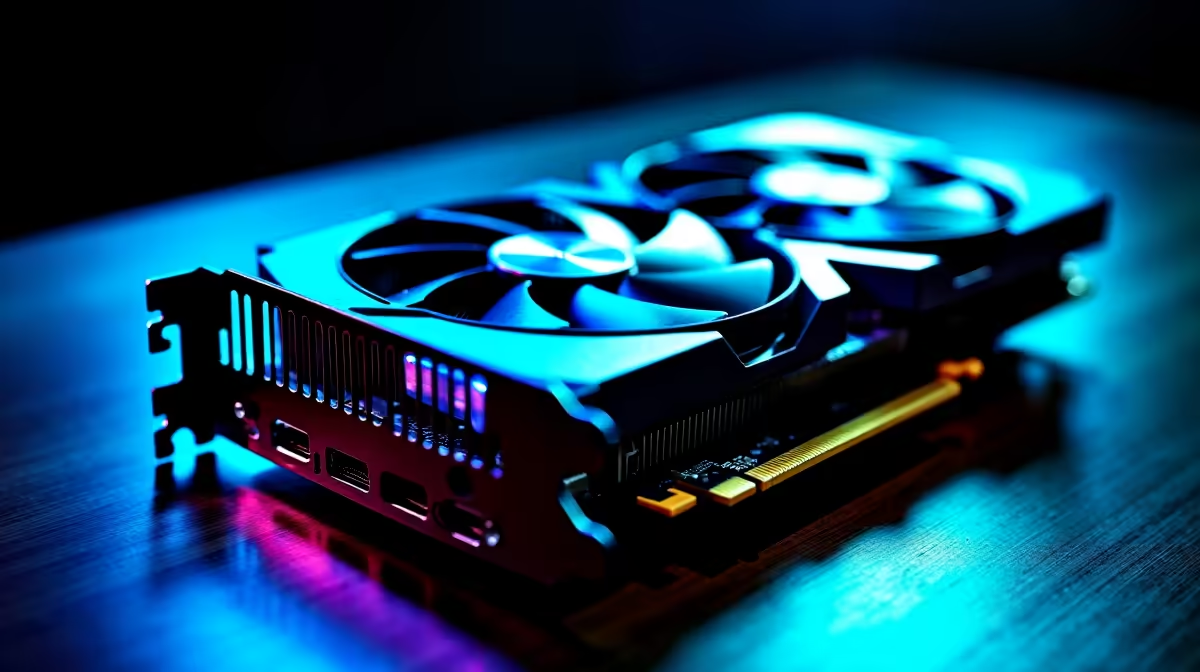
When your Arc B580 fan isn’t spinning, your gaming PC’s temp can spike fast — a nightmare for any gamer or builder 👾. If you’re noticing stagnant airflow or overheating during intense sessions, the fan might be stuck or faulty. Let’s dive into quick, practical fixes to get your fan spinning and your rig cool again.
Dust is a silent enemy. It easily clogs fan blades and stalls rotation. Check your graphics card for dust buildup. Using compressed air gently can clear this out without damaging the components.
Loose power cables or bad fan headers on the GPU can stop the fan from spinning. Ensure the fan connector is solidly plugged into the Arc B580 card. Reseating may help, and if you’re unfamiliar, this quick guide to CPU coolers might lend insight on safe component handling 🔧.
Sometimes fans stay off during low-temp scenarios due to fan curve settings configured in your motherboard BIOS or GPU software. Check if your fan curve has an aggressive zero-RPM mode enabled and adjust accordingly.
If dust, power, and settings check out but the fan still won’t spin, here’s what to try next:
If the Arc B580 fan not spinning persists after cleaning and reboot, your fan might be faulty. Replacing your fan or GPU might be necessary, but before taking that step, check the value in upgrading GPUs. Browse our South African stock of trusted graphics cards for competitive options.
For those building or upgrading rigs, also explore pre-built PC deals — tested and ready to game on day one ⚡. And if mobility is key, our range of laptops offers powerful alternatives with efficient cooling solutions.
Regular maintenance is crucial. Keep your PSU steady, your airflow clear, and avoid overclocking beyond safe temps. Remember, good cooling is the foundation for consistent FPS and longevity.
Clean your graphics card’s fan with compressed air every three months. It keeps airflow stable and reduces overheating risks, especially in dusty SA environments.
Explore the full range of components and cooling hardware to future-proof your system. Our best gaming PC deals bundle great specs with efficient cooling — ideal if you want hassle-free performance.
Get Your System Running Cooler Ready for responsive cooling and smooth gameplay? Shop now at Evetech for reliable GPUs and components built to handle the heat.
Arc B580 Fan Not Spinning: Troubleshooti available at Evetech.co.za with local warranty and fast delivery.
Arc B580 Fan Not Spinning: Troubleshooti - check Evetech for latest stock and SA pricing.
Depends on your use case. Arc B580 Fan Not Spinning: Tro offers good value at current Rand pricing.
1000W for RTX 5090 needs a full-build check, not a simple yes. Review GPU guidance, CPU draw, transient load, connectors, PSU quality, and upgrade plans before deciding.
Read more
RTX 5080 Super with a 750W PSU is more comfortable than lower wattage if the unit is quality. SA builders should still confirm GPU guidance, CPU draw, connector type, airflow, and upgrade room.
Read more
How to fix FPS drops after a RX 9070 XT starts with driver cleanup, chipset updates, thermals, and power checks. For SA gaming PCs, confirm PCIe seating, monitor refresh, frame caps, and per-game graphics settings before replacing parts.
Read more
How to fix low FPS Windows 11 Wi-Fi 7 issues starts by checking whether the problem is frame rate or network lag. Test ping, drivers, power settings, Ethernet, and game FPS before adjusting visuals.
Read more
AM5 is smart for SA builders because it supports newer Ryzen CPUs, DDR5 memory, and a longer upgrade path. Compare board cost, cooling, gaming needs, and local part availability before choosing your next PC platform.
Read more
AM5 gives Randburg gaming builders a longer upgrade path. For SA buyers, DDR5 support, newer board features, and future CPU options can justify the platform. Weigh board cost, cooler support, BIOS maturity, and upgrade timing before choosing.
Read more
RTX 5090 on a 550W PSU leaves almost no practical room for OC plans. Treat the setup as constrained, with CPU draw, power spikes, cable quality, thermals, and stability checks more important than chasing extra clocks.

FPS drops on a Ryzen 9 9950X3D build often have a fixable cause. Check settings, drivers, thermals, background tasks, network conditions, and bottlenecks before assuming a part must be replaced.

The difference between PCIe 5.0 and PCIe 4.0 for SA gamers is mostly bandwidth headroom. Compare GPU slot needs, NVMe speed, motherboard support, and upgrade timing before paying extra for a newer platform.

Gaming PC stuck pixel checks in South Africa should confirm the monitor fault first. Use colour tests, screenshot comparison, cable swaps, display menu checks, and clear photos before deciding on support.

AMD's current driver now lists a Radeon RX 9050 4GB, while product coverage details a narrowed memory system. SA buyers should weigh the low VRAM ceiling against current local Radeon options.

Samsung Display has demonstrated a 16-inch 2.5K OLED laptop panel running at 300Hz. SA buyers should wait for a named notebook, full panel specifications and a local price before planning an upgrade.

Microsoft says some Windows 11 game crashes after recent updates are linked to RGB-related drivers. Affected SA gamers should confirm the update and driver before using the published registry workaround.

Thermalright's Fan Frame Vision-1 adds a 640x172 status screen to a standard 120mm fan. SA builders should check clearance, USB routing and local support before treating it as an easy upgrade.
1000W for RTX 5090 needs a full-build check, not a simple yes. Review GPU guidance, CPU draw, transient load, connectors, PSU quality, and upgrade plans before deciding.

Wi-Fi 6E vs Wi-Fi 6 matters for 4K video editing when files move across a network. The real-world difference between Wi-Fi 6E and Wi-Fi 6 for video editing in 4K depends on NAS access, cloud uploads, router range, and SA creator workflows.
RTX 5080 Super with a 750W PSU is more comfortable than lower wattage if the unit is quality. SA builders should still confirm GPU guidance, CPU draw, connector type, airflow, and upgrade room.

Wi-Fi 6E vs Wi-Fi 6 for Video Editing in 4K comes down to router support, latency, client devices, band support, and home network layout. SA buyers should match the choice to their setup instead of assuming one option always wins.