



1000W PSU Planning for RTX 5090 Builds in SA
1000W for RTX 5090 needs a full-build check, not a simple yes. Review GPU guidance, CPU draw, transient load, connectors, PSU quality, and upgrade plans before deciding.
Read moreHow to fix low FPS Windows 11 Wi-Fi 7 issues starts by checking whether the problem is frame rate or network lag. Test ping, drivers, power settings, Ethernet, and game FPS before adjusting visuals.
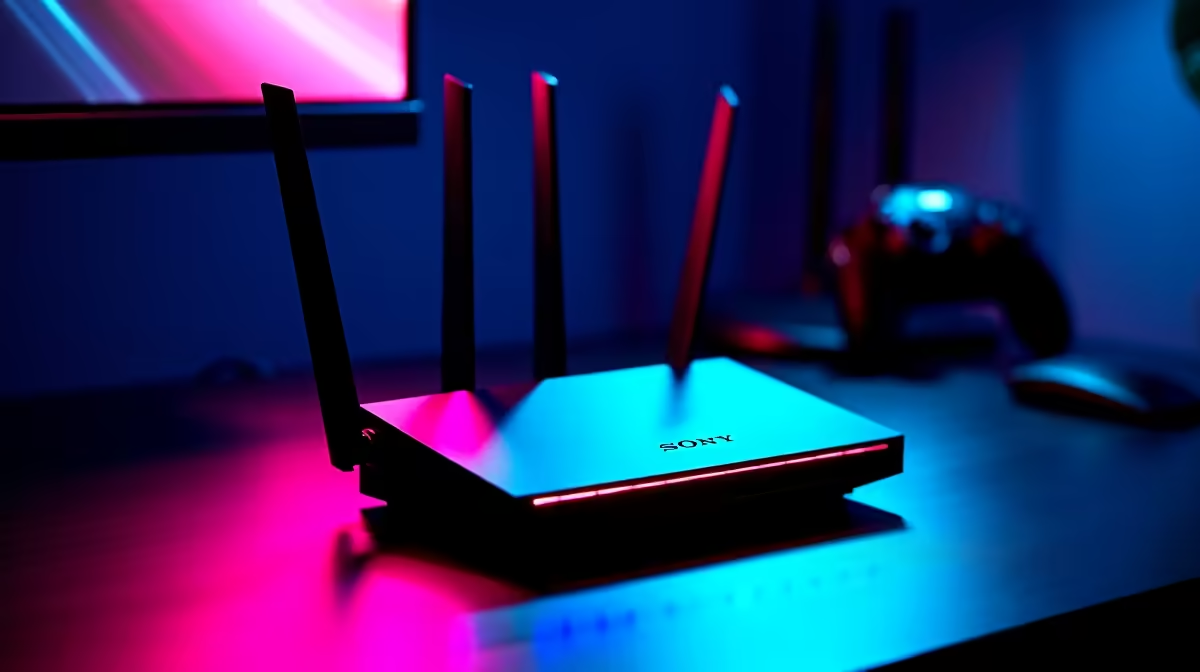
When low FPS shows up on a fresh Wi-Fi 7 router, the instinct is to blame the new part. In practice the cause sits in drivers, sync settings, or the display path - all things you can rule out in minutes.
On this build, low FPS after an upgrade points to a config gap - an old display cable forcing a low refresh, V-Sync locking you to 60fps, or in-game settings still on a previous preset. Each is a free fix worth tens of frames. It matters locally because it stops you buying around a problem that a single setting change would have solved for free.
Confirm the Wi-Fi 7 router is actually doing the work: in the game's GPU/CPU overlay, check which part is at 95-100% load. If neither is, a power plan or frame cap is throttling you. If the GPU sits idle while frames stay low, the wrong GPU is selected or Resizable BAR is off. Each is a free fix worth real frames.
A Wi-Fi 7 router shines on the 6GHz band, but only Wi-Fi 7 client devices reach it; older laptops and consoles stay on 5GHz. Update the router firmware, split the SSIDs so the PC locks to 6GHz/5GHz, and enable any QoS/gaming-traffic priority. Wherever you can, run a Cat6 cable to the gaming PC; even the best Wi-Fi 7 link adds jitter a cable removes. As a yardstick, for gaming aim for under 30ms ping and well under 1% packet loss - run a wired test to separate the router from the line, so use that as your pass/fail line rather than chasing a perfect number.
Treat the result as a buying guide. A problem that vanishes with a different cable, port, or sync setting costs nothing to fix. A problem that only shifts with more capable hardware tells you exactly what to budget for. That keeps SA spending sensible - you upgrade the wi-fi 7 routers or supporting part the test pointed at, instead of guessing and over-buying.
For most users it's the sync and frame-cap combination: turn V-Sync off, cap frames a few below your refresh rate, and enable a low-latency mode. For gaming aim for under 30ms ping and well under 1% packet loss - run a wired test to separate the router from the line.
Run a wired Ethernet test against your Wi-Fi: if the cable removes the issue, it was the wireless link. Watch ping and packet loss during play - under 30ms ping and well under 1% loss is the target for online gaming.
It can. Wherever you can, run a Cat6 cable to the gaming PC; even the best Wi-Fi 7 link adds jitter a cable removes. A cable that can't carry your panel's full refresh quietly caps performance and makes motion feel worse than the hardware should.
anything, run the baseline test above. Save your working settings profile once the low FPS is gone, then re-test after major game or driver updates. Only browse new Wi-Fi 7 Routers at Evetech if a clean, fully-tuned setup still falls short.
1000W for RTX 5090 needs a full-build check, not a simple yes. Review GPU guidance, CPU draw, transient load, connectors, PSU quality, and upgrade plans before deciding.
Read more
RTX 5080 Super with a 750W PSU is more comfortable than lower wattage if the unit is quality. SA builders should still confirm GPU guidance, CPU draw, connector type, airflow, and upgrade room.
Read more
How to fix FPS drops after a RX 9070 XT starts with driver cleanup, chipset updates, thermals, and power checks. For SA gaming PCs, confirm PCIe seating, monitor refresh, frame caps, and per-game graphics settings before replacing parts.
Read more
AM5 is smart for SA builders because it supports newer Ryzen CPUs, DDR5 memory, and a longer upgrade path. Compare board cost, cooling, gaming needs, and local part availability before choosing your next PC platform.
Read more
AM5 gives Randburg gaming builders a longer upgrade path. For SA buyers, DDR5 support, newer board features, and future CPU options can justify the platform. Weigh board cost, cooler support, BIOS maturity, and upgrade timing before choosing.
Read more
USB-C charging is becoming standard for SA peripherals because it cuts down cable confusion across mice, keyboards, headsets, and controllers. The key is checking power needs, connector quality, and whether the device supports fast top-ups.
Read more
RTX 5090 on a 550W PSU leaves almost no practical room for OC plans. Treat the setup as constrained, with CPU draw, power spikes, cable quality, thermals, and stability checks more important than chasing extra clocks.

FPS drops on a Ryzen 9 9950X3D build often have a fixable cause. Check settings, drivers, thermals, background tasks, network conditions, and bottlenecks before assuming a part must be replaced.

The difference between PCIe 5.0 and PCIe 4.0 for SA gamers is mostly bandwidth headroom. Compare GPU slot needs, NVMe speed, motherboard support, and upgrade timing before paying extra for a newer platform.

Gaming PC stuck pixel checks in South Africa should confirm the monitor fault first. Use colour tests, screenshot comparison, cable swaps, display menu checks, and clear photos before deciding on support.

AMD's current driver now lists a Radeon RX 9050 4GB, while product coverage details a narrowed memory system. SA buyers should weigh the low VRAM ceiling against current local Radeon options.

Samsung Display has demonstrated a 16-inch 2.5K OLED laptop panel running at 300Hz. SA buyers should wait for a named notebook, full panel specifications and a local price before planning an upgrade.

Microsoft says some Windows 11 game crashes after recent updates are linked to RGB-related drivers. Affected SA gamers should confirm the update and driver before using the published registry workaround.

Thermalright's Fan Frame Vision-1 adds a 640x172 status screen to a standard 120mm fan. SA builders should check clearance, USB routing and local support before treating it as an easy upgrade.
AMD's current driver now lists a Radeon RX 9050 4GB, while product coverage details a narrowed memory system. SA buyers should weigh the low VRAM ceiling against current local Radeon options.
Microsoft says some Windows 11 game crashes after recent updates are linked to RGB-related drivers. Affected SA gamers should confirm the update and driver before using the published registry workaround.
Samsung Display has demonstrated a 16-inch 2.5K OLED laptop panel running at 300Hz. SA buyers should wait for a named notebook, full panel specifications and a local price before planning an upgrade.
Thermalright's Fan Frame Vision-1 adds a 640x172 status screen to a standard 120mm fan. SA builders should check clearance, USB routing and local support before treating it as an easy upgrade.