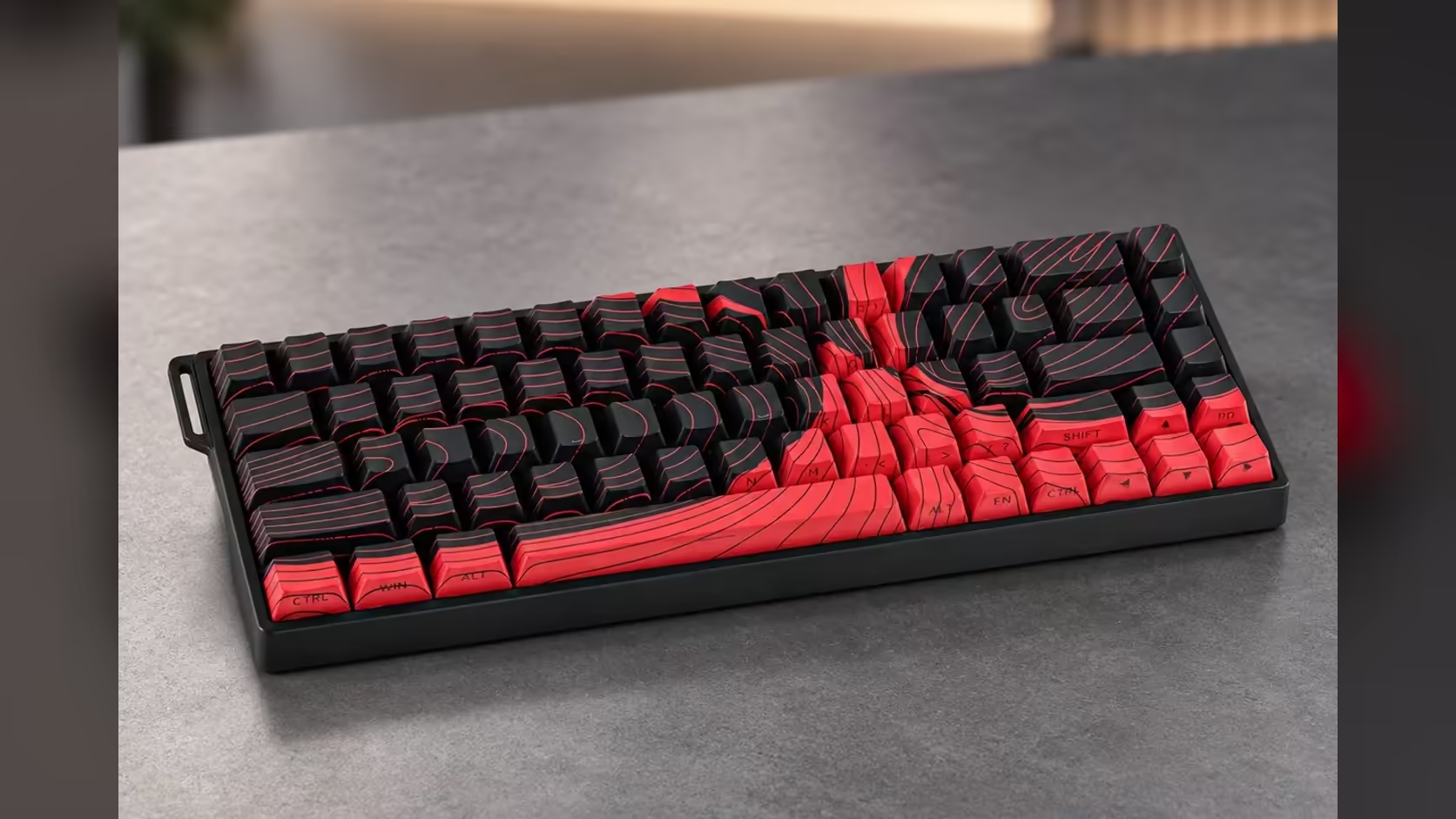
Count the keys on a standard full-size board and you land somewhere past a hundred. The AULA WIN68 keeps 68. That sounds like a drastic cut until you look at what actually went: the numpad, the function row and a cluster of navigation keys. A 68-key layout keeps what most people press every minute and tucks the rest behind a single Fn key, which is why it works better in daily life than the number suggests.
Quick Answer
The 65% layout on the AULA WIN68 HE and WIN68 MAX keeps the letters, the number row and dedicated arrow keys, and moves F1 to F12 and other extras onto Fn combinations. Both editions use the same 68-key ANSI US arrangement, and Evetech prices them at R449 for the HE and R699 for the MAX. For games and most typing, little is lost; heavy spreadsheet users will miss the numpad most.
⬅️ What stays on the board
The keys that survive the cut are the ones used constantly:
- The full alphabet and the number row, so typing feels normal from day one.
- Dedicated arrow keys in their own corner, the feature that separates a 65% board from a smaller 60% one.
- The usual modifiers, Shift, Ctrl, Alt and the Windows key, plus Enter, Backspace and Tab.
The layout is ANSI US, the flat, wide Enter key arrangement common on gaming keyboards. Anyone used to a UK-style tall Enter key will need a day or two to adjust.
🔢 What moves behind Fn
AULA describes the WIN68 as putting the function row and other commands on Fn combinations. On compact boards that usually means holding Fn with a key on the number row to reach F1 through F12, with some navigation keys reached the same way; the legends and the manual show the exact pairings. Games that use function keys for quick saves or menus still work; you just press two keys instead of one.
The numpad is the bigger change. There is none, so number entry happens on the top row. For games that is rarely an issue. For accounting work or long runs of figures, it slows things down, and an external numpad is the usual fix if you need one.
🔁 Remapping what you do not use
Both editions are set up in AULA's browser-based web driver, which lets you reassign keys. If a key sits idle, say a rarely touched symbol key near the arrows, you can turn it into something you do use. On the WIN68 MAX, extra modes such as Mod-Tap go further, letting one key act as a letter on a tap and a modifier on a hold, which helps a compact board carry more. The HE sticks to standard remapping and macros.
📝 Living with it through a work day
Typing long documents on a 65% board feels the same as on a larger one, because the letters and number row are untouched. Where people stumble is on shortcuts that lean on the function row or Home and End. After a week, the Fn combinations tend to become muscle memory.
The payoff is desk space. With no numpad, the mouse can sit closer to the centre of your body, which suits wide sweeping movements in games and keeps shoulders more relaxed. The switch underneath is still magnetic: Gray Wood at 32gf on the HE, Wing Chun at 36gf on the MAX, both polling at 8000Hz over USB-C.
If you want to compare the compact layout against larger boards, the gaming keyboards category on Evetech has 65%, 75% and full-size options side by side. Both WIN68 editions are hot-swappable, so the keyboard switches range remains an upgrade path too. The pair is covered by a 2 Years Local Warranty from Evetech.
Frequently Asked Questions
How do I type F5 on a 68-key board?
Through an Fn combination. Both WIN68 editions place the function row behind Fn, and the manual lists which key pairs with which.
What replaces the numpad?
The number row along the top. If you enter figures all day, a separate numpad is the practical addition.
Is a 65% board workable for spreadsheets?
Yes, though slower for long number entry. Arrow keys are present, which helps with moving between cells.
Can I change what a key does?
Yes. AULA's web driver lets you remap keys on both editions, and the MAX adds Mod-Tap for dual-purpose keys.
Do the HE and MAX share one layout?
Yes. Both are 65% boards with 68 keys in an ANSI US arrangement, so the difference lies in switches and modes.
Ready to trim your keyboard down to 68 keys?
Compare compact and full-size layouts in Evetech's gaming keyboard range and decide how much of the board you really use.