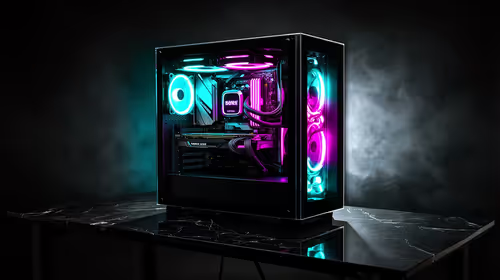
Pick the motherboard before the case, because the board's form factor decides which cases can hold it. Choose the other way round and you can end up with a handsome case that your preferred board will not mount in, or a board squeezed into a case that leaves no room for a decent cooler.
Quick Answer
Choose the motherboard first. Its form factor, whether ATX, micro-ATX or mini-ITX, sets the size of case you need, so the board narrows the case choice and not the reverse. In Evetech's PC Builder the case list shrinks to match the board you have chosen, so a case that is too small never lands on your shortlist.
📐 Why Form Factor Is the Hinge
Every motherboard follows a size standard. A full ATX board measures about 305 by 244 mm, micro-ATX is a square 244 by 244 mm, and mini-ITX is a tiny 170 by 170 mm. The screw holes in a case are laid out for specific sizes, and a case built for the small ones simply has no place to bolt a large board.
The rule only runs one way. A roomy case that supports ATX will normally also take micro-ATX and mini-ITX, because the smaller boards use a subset of the same mounting holes. A compact case does not stretch the other way. That is why the board comes first: it fixes the minimum size of the case, and everything bigger than that stays open.
Browse the available computer cases after you have the board in mind, not before.
🧭 What the Board Choice Brings With It
A board is not picked on size alone. Its socket decides which processors you can use, and its slot count decides how much memory and how many expansion cards it can hold. A full-size ATX board usually offers 4 memory slots, 2 to 3 M.2 storage connectors and up to 7 expansion slots. A mini-ITX board is limited to 2 memory slots and 1 expansion slot, which suits a small desktop but leaves less room to grow.
Look through the range of motherboards with the processor you want in mind. In the PC Builder, picking a processor trims the board list to its socket, and settling on a board then trims the cases. Each choice narrows the next list, so you work down a funnel instead of juggling every part at once.
🏠 When the Case Comes First Anyway
Sometimes the case really is the starting point. A small desk in a Pretoria flat, a shelf in a shared home office, or a living room unit might cap the size of the machine before anything else. In that situation, decide the maximum case size first, then read off the form factors it supports and shop for a board inside that limit.
The trade-off is that you accept fewer boards and a tighter fit around the cooler and graphics card. Check the clearance for a long graphics card (often 300 mm or more) and for a cooler 150 mm tall, because small cases limit both. If you have no hard size limit, start with the board, then pick a case with a bit of spare room for airflow and later upgrades.
Frequently Asked Questions
Should I pick the case or the motherboard first?
Pick the motherboard first. Its form factor sets which cases can hold it, so the board narrows your case choice rather than the other way round.
What does motherboard form factor mean?
It is the size and mounting layout of the board, such as ATX, micro-ATX or mini-ITX. A case must support the form factor of the board you pick.
Can a small case take a large motherboard?
No, a large board will not mount in a case built for smaller sizes. A bigger case can usually take a smaller board, though.
How does the PC Builder handle case choice?
Once a board is chosen, the builder trims its case list to the ones that hold that board's size, so unsuitable cases never appear on screen.
Why not choose the case for looks first?
You can, but then your board choice is limited to what that case supports. Starting with the board keeps more of the options open.
Does the case affect cooling and parts later?
Yes, airflow, fan spots and room for a cooler or card all depend on the case. Check those once the board and case size are settled.
Is mini-ITX a good first-build size?
It saves space but is harder to work in, with tight clearances and fewer slots. Most first builds are easier in micro-ATX or ATX.
Ready to match a case to your board?
Open the PC Builder, choose your motherboard, and see only the cases that fit its form factor.